

Malformed JSON output from AI models routinely halts workflows and injects unreliable data into production pipelines, causing costly delays and debugging headaches. Typical repair tools either miss model-specific errors like markdown fences, truncated responses, or unquoted keys, or they lack plain-English explanations for their fixes, making it hard to audit or automate repairs. After reading you will be able to compare top AI-focused JSON repair tools, so you can select the one that best restores structure, explains corrections, and fits your size, privacy, and automation needs.
Table of Contents
DataTool.dev
At a Glance
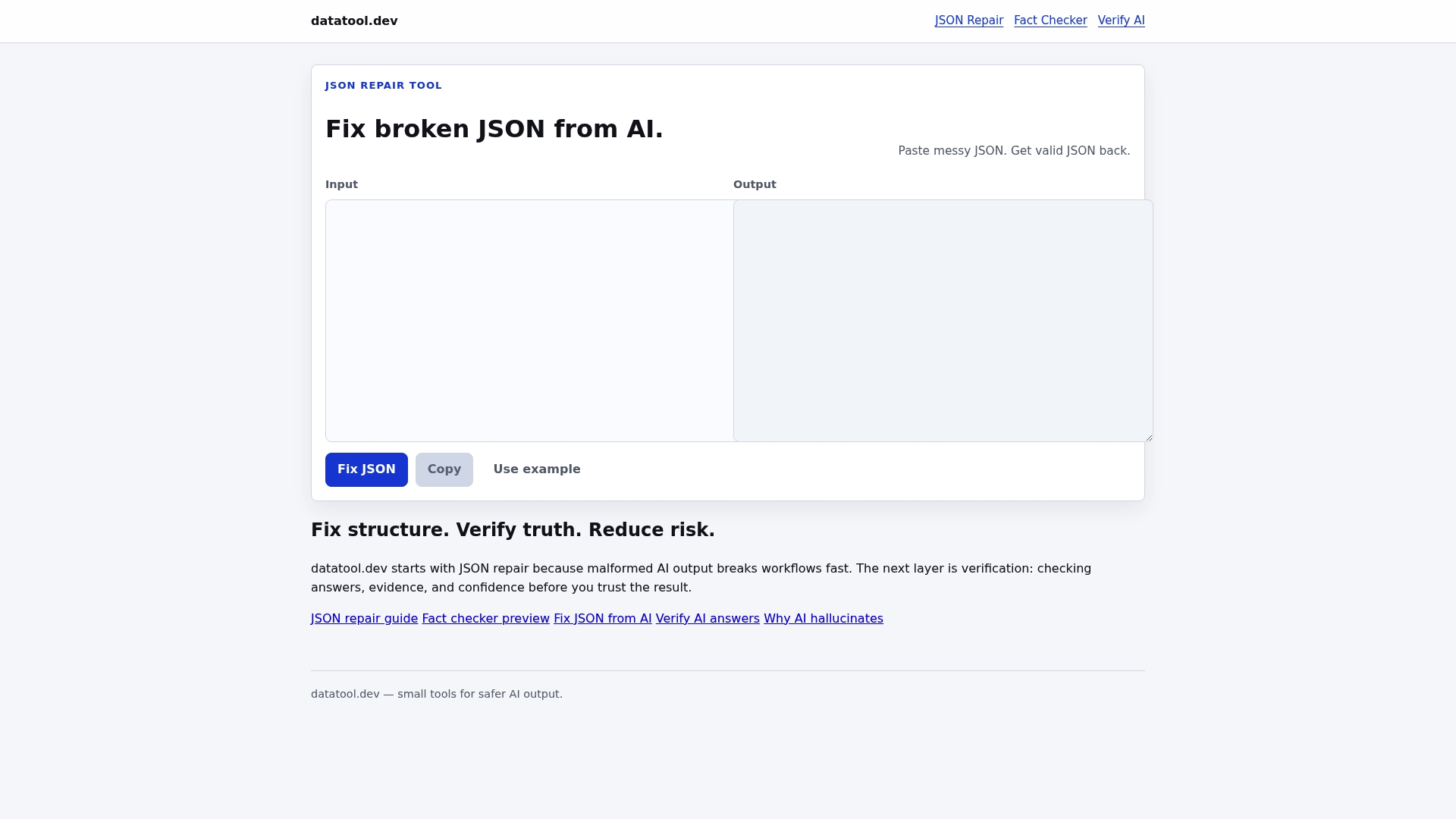
Repairs broken JSON and evaluates answer support so malformed AI outputs and unsupported claims are caught before they hit your pipeline. The site focuses on structural fixes and claim checks aimed at lowering hallucination risk in production data flows.
Core Features
- JSON repair tool to fix broken AI-generated JSON and recover truncated or misescaped objects.
- Fact checker preview that highlights unsupported assertions for further review.
- Verify AI answers for assessing confidence and support levels in model replies.
- Guides and walkthroughs for fixing JSON structures and improving prompt workflows.
- Tools that surface common hallucination patterns to inform mitigation.
Key Differentiator
Targets hallucination mitigation by pairing structural repair with claim verification. Instead of only flagging bad output, DataTool.dev repairs malformed JSON and shows whether answers have supporting evidence, which reduces both parsing errors and misinformation entering downstream systems.
Pros
- Addresses frequent LLM failures like malformed JSON and unsupported claims so your data pipeline sees valid, structured payloads rather than noisy strings.
- Specialized JSON repair focuses on real-world errors from models such as truncation and invalid escaping, restoring usable objects quickly.
- Answer verification provides a quick signal about whether a model response is supported or suspect, helping triage outputs before human review.
- Provides concise guides that help you adjust prompts and workflows to prevent repeat failures, reducing manual debugging time.
- Emphasizes safety and reliability, which fits teams shipping AI where data integrity matters for downstream processing.
Cons
- Not fully implemented for real-time fact checking as of now, so teams needing continuous live verification will still need an additional layer for streaming or low-latency validation.
Who It's For
AI developers, data engineers, and platform owners who integrate LLM outputs into production systems and need tools to convert brittle model responses into reliable structured data. Ideal for teams that can run light preprocessing and want to reduce manual cleanup.
Unique Value Proposition
Repair-first tooling that also verifies claim support. DataTool.dev fixes malformed JSON at the source and surfaces whether answers have evidence, so your pipelines receive structured, assessed data instead of raw, risky LLM output. That combination reduces parser failures and lowers the chance of propagating hallucinations into downstream systems.
Real World Use Case
An AI chatbot feeds user responses into analytics and downstream services. DataTool.dev repairs truncated JSON, validates answer support, and flags suspect claims for human review. The pipeline accepts only repaired, confidenceannotated objects, preventing bad data from corrupting analytics and automations.
Pricing
Pricing details are not specified on the website. Public plans or per-seat pricing are not listed, so you will need to check the site or contact the team for current pricing and deployment options.
Website: https://datatool.dev
AI JSONMedic
At a Glance
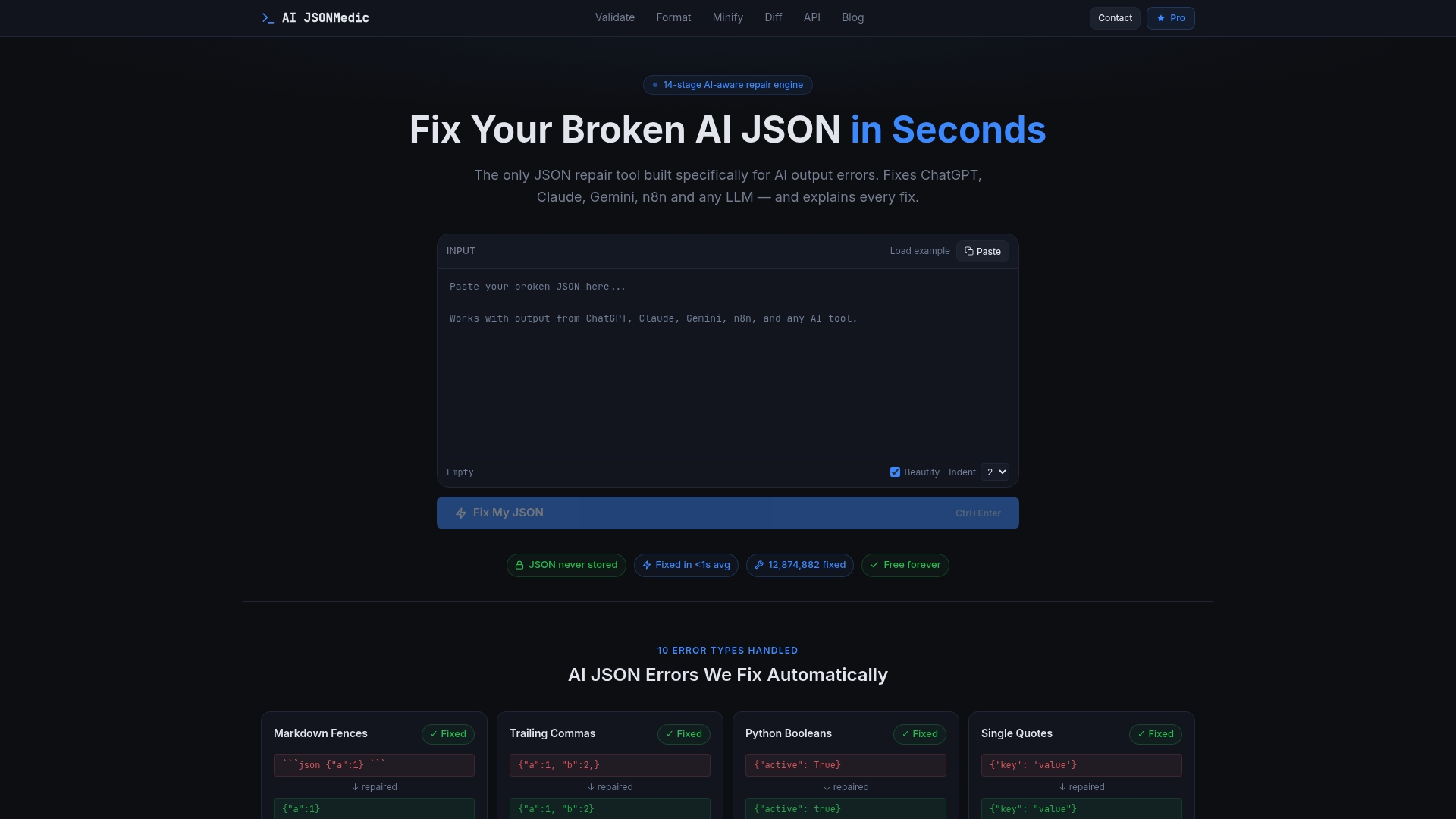
Free, no sign-up access that accepts JSON payloads up to 2MB in the browser and returns a detailed repair report explaining each change in plain English. The tool targets the kinds of malformations LLMs commonly emit, not general JSON diagnostics.
Core Features
- 14-stage AI-aware repair engine that runs a sequence of targeted fixes.
- Handles 10+ error types including markdown fences, trailing commas, comments, unquoted keys, Python booleans, and truncation.
- Explains every fix in plain English so you can audit or teach downstream processes.
- Client-side processing for privacy, plus API options with Python and JavaScript SDKs for automation.
Key Differentiator
Only JSON repair tool built specifically for fixing AI output errors with an explainable multi-stage approach. That focus yields higher success rates on model-generated noise but means it serves a narrower audience than general-purpose JSON validators or editors.
Pros
- Specifically tuned to AI model failures, which means fixes are more likely to reflect the intent behind truncated or fenced responses.
- Explanations for each fix help you understand why a change occurred and speed debugging in pipelines.
- Client-side processing keeps your payload local in the browser, eliminating server-side storage concerns for sensitive outputs.
- Free usage without sign-up lowers the barrier for quick checks and ad-hoc repairs during development.
Cons
- Primarily targets AI-generated errors; manually corrupted JSON with unusual structures may not be fully repaired.
- The free 2MB input limit restricts large model dumps or combined batch files without upgrading.
- Client-side only processing limits some advanced server-side workflows and centralized logging.
When It May Not Fit
If you routinely process multi-megabyte model outputs or need batch repairs across many files, the free tier’s 2MB cap and single-browser workflow will be a bottleneck. If your errors stem from hand-edited or non-LLM sources, a general parser or editor may perform better.
Notable Integrations
Offers an API with a Python SDK and a JavaScript SDK so you can call the repair pipeline from servers or automation scripts. Use the SDKs to slot repairs into ETL jobs, CI steps, or chatbot output sanitization.
Who It's For
Developers and automation engineers working with ChatGPT, Claude, Gemini, or similar models who need fast, explainable fixes to parse-blocking JSON. Also useful for data engineers building ingestion safeguards in AI-driven pipelines.
Unique Value Proposition
The 14-stage repair pipeline targets exactly the error modes LLMs produce and pairs each automatic fix with a plain-English explanation. That combination reduces miscorrections and lets you surface rules into unit tests or downstream validation logic.
Real World Use Case
Embed the API in a data pipeline so ChatGPT responses get repaired before parsing. The pipeline prevents runtime parse errors, reduces pipeline retries, and provides a human-readable audit trail for each correction.
Pricing
Free to use in the browser with a 2MB input limit. A Pro API with higher limits and additional features is coming soon for teams needing larger payloads or batch processing.
Website: https://aijsonmedic.com
JSONFix.tech
At a Glance
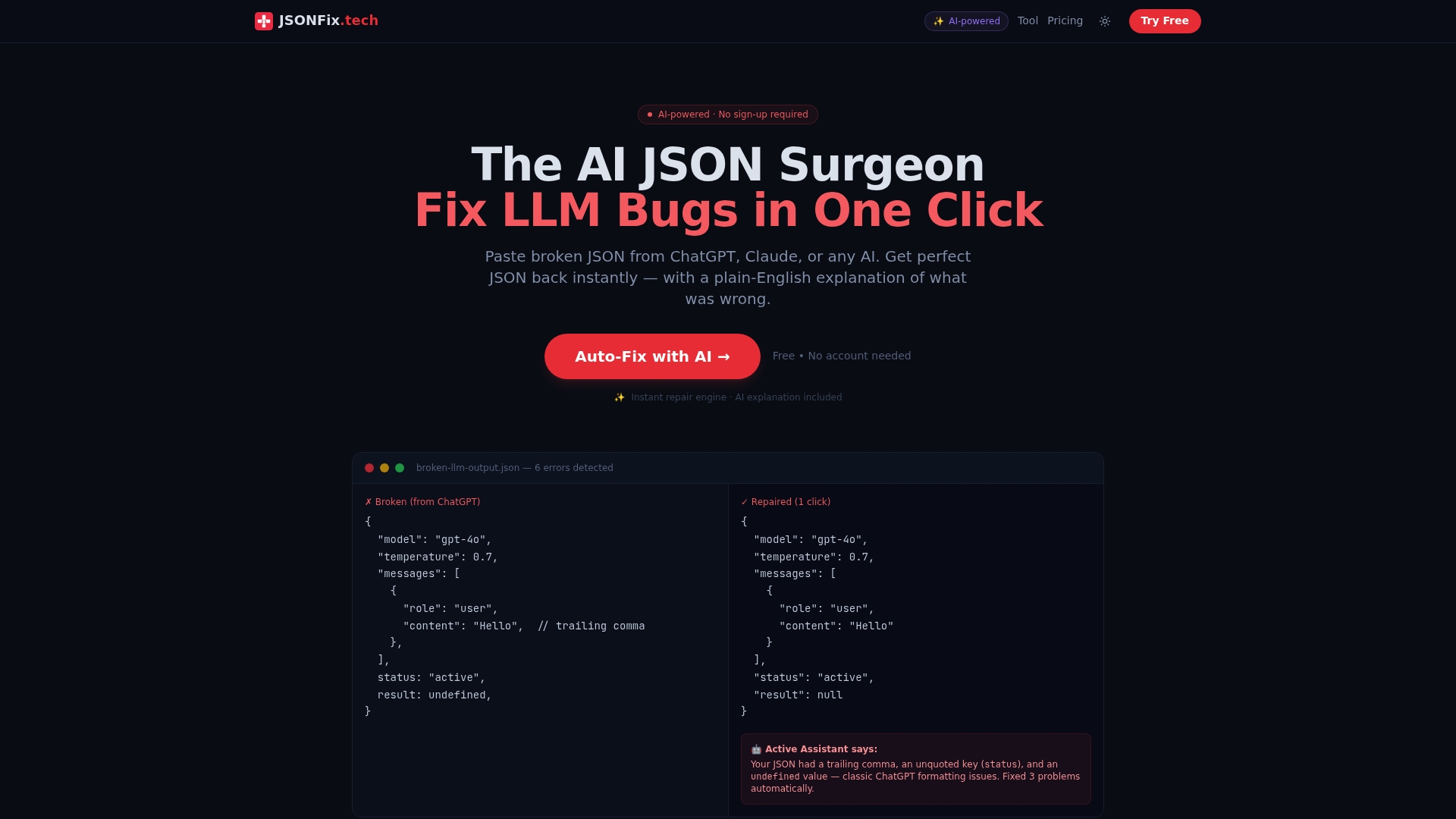
No sign-up required and a free tier that gives you 10 fixes per month for quick ad hoc use. AI-powered repairs target common LLM mistakes so you get repaired JSON plus a plain-English explanation in seconds.
Reach for it when a quick, readable fix matters more than deep validation.
Core Features
- AI-powered automatic JSON repair that corrects trailing commas, unquoted keys, comments, and other LLM-induced errors in one click.
- Plain-English explanations showing what was wrong and what changed, which speeds debugging and code reviews.
- Support for markdown fences, truncation fixes, and invalid JavaScript values so outputs from ChatGPT and similar models are usable.
- Multiple pricing tiers including free, Pro, Lifetime, and Enterprise for programmatic access.
- No sign-up required for basic use so you can paste and fix immediately.
Try the free tier before committing to a paid plan.
Key Differentiator
AI-powered automatic repair with plain-English explanations tailored for LLM-generated JSON errors, handling a wide array of mistakes that commonly appear in model output. That focus makes JSONFix.tech a fast, low-friction tool for teams that need one-click remediation rather than manual parsing.
This is a repair-first tool optimized for developer speed when integrating AI outputs.
Pros
- One-click repairs speed edits. Paste broken output, apply the fix, and copy valid JSON back into your pipeline.
- Supports the specific failure modes you see from LLMs, including trailing commas and truncated objects, which reduces manual cleanup time.
- No sign-up required removes friction during debugging sessions or quick demos.
- Plain-English explanations help junior engineers and reviewers understand the underlying syntax issues without hunting through the diff.
- Multiple billing options from a free tier to a lifetime license and Enterprise seats provide flexibility for small teams and larger orgs.
Cons
- It is primarily a repair tool, not a full validator; you may still want separate schema checks or type validation after repair.
- Free usage is limited to 10 fixes per month, so heavier workflows require paid plans.
- Relying exclusively on automatic fixes can mask deeper data or schema problems that need manual investigation.
When It May Not Fit
If your workflow needs comprehensive schema validation or type checking as a first step, JSONFix.tech may not be sufficient alone. Large-scale pipelines that require batch validation, custom rules, or deep structural analysis will need additional tooling. Heavy users will likely prefer Pro, Lifetime, or Enterprise to avoid free tier limits.
Notable Integrations
- API for programmatic use is available on the Enterprise plan, enabling integration into CI steps, server middleware, or automated ingestion pipelines.
Who It's For
Developers, data engineers, and AI practitioners who regularly ingest LLM outputs and need fast, readable corrections. Ideal for teams that value speed during development, bug triage, or when turning ChatGPT responses into API-ready payloads.
Unique Value Proposition
Auto-repair of LLM-specific JSON errors in one click with plain-English explanations. That exact mechanism saves developer time when models break syntax in predictable ways, making JSONFix.tech a practical middle layer between model output and downstream validators.
If you want to get from broken text to valid JSON without manual fiddling, this tool shortens the path.
Real World Use Case
A developer pastes ChatGPT output containing trailing commas and a truncated object. JSONFix.tech returns valid, well-formatted JSON and an explanation of the fixes so the developer can immediately POST the payload to an API or commit a corrected config file.
Pricing
Free forever with 10 fixes per month. Pro at $5/month or $39/year for unlimited fixes. Lifetime at $99 one-time. Enterprise at $29 per user/month billed annually and includes the API.
Website: https://jsonfix.tech
JSONTech.net
At a Glance
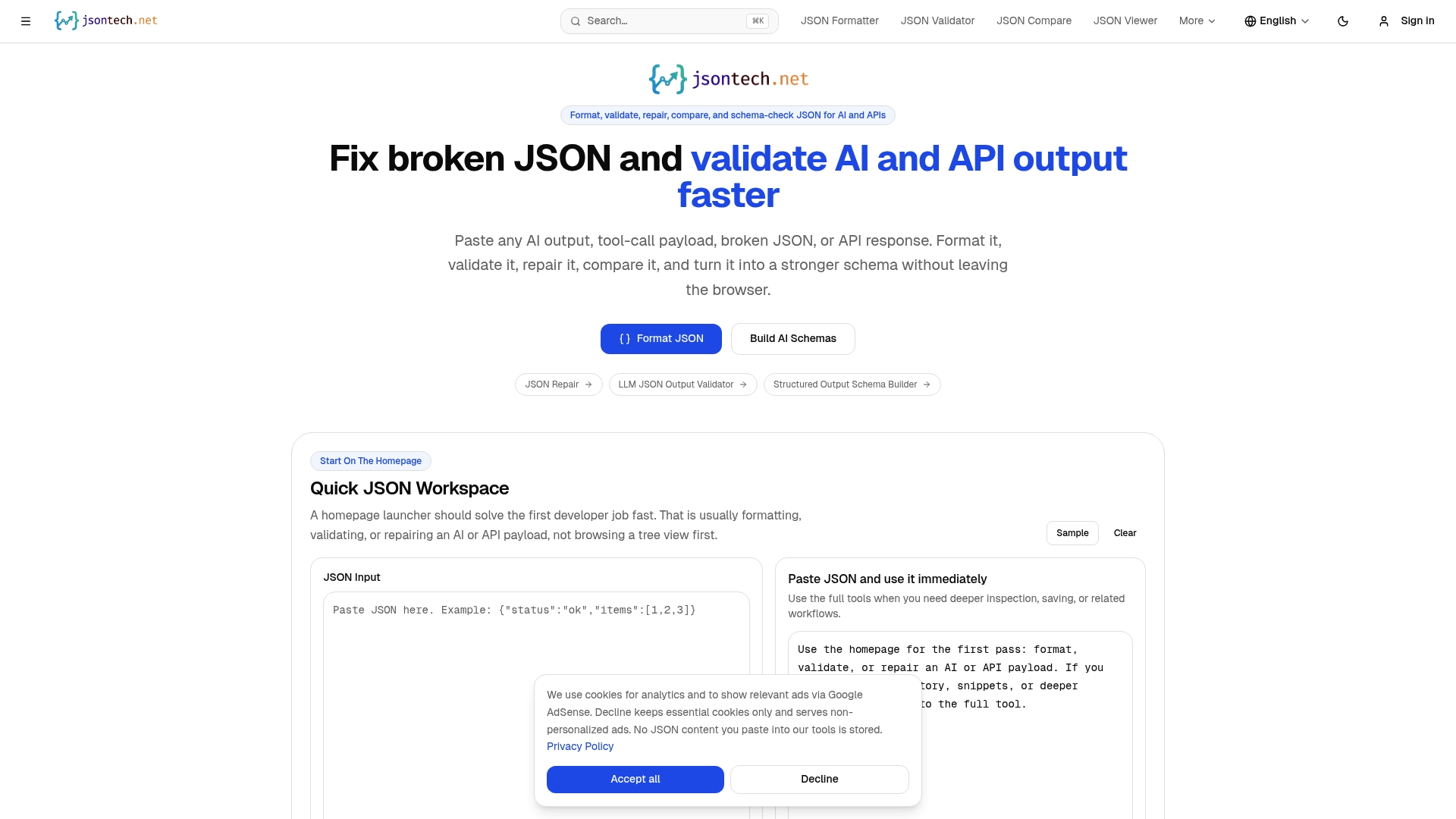
45 browser-based tools run mostly client-side, letting you fix, validate, and convert JSON instantly in the browser without sign-up and without sending payloads to a server.
Core Features
JSON formatting and beautification, syntax validation with exact error positioning, and converters for YAML, XML, CSV, TypeScript, and HTML.
Search and comparison tools include the JSONPath Tester and JSON Compare for diffing and spotting schema drift. Visualization tools show object graphs and size analysis, while utilities cover Base64, URL encoding, JWT decoding, mock data generation, and an API Explorer with optional CORS proxy.
Key Differentiator
Most tools operate locally which preserves privacy, speeds up small repairs, and avoids upload limits. This browser-first model targets interactive debugging workflows rather than scripted pipelines, so it works best when you need fast manual fixes and inspections.
Pros
-
Local browser processing protects sensitive payloads and avoids round trips to external servers, which developers handling private AI outputs will appreciate.
-
The toolset covers many daily tasks: formatting, repair, conversion, schema generation, and quick API checks, so you rarely switch tabs for basic debugging.
-
No account, no cost, and instant load time mean you can diagnose malformed responses in seconds during incident response or ad hoc testing.
-
The UI keeps tools accessible; copy paste a response, run the repair tool, and validate against a schema without leaving the page.
-
Regular updates add utilities relevant to API and AI debugging, such as JWT decoding and webhook testing.
Cons
-
The homepage favors first-pass fixes; deep, multi step workflows can force you to open specialized external tools for complex transformations.
-
Browser limits make it unsuited for heavy batch processing or very large payloads where desktop or server tools outperform it.
-
Schema generation and some validators assume familiarity with JSON Schema and JSONPath, which raises the learning curve for newcomers.
When It May Not Fit
If you need automated CLI processing, scheduled jobs, or server side validation at scale, JSONTech.net is the wrong tool. Teams that must embed validation into CI pipelines should use a server based or scriptable solution. For very large datasets, use desktop or server tools that avoid browser memory constraints.
Notable Integrations
-
API Explorer for endpoint testing and optional proxying
-
JSON Schema Generator and Validator for structured validation
-
JWT Decoder for token inspection
-
Webhooks Tester to validate incoming requests
Who It's For
Developers, API testers, AI and ML engineers, and data scientists who need a fast, private browser workspace for repairing malformed JSON, validating payloads, and converting formats during development and debugging.
Unique Value Proposition
45 browser-based tools let you diagnose, repair, and validate JSON entirely in the browser with no signup and no external uploads. For hands-on debugging of API or AI outputs, that removes friction and privacy concerns in one step.
Real World Use Case
A developer pastes a truncated API response into the JSON Repair tool, corrects the structure, then runs the JSON Schema Validator to confirm the payload matches the expected contract—all in the same browser session without sending data to a server.
Pricing
Completely free with no paid tiers and no account required. That makes it an instant fallback during incidents and a low friction option for developers who need a reliable manual toolkit.
Website: https://jsontech.net
Comparing JSON Repair Tools for AI Outputs
Effective tools for repairing and validating JSON data are critical in AI-based workflows due to the high frequency of malformed outputs that require processing. Within the reviewed tools, DataTool.dev stands out with its integrated approach combining structural JSON repair and content verification. This comparison evaluates the tools' strengths in addressing typical AI-inflicted JSON anomalies.
Combining Structural Repair and Semantic Verification
DataTool.dev distinguishes itself by not only repairing JSON structural issues but also verifying the factual basis of responses. This dual focus ensures outputs are both well-formed and credible, reducing both syntax errors and misinformation. Competing tools such as JSONFix.tech provide rapid repairs with explanations, focusing strictly on structural integrity without delving into content validation. AI JSONMedic emphasizes its explainable multi-stage repair pipeline but lacks integrated content assessments. JSONTech.net offers versatile in-browser utilities capable of handling a spectrum of tasks, but these lack specialization in AI-generated content inconsistencies like hallucination detection.
Transparency in the Repair Process
A key efficacy factor is how these tools maintain user insight during the repair process. AI JSONMedic and JSONFix.tech excel by providing plain-text explanations of each applied correction, aiding comprehension and debugging. However, DataTool.dev augments this transparency by coupling repairs with evidence-based validation summaries for any factual content revised, a feature absent in its competitors. JSONTech.net provides basic validation feedback but lacks the depth offered by dedicated repair and validation tools.
Choosing the Right Tool for Your Workflow
- If you require a dual approach of repairing syntax and verifying response integrity, choose DataTool.dev. This tool is ideal for handling production pipelines where data validity is a priority.
- For fast, simple JSON repair without context verification, JSONFix.tech provides an efficient option, albeit with a focus on individual files.
- Developers who benefit from detailed repair breakdowns can leverage AI JSONMedic's 14-stage pipeline.
- JSONTech.net's broad utility makes it a good fallback for diverse data operations rather than specialized needs.
Why DataTool.dev Stands Out
Among these tools, DataTool.dev uniquely combines JSON structural repair with answer verification, targeting the hallmark issues of AI-generated outputs: format errors and hallucinations. This dual-purpose functionality ensures cleaner, validated data pipelines, an edge critical for teams striving for reliable AI integration in production systems.
JSON Repair and Validation Tool Comparison
When selecting a JSON repair and validation tool, the emphasis should be placed on their capabilities to mitigate errors in AI-generated outputs while maintaining data integrity.
| Tool | Core Feature | Key Differentiator | Best For | Pricing | Notable Limitation |
|---|---|---|---|---|---|
| DataTool.dev | JSON repair and AI answer verification | Structural repairs coupled with claim validation | AI developers aiming to improve LLM output reliability | Not disclosed | Not fully implemented for real-time fact checking |
| AI JSONMedic | 14-stage repair pipeline with explanations | Focused on explainable fixes for AI JSON errors | Developers needing privacy-conscious, explainable JSON repairs | Free up to 2MB input | Limits batch processing for large-scale operations |
| JSONFix.tech | Automatic JSON repair with plain-English explanations | Tailored for LLM JSON errors with rapid corrections | Developers needing fast debugging for LLM-generated JSON | Free for 10 fixes monthly; Pro tier starts at $5/month | Limited free tier usage; pro plans required for high-volume needs |
| JSONTech.net | 45 browser-based debugging and validation tools | Local client-side processing without data upload | Developers prioritizing quick, private manual debugging steps | Free | Not suited for batch processing or extensive automation |
Simplify Repairing Malformed JSON and AI Data with datatool.dev
Encountering broken JSON or unsupported AI model output can interrupt your workflows and waste development time. The article highlights the challenge of finding reliable JSON repair alternatives that handle real-world LLM output errors like truncation, invalid escaping, and partial objects. At datatool.dev, you get a developer-focused platform specifically designed to fix these exact issues while also verifying the support behind AI-generated answers.
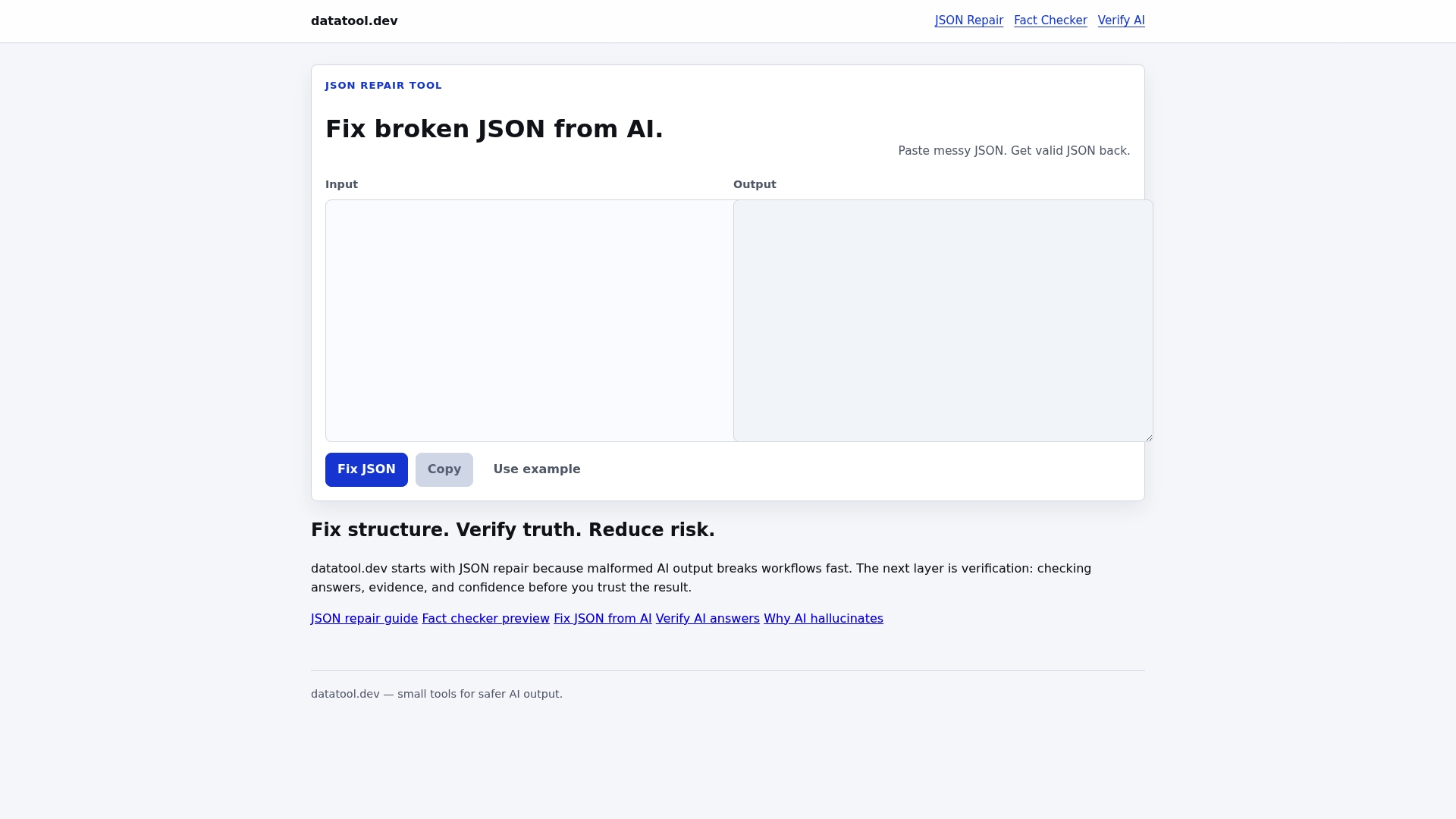
Stop sifting through tools that only partially solve your problems. With datatool.dev, you receive structured repairs coupled with claim verification to prevent parser failures and reduce misinformation in your pipelines. Visit datatool.dev now to repair broken JSON and assess AI responses with confidence. Start by uploading malformed data to get clean, vetted outputs that fit seamlessly into your systems.
Frequently Asked Questions
How does DataTool.dev help with malformed JSON from AI outputs?
DataTool.dev offers a specialized JSON repair tool that focuses on fixing broken, AI-generated JSON. It addresses common issues like truncation and invalid escaping, ensuring valid and usable objects enter your pipeline. This capability significantly reduces parsing errors and lowers the risk of misinformation in production data flows.
What is the pricing for DataTool.dev, and how does it compare to AI JSONMedic?
The pricing details for DataTool.dev aren’t specified on the website, requiring users to check directly for current options. In contrast, AI JSONMedic is free for basic use, but it primarily addresses JSON repair without extensive structural validations found in DataTool.dev. For teams looking for a robust solution that also involves claim verification, DataTool.dev is the preferred choice despite the lack of upfront pricing.
Can I use DataTool.dev for integrating complex AI outputs into my systems?
Yes, DataTool.dev is designed for AI developers, data engineers, and platform owners who need reliable tools for processing LLM outputs. Its features, such as structural repair and answer verification, help ensure that complex AI outputs are not only usable but also securely integrated into your systems, enhancing data integrity.
What is the difference between DataTool.dev and JSONFix.tech in terms of repair functionalities?
JSONFix.tech provides one-click repairs and plain-English explanations, but it mainly serves rapid fixes without deep validation. DataTool.dev, on the other hand, combines JSON repair with claim verification, ensuring that claims made by AI outputs are supported and structurally sound. This makes DataTool.dev more suitable for production settings where data reliability is paramount.
Does DataTool.dev support real-time fact-checking like some competitors?
Currently, DataTool.dev does not offer fully implemented real-time fact-checking, which may be a consideration for teams needing continuous live validation. However, its robust structural repairs and supporting evidence checks make it a valuable starting point for ensuring valid AI outputs before they reach downstream systems.