
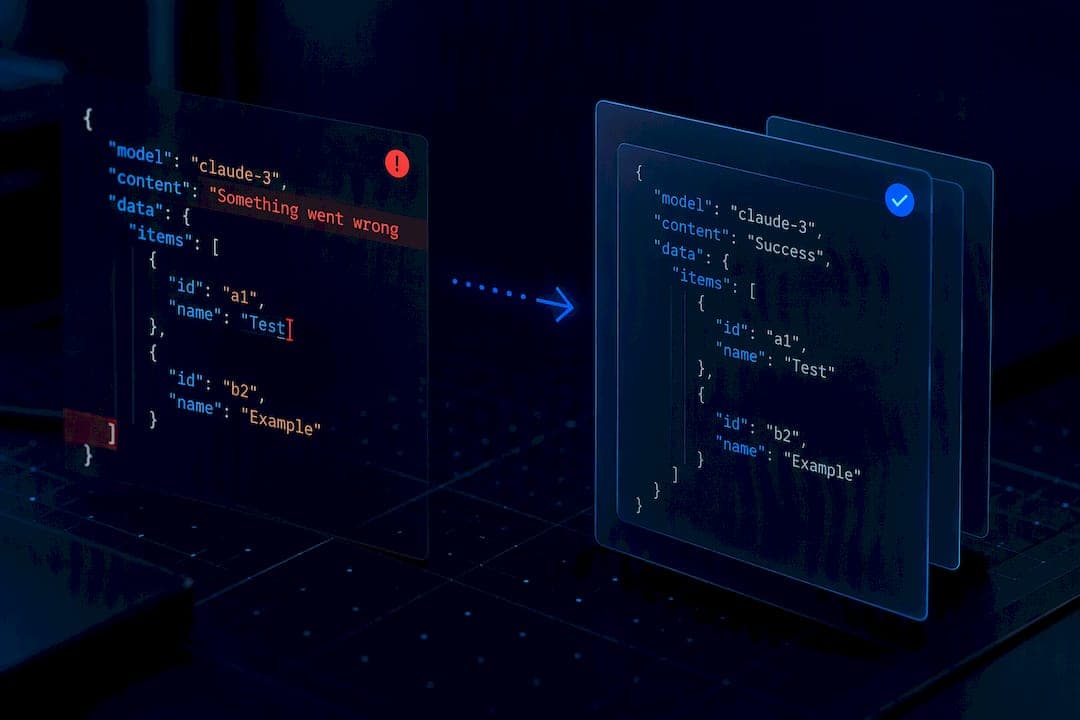
Use structured outputs (output_config.format with a json_schema) or strict tool use when you need guaranteed schema conformance from Claude. Everything else, including plain prompt instructions to "return JSON," needs validation and repair after the fact, because parseable does not mean correct. Before you trust any output, check stop_reason and token limits. A response cut off by max_tokens is not a complete JSON document, no matter how clean the fragment looks.
TL;DR:
- Output schema enforcement is limited; numeric constraints like minimum or maximum are often not reliably checked.
- Streaming responses require accumulating chunks before parsing the complete JSON, as partial data is invalid until fully received.
- Responses often get cut off due to max tokens limits, which can cause incomplete JSON that needs validation or schema simplification.
- Handling errors involves simplifying schemas, splitting complex tasks, and applying validation and repair steps to ensure correct format and content.
- When structured outputs are unavailable, using concrete examples and splitting requests improves consistency, but validation remains essential.
Table of Contents
- Anthropic JSON Responses: How Structured Outputs Actually Work
- Quick Start: Requesting and Parsing Anthropic Structured Outputs
- Schema Design and Limitations to Watch For
- Streaming Structured Output Without Breaking the Parser
- Error Handling and Retry Strategies for Structured Output Failures
- Fallback Prompt Techniques When Structured Outputs Aren't an Option
- What Datatool.dev Sees in Broken Anthropic Output
- Sources
- FAQ
Anthropic JSON Responses: How Structured Outputs Actually Work
Claude gives you two paths to schema-conformant output. The first is structured outputs: you pass a json_schema in output_config.format, and Claude constrains its token sampling so the result matches your schema. The second is strict tool use, where you set strict: true on a tool definition and Claude validates its tool_use input against your input_schema before returning it, as documented in Anthropic's strict tool use guide.
For production work, pick based on shape. If you're already calling tools and need one of several complex, branching schemas, strict tool use fits naturally into that flow. If you just need a single structured response back, json_schema is simpler to wire up and reason about.
Both mechanisms require a model and beta flag combination that supports them, so check the release notes for your model line and the max token limits it enforces. A schema that constrains the model's grammar can't rescue a response that runs out of max_tokens mid object.
Quick Start: Requesting and Parsing Anthropic Structured Outputs
Here's a minimal curl request using output_config.format with type: json_schema:
curl https://api.anthropic.com/v1/messages \
  -H "content-type: application/json" \
  -H "x-api-key: $ANTHROPIC_API_KEY" \
  -H "anthropic-version: 2023-06-01" \
  -d '{
    "model": "claude-sonnet-4-5",
    "max_tokens": 1024,
    "messages": [{"role": "user", "content": "Extract the name and age."}],
    "output_config": {
      "format": {
        "type": "json_schema",
        "schema": {
          "type": "object",
          "properties": {
            "name": {"type": "string"},
            "age": {"type": "integer"}
          },
          "required": ["name", "age"],
          "additionalProperties": false
        }
      }
    }
  }'
Validated data comes back on the message body, not buried in free text. In TypeScript:
const response = await client.messages.create({ ... });
const parsed = response.structured_output; // validated object, not a string
In Python, the same field appears as response.structured_output. If you're using tool use instead, read tool_use.input, per Anthropic's Agent SDK examples.
A broken example, in practice:
- You send a prompt asking for JSON but skip
output_config.formatentirely. - Claude replies with
Here's your JSON: {"name": "Alex"and cuts off, because it hitmax_tokensbefore closing the array of skills you also asked for. JSON.parse()throws immediately on the truncated brace.
The fix isn't a longer prompt; for effective implementation, consider professional AI integration services to properly add structured output features. It's adding output_config.format with a json_schema, or simplifying the schema so the full object fits inside your token budget.
Schema Design and Limitations to Watch For
Claude supports a subset of JSON Schema, and the SDK sometimes rewrites parts of your schema to fit that subset. According to Anthropic's structured outputs SDK notes, several common constraints get transformed or dropped entirely:
minimumandmaximumon numeric fields are not reliably enforced.minLengthandmaxLengthon strings may be silently removed.- Certain
formatchecks (email, date-time) are not guaranteed to be validated. - Deeply nested objects can get flattened or loosened during schema translation.
Don't assume the schema you sent is the schema Claude actually enforced. Set required explicitly on every object level and use additionalProperties: false to stop stray fields from slipping through. Design nested objects deliberately; a schema that looks fine one level deep can behave unpredictably three levels down, a failure pattern covered in detail in why complex JSON schemas break AI structured output.
Pro Tip: Always run parsed output back through your original application schema, not just the transformed one the SDK sent to Claude. That second pass catches the constraints Claude's schema subset can't enforce, and it's the cheapest insurance you'll add all week.
Log every mismatch between what you expected and what came back. Those logs are how you find out your schema is too ambitious before a customer does.
Streaming Structured Output Without Breaking the Parser
Streaming responses arrive as content_block_delta events carrying input_json_delta fragments, not complete JSON objects. Trying to parse each chunk as it arrives will fail constantly, because a fragment like {"name": "Al is not valid JSON on its own.
The correct pattern: accumulate every delta into a single string buffer, wait for the stream to close, then parse once. Anthropic's ecosystem documentation, including Vercel's streaming guidance for the Messages API, recommends exactly this approach.

let buffer = "";
for await (const event of stream) {
  if (event.type === "content_block_delta") {
    buffer += event.delta.partial_json ?? "";
  }
}
const result = JSON.parse(buffer); // only after the stream ends
Before you trust result, check the final stop_reason. If it reads max_tokens instead of end_turn, your buffer is incomplete no matter how it looks, a detail confirmed in Anthropic's release notes on model metadata. Parsing a truncated buffer either throws or, worse, silently returns a partial object your code accepts as complete.
Error Handling and Retry Strategies for Structured Output Failures
Structured output failures aren't all the same failure. Anthropic's SDK examples surface specific subtypes, including error_max_structured_output_retries, which tells you the model tried and failed to produce schema-valid output within its retry budget. That's different from a plain max_tokens stop, which means the response ran out of room before finishing.
Check both stop_reason and the model's capability metadata (max_input_tokens, max_tokens) before you accept anything as final, since a token-limited response and a validation failure need different fixes.
A practical recovery flow, in order:
- Simplify the schema. Drop optional nested fields and constraints the model struggles with.
- Decompose the task. Split one large extraction into two or three smaller calls instead of one schema trying to do everything.
- Fall back to prompt-based extraction plus repair. Ask for JSON in plain language, then run the result through a repair and validation step before your application ever sees it.
Anthropic's own guidance draws a sharp line here: structured outputs solve formatting reliability, not whether the content is factually right. A schema can guarantee shape. It can't guarantee the age field is actually correct.
Fallback Prompt Techniques When Structured Outputs Aren't an Option
Some workflows still run on plain prompts, whether it's an older model, a use case structured outputs doesn't cover, or a legacy pipeline you haven't migrated yet. A few techniques measurably improve consistency without giving you a guarantee:
- Prefill the assistant's turn with an opening brace so Claude continues a JSON object instead of narrating one.
- Provide one or two concrete example outputs in the exact shape you want.
- Break a multi-field extraction into separate, smaller requests instead of one dense prompt.
These techniques help. They do not replace validation. Anthropic itself frames this as a split between formatting reliability and contextual consistency: examples and grounding push the model toward correct-looking output, but only a validation and repair step catches what still slips through. Treat every prompt-only JSON response as unverified until it's parsed, validated, and logged.
What Datatool.dev Sees in Broken Anthropic Output
Testing surfaces the same handful of failure modes over and over: extra prose wrapped around the JSON ("Here's your data: {...}"), objects truncated mid-array, invalid escape sequences inside string values, and partial arrays missing a closing bracket. None of these are exotic. They're what happens when a prompt-only approach meets a token limit or a model that decides to add commentary.

A typical broken response looks like this: Sure! Here's the JSON: {"items": "a", "b", "c" with no closing brackets and a trailing explanation after it. A repair pass strips the surrounding text, closes the open structures, and validates the result against your schema before it reaches your application. These patterns and repair rules are documented in Datatool product line applies the same repair logic directly in code, without a manual paste-and-fix step. If your pipeline still hits parse errors after switching to structured outputs, or you're not ready to migrate every call yet, run a sample of your failing responses through the JSON repair tool and see what it catches before you write another regex fix.
Sources
FAQ
What Are Anthropic JSON Responses?
An Anthropic JSON response is structured data returned by Claude, either as a validated structured_output field when you use output_config.format, or as tool_use.input when you use strict tool use. Both mechanisms constrain the model's output to match a json_schema you define, per Anthropic's strict tool use documentation.
How Do I Pass a JSON Schema to Claude?
Include a json_schema inside output_config.format in your Messages API request, or attach an input_schema to a tool with strict: true. Both approaches work in curl, the TypeScript SDK, and the Python SDK using the same schema object.
Why Did My Claude JSON Output Get Cut Off?
The response likely hit max_tokens before finishing, which Anthropic's release notes document as a distinct stop_reason from a completed turn. Check stop_reason before parsing. If it isn't end_turn, treat the buffer as incomplete and either raise the token limit or simplify the schema.
Do I Still Need to Validate JSON if I Use Structured Outputs?
Yes. Structured outputs guarantee shape, not accuracy, and Anthropic's own guidance on increasing output consistency separates formatting reliability from factual correctness. Run every parsed result through your original application schema and a fact check where the domain requires it.
What Should I Use if Structured Outputs Aren't Supported for My Model?
Prefill the assistant's response, give concrete examples, and split large extractions into smaller requests, then validate and repair whatever comes back. Datatool.dev's JSON repair tool is built for exactly this fallback case, catching the truncation and formatting errors that prompt-only approaches produce.