
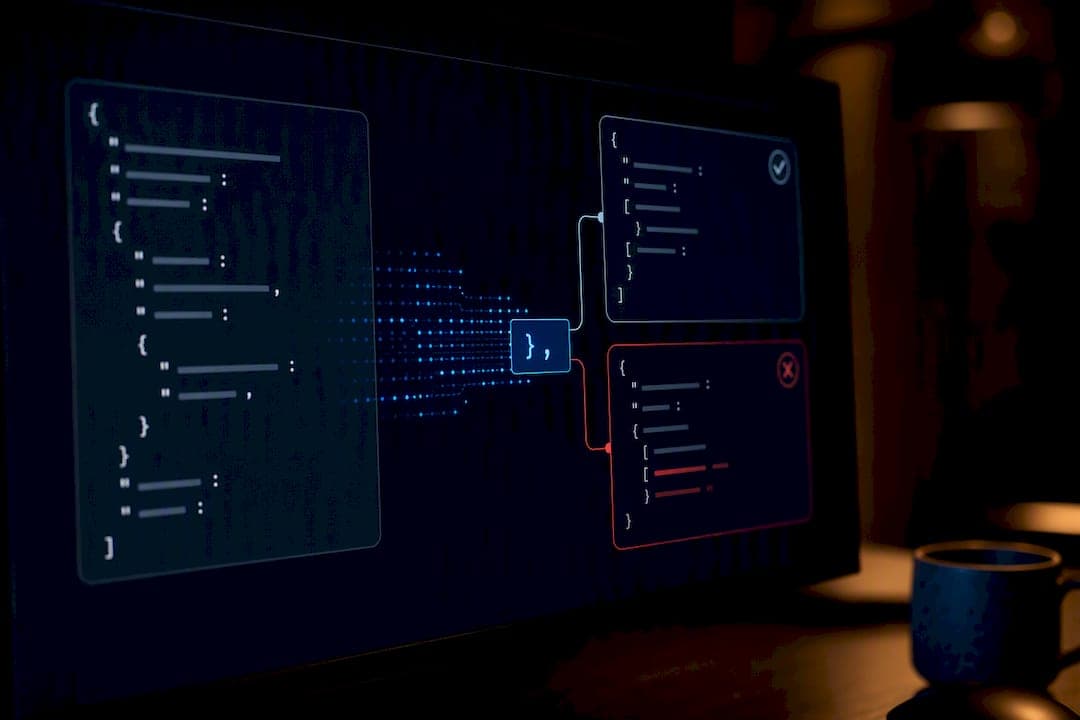
"Unexpected token X in JSON at position N" means JSON.parse hit a character it can't legally place at that spot in the string. Fix it by logging the raw response text first, checking the HTTP status and Content-Type header, then looking at exactly what character sits at position N. If that character is < or the body is empty, you're not even parsing JSON yet, and the fix lives upstream of the parser.
TL;DR:
- Most unexpected token errors stem from receiving HTML instead of JSON, often due to server errors or redirects, and can be identified by
<at position 0.- Trailing commas, single quotes, BOM characters, or wrapped responses like markdown fences frequently cause syntax errors and require specific fixes such as removing commas or unwrapping JSON.
- Debugging effectively involves logging the raw response text, verifying status codes and headers, and mapping error positions to locate the exact problematic character.
- Automated repair tools handle common issues like trailing commas, quote mismatches, BOM removal, and wrapped responses better than regex patches, especially for untrusted or inconsistent sources.
- Patching the parser should be a last resort; fixing the source by ensuring proper JSON production and validation reduces the occurrence of such errors in the first place.
Table of Contents
- What Causes the Unexpected Token Error in JSON
- How Do You Debug an Unexpected Token Error?
- Copy-Paste Fixes for Each Root Cause
- Validators, Tolerant Parsers, or Repair Tools: Which One Do You Need?
- How to Prevent Unexpected Token Errors Before They Happen
- Why This Error Is a Solved Problem for Datatool
- When to Fix the Producer vs. the Consumer
- Try Datatool to Fix Broken JSON in Seconds, Not an Afternoon
- Sources
- FAQ
What Causes the Unexpected Token Error in JSON
Six problems account for almost every unexpected token error you'll see in production. Guides that track this error consistently point to the same small set of causes, and once you know which token showed up, you can usually name the cause before you even open the debugger.
Here's the mapping. Match the character in your error message to the row below:
<at position 0: You received an HTML page, not JSON. Usually a 404, 500, or login redirect.}or]right before the token: Trailing comma. Someone left a comma after the last item in an object or array.'(single quote): JSON requires double quotes. A hand-written or copy-pasted payload used single quotes instead.- Unexpected token at position 0, but the string looks fine visually: A BOM (byte order mark) or other hidden character opened the file. This one is invisible in most text editors.
- Unexpected token after a
{: An unquoted key. JSON requires"key", notkey. /where a value should be: A comment. JSON has no comment syntax, so// noteor/* note */breaks the parser immediately.
A handful of variants show up too, and they don't map cleanly to the six causes above. Unexpected token u (or "u is not valid JSON") almost always means the literal string "undefined" reached the parser. That happens when localStorage.getItem returns null, gets coerced to a string, and gets parsed. The SuiteCommerce troubleshooting guide walks through this exact chain. Unexpected token o usually means an object got passed into JSON.parse that was already an object, not a string, often because Axios auto-parsed the response for you. And double-stringified payloads (a JSON string that itself contains an escaped JSON string) throw an error that looks fine at first glance but fails one level deeper.
Datatool's testing across broken LLM outputs turns up a seventh pattern worth naming separately: models that wrap valid JSON in markdown fences or explanatory prose ("Here's your JSON: json {...} "). The parser sees the backticks or the word "Here's" as the first token and fails immediately, even though the JSON itself, once extracted, is perfectly valid.
The error string itself usually tells you the story before you write a single line of debug code. Unexpected token < in JSON at position 0 is an HTML response, full stop. Unexpected token } in JSON at position 47 is a trailing comma near character 47. Unexpected non-whitespace character after JSON at position 128 means you have valid JSON followed by garbage, often a second concatenated object. Read the token and the position literally before assuming anything else.
How Do You Debug an Unexpected Token Error?
Don't guess. Run this checklist in order and you'll find the cause in under a minute for most cases.
- Log the raw response text before parsing anything. Call
response.text()and print it, or wrap your parse call in a try/catch that dumps the raw string. Never call.json()blind. MDN's Response.text() reference covers exactly this pattern. - Check
response.okandresponse.status. A 404 or 500 response body is frequently an HTML error page, not JSON, even when your code assumed success. - Check
response.headers.get('content-type'). If it saystext/htmlinstead ofapplication/json, stop right there. You've found your bug. - Look at the first character of the raw text.
<means HTML. An empty string means an empty body, which throws "Unexpected end of JSON input," a close cousin of this error. - Map the position number to a line and column. V8 (the engine behind Node and Chrome) reports a byte offset in its
SyntaxError, not a line number. Count newlines up to that offset to translate it.
Here's a Node snippet that does step 5 for you:
function locatePosition(text, position) {
  const lines = text.slice(0, position).split('
');
  const line = lines.length;
  const column = lines[lines.length - 1].length + 1;
  console.log(`Error near line ${line}, column ${column}`);
  console.log(text.slice(Math.max(0, position - 20), position + 20));
}

try {
  JSON.parse(rawText);
} catch (err) {
  const match = err.message.match(/position (\d+)/);
  if (match) locatePosition(rawText, Number(match[1]));
  throw err;
}
That last line, printing 20 characters before and after the failure point, does more work than any other debugging step in this list. You see the exact bad character in context instead of squinting at a raw string dump. MDN's JSON.parse bad parsing reference confirms V8 always reports this as a byte offset, which is why the slicing trick matters. Some runtimes and some parser libraries report line and column directly instead of a raw offset. If you're working in a language or library that gives you a byte position only, the same slicing approach works. You just apply it against the raw byte buffer instead of a decoded string, which matters if your payload has multi-byte UTF-8 characters near the failure point.
Pro Tip: Keep a --debug-json flag in your CLI tools that dumps the raw payload to a temp file before parsing. When a customer reports a broken import at 2 a.m., you want the exact bytes they sent, not a reconstruction of what you think they sent.
Copy-Paste Fixes for Each Root Cause
Each cause below gets a specific fix. Apply the matching one and re-run your parse.
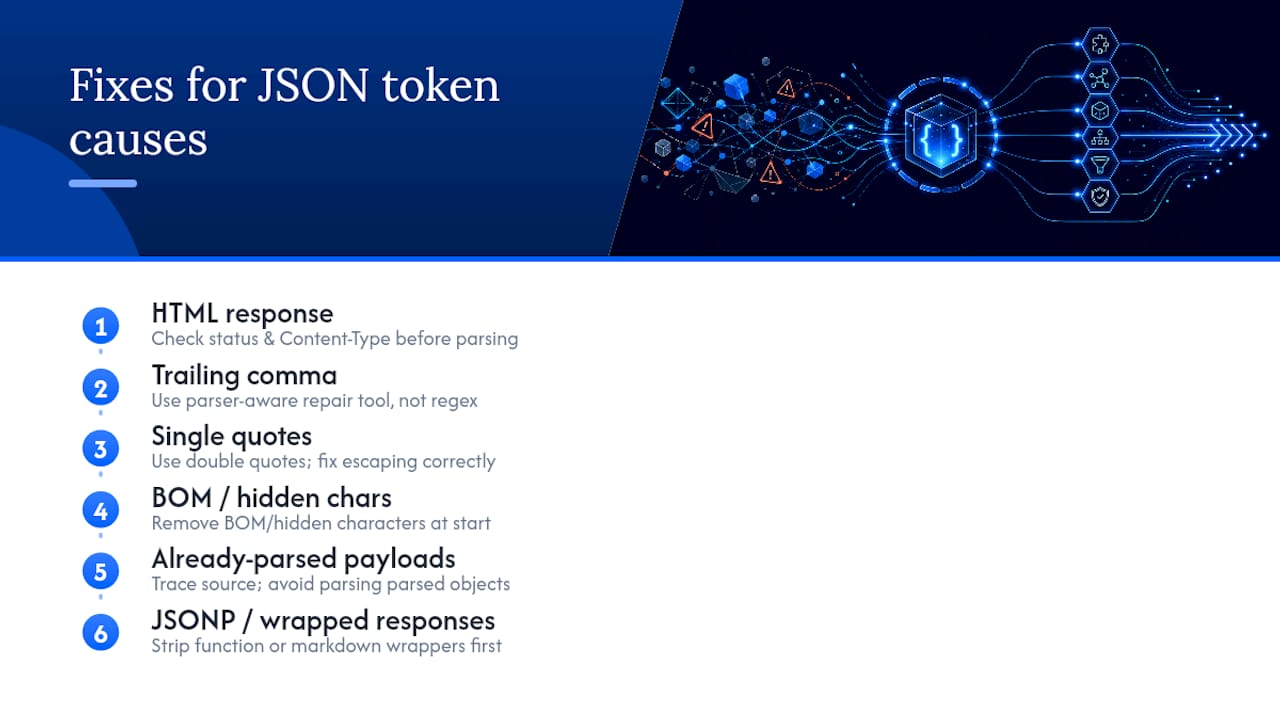
HTML response instead of JSON. Never call .json() on a fetch response without checking status and Content-Type first.
// Broken: assumes every response is JSON
const data = await fetch('/api/user').then(r => r.json());

// Fixed: verify before parsing
const res = await fetch('/api/user');
const text = await res.text();
if (!res.ok || !res.headers.get('content-type')?.includes('application/json')) {
  throw new Error(`Expected JSON, got status ${res.status}: ${text.slice(0, 200)}`);
}
const data = JSON.parse(text);
Trailing comma. JSON has no tolerance for a comma after the last item.
// Broken
'{"name": "Alex", "age": 30,}'

// Fixed
'{"name": "Alex", "age": 30}'
If the payload comes from a source you don't control, don't hand-patch commas with regex. A parser-aware repair tool handles nested trailing commas, mixed quote styles, and comments in one pass. Regex fixes on JSON strings break the moment nesting gets complicated. Datatool's write-up on trailing comma fixes walks through why the "delete the last comma" instinct fails on nested arrays.
Single quotes instead of double quotes.
// Broken
"{'name': 'Alex'}"

// Fixed
'{"name": "Alex"}'
Escaping gets messy fast once your values themselves contain quotes, which is its own common failure mode. Datatool's guide on escaping quotes in JSON covers the difference between a single-quote syntax error and a broken escape sequence, which look similar in the error message but need different fixes.
BOM or hidden characters at position 0. A byte order mark is invisible in most editors but fatal to a strict parser.
const fs = require('fs');
let raw = fs.readFileSync('data.json', 'utf8');

if (raw.charCodeAt(0) === 0xFEFF) {
  raw = raw.slice(1);
}

const data = JSON.parse(raw);
Already-parsed objects, undefined, and double-stringified payloads. Axios parses JSON responses automatically by default. Fetch does not. Mixing the two in the same codebase causes "Unexpected token o in JSON" when someone calls JSON.parse on an object Axios already parsed for them.
// Broken: axios already returns an object, this double-parses it
const data = JSON.parse(response.data);

// Fixed: check the type first
const data = typeof response.data === 'string'
  ? JSON.parse(response.data)
  : response.data;
For the undefined variant, trace the value back to its source instead of patching the parse call:
// Broken: localStorage returns null, becomes the string "undefined" somewhere upstream
const saved = JSON.parse(localStorage.getItem('settings'));

// Fixed: guard against the missing case explicitly
const raw = localStorage.getItem('settings');
const saved = raw ? JSON.parse(raw) : {};
JSONP and wrapped responses. Some APIs, and a fair number of LLM outputs, wrap JSON in a function call or markdown fence: callback({"data": 1}) or ```json {"data": 1} ```. Strip the wrapper before parsing.
function unwrapJson(text) {
  const fenced = text.match(/```(?:json)?\s*([\s\S]*?)```/);
  if (fenced) return fenced[1].trim();
  const jsonp = text.match(/^\w+\((.*)\)$/s);
  if (jsonp) return jsonp[1];
  return text.trim();
}

const data = JSON.parse(unwrapJson(rawText));
Pro Tip: If you're parsing output from an LLM API rather than a REST endpoint, budget for wrapped and truncated responses as a normal case, not an edge case. Datatool's testing on model output found this pattern often enough that a dedicated unwrap step earns its place in any production pipeline touching AI-generated JSON.
Validators, Tolerant Parsers, or Repair Tools: Which One Do You Need?
Pick the right tool based on who controls the source, not on which one sounds fanciest.
- Use a validator when you just need to find the exact line and column of a syntax error in a payload you're about to fix by hand. A JSON linter that highlights the offending character saves you from manual slicing.
- Use a tolerant parser like JSON5 or JSONC when you control the format end to end and want comments or trailing commas as a permanent, accepted feature (config files are the classic case). Don't reach for a tolerant parser to patch over garbage from an external API. That just hides the real bug one layer deeper.
- Use a repair tool when the source is untrusted, inconsistent, or outside your control, which describes most LLM output. This is the case where hand-patching doesn't scale. A deterministic repair engine, like the one at the center of datatool.dev, fixes trailing commas, quote mismatches, BOM characters, and wrapped responses in one pass instead of six separate regex hacks.
The workflow that holds up in production: validate first to confirm there's actually a problem, repair if the source is one you can't fix at the root, and reserve tolerant parsing for formats you designed to be tolerant on purpose.
How to Prevent Unexpected Token Errors Before They Happen
Most of these errors never reach production if you build in a few habits at the boundary.
- Always produce JSON with
JSON.stringify. Never hand-edit or string-concatenate JSON. That's how trailing commas and unquoted keys sneak in. - Validate at the boundary and fail fast. Check the shape of incoming data the moment it crosses a network or file boundary, not three functions later where the stack trace is useless.
- Adopt a schema. Tools like Zod, Valibot, or JSON Schema catch shape drift (a missing field, a string where a number should be) that a syntax check alone won't catch.
- Lint JSON files at ingest, especially config files edited by hand.
A defensive wrapper stops most of these from ever throwing an uncaught error:
function safeJsonParse(text) {
  if (typeof text !== 'string' || text.trim() === '') return null;
  let clean = text.charCodeAt(0) === 0xFEFF ? text.slice(1) : text;
  try {
    return JSON.parse(clean);
  } catch (err) {
    console.error('JSON parse failed:', err.message, clean.slice(0, 100));
    return null;
  }
}
Pro Tip: Return null from safeJsonParse, never throw. Let the calling code decide whether a missing value is fatal. A parser that throws inside a route handler with no try/catch takes down the whole request instead of degrading gracefully.
Why This Error Is a Solved Problem for Datatool
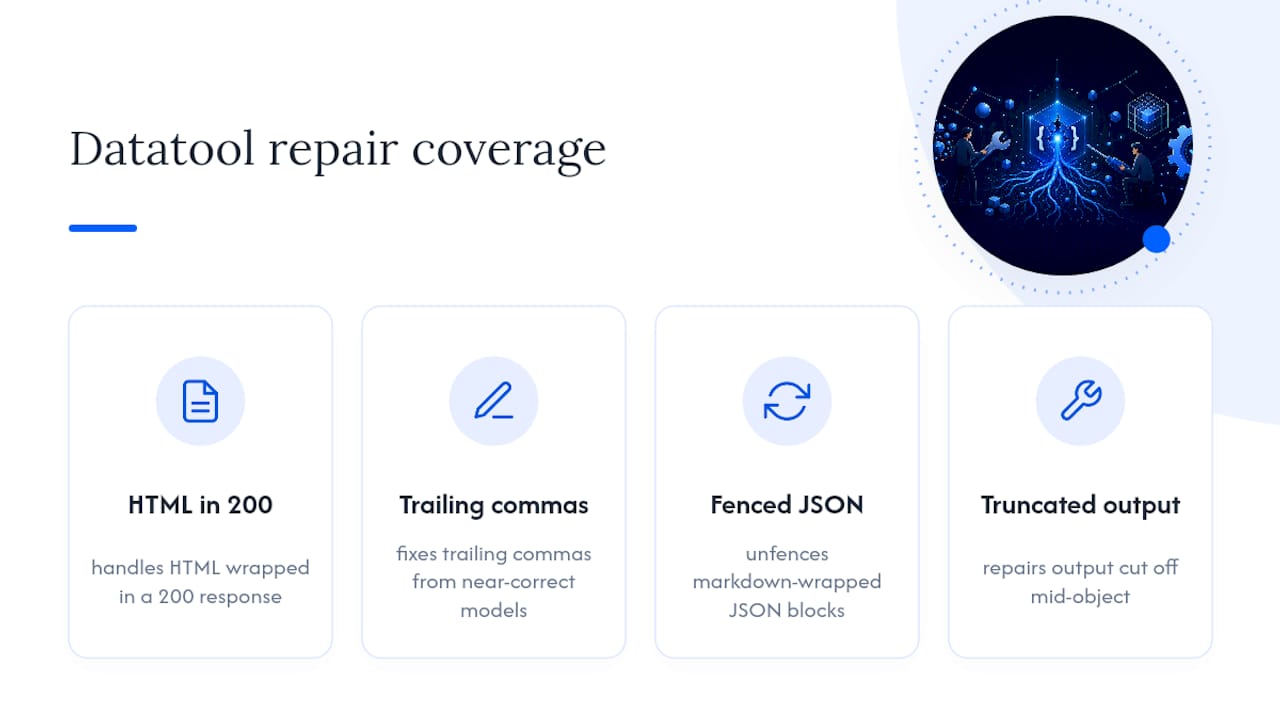
Datatool's repair engine was built specifically for the failure modes covered above: HTML wrapped in a 200 response, trailing commas from a model that "almost" got the format right, markdown-fenced JSON, truncated output cut off mid-object. These aren't edge cases in AI pipelines. They're the default state of raw LLM output before anyone cleans it up.
The JSON validators guide covers how validation fits into an AI pipeline that has to run unattended, without a developer standing by to eyeball every failed parse. Combined with the trailing-comma and quote-escaping guides referenced earlier, Datatool's blog documents the exact repair logic behind each fix in this article, tested against real broken output rather than hypothetical examples.
When to Fix the Producer vs. the Consumer
Most teams patch the parser when they should be patching the source. If you control the API or the prompt generating the JSON, fix it there. Every downstream consumer benefits once, instead of every consumer carrying its own patch.
If you don't control the source, which is the normal case with third-party APIs or LLM output, invest in logging and non-crashing error handling before you invest in clever parsing tricks. A schema check that logs a mismatch and returns a default is worth more than a parser that almost never fails. Almost never still means someone's pager goes off eventually.
— Gregory
Try Datatool to Fix Broken JSON in Seconds, Not an Afternoon
Datatool is the fast path when the fix isn't a one-line code change. It's a repair engine for exactly the payloads this article covers: broken JSON from AI models, HTML wrapped in a 200 response, trailing commas, unescaped quotes, BOM characters, and truncated objects that a regular parser rejects outright.
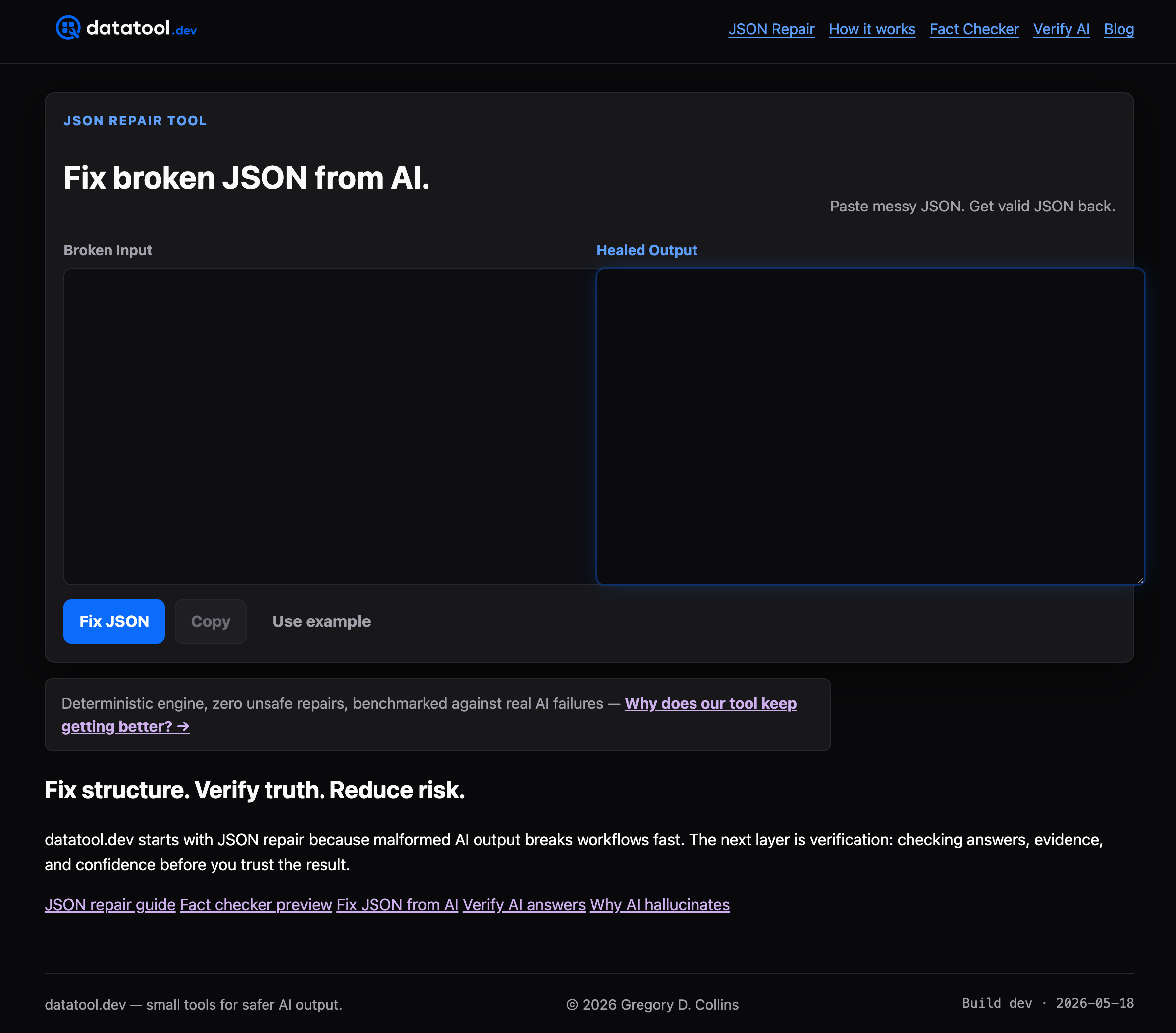
Instead of writing a custom regex for every new failure mode you see in production, paste the broken payload into the web interface or call the repair endpoint from your pipeline and get back valid JSON. Datatool also validates structure and checks output against a schema, so you catch shape drift, not just syntax errors. If you're processing LLM output at any real volume, that combination saves the hours you'd otherwise spend writing one-off parsers for each new way a model can break its own output. Head to Datatool and run your next broken payload through it before you write another try/catch block by hand.
FAQ
What does "unexpected token is not valid" mean in JSON?
It means the parser reached a character it can't legally place at that position in the string. Check the token named in the error and the position number, then inspect the raw text at that exact spot.
How do I fix corrupted or malformed JSON?
Log the raw text, identify the cause using the token and position, apply the matching fix (removing a trailing comma, converting single quotes, stripping a BOM), or run the payload through a repair tool like Datatool if the source is untrusted or inconsistent.
What does the unexpected token error mean in general?
It means the parser's grammar rules were violated at a specific character. In JSON, this almost always traces to HTML instead of JSON, a trailing comma, single quotes, a hidden BOM character, unquoted keys, or comments.
How do I fix "unexpected token '<', '<! doctype' is not valid JSON"?
This means your endpoint returned an HTML error page instead of JSON, usually because of a 404, 500, or redirect to a login screen. Check response.status and the Content-Type header before calling .json(), and log the raw text to confirm what you actually received.
Why does JSON.parse throw "unexpected token u" specifically?
This usually means the literal string "undefined" reached the parser, often from localStorage.getItem returning null and getting stringified somewhere upstream. Trace the value back to its source instead of patching the parse call directly.