

JSON Schema validation checks a JSON value against a schema and returns pass or fail, plus a list of exact error locations written as JSON Pointer paths (like /user/email). You get a boolean and a map straight to the broken field.
Developers reach for it in four recurring situations:
- Validating API request and response bodies before they hit business logic
- Checking config files at startup so bad settings fail loudly, not silently
- Enforcing structure in data pipelines between services
- Catching malformed or drifted JSON coming out of AI models before it reaches your database
Key Takeaways
JSON Schema validation works best when paired with a repair or normalization step for AI-generated data, since strict schemas alone can't diagnose structural failures like truncation or drift.
| Point | Details |
|---|---|
| Validator output is a map, not a verdict | Use the JSON Pointer path in each error to locate and log the exact broken field. |
Set $schema explicitly | Declaring the draft avoids inconsistent keyword behavior across validator implementations. |
| Test negatives, not just positives | Write unit tests with deliberately broken fixtures to confirm your schema actually rejects bad data. |
| Compile validators for repeated checks | Using a Draft-specific validator class is faster than re-verifying the schema on every call. |
| Repair AI output before validating | Datatool's repair engine normalizes truncated, wrapped, or escaped JSON so validation checks content instead of structural noise. |
Table of Contents
- What Is JSON Schema Validation and When Do You Need It?
- Core Validation Keywords You Need to Know
- What Do Common Quick-Reference Schemas Look Like?
- How Do You Fix a Failing JSON Schema Validation?
- How Do You Fit Validation Into Your Development Workflow?
- What Breaks Most Often in Real-World AI-Generated JSON?
- What Does Conventional JSON Schema Advice Get Wrong?
- Fix Malformed JSON Before It Ever Reaches Your Schema
- Frequently Asked Questions
- Sources
What Is JSON Schema Validation and When Do You Need It?
A schema describes the shape data should take. An instance is the actual JSON you're checking against it. {"type": "object", "required": ["email"]} is a schema; {"email": "greg@example.com"} is an instance being tested against it.
The $schema keyword at the top of your schema file tells validators which draft to use, draft-07, 2019-09, or 2020-12. Skip it, and different validators may interpret keywords like $ref or unevaluatedProperties inconsistently. Setting $schema explicitly is a five-second habit that prevents an hour of confused debugging later.
Where validation fits into your workflow depends on the risk; understanding API response schema explained for developers can help design effective validation strategies.
- Runtime: validate incoming API payloads and reject bad requests with 400s
- CI: run schema checks against fixture data on every pull request
- Offline/batch: validate exported datasets or AI-generated JSON before ingestion
Core Validation Keywords You Need to Know
Five keywords cover most real-world schemas. type sets the expected data type (string, integer, object, array). properties defines what fields an object can have and what each one looks like. required lists which of those fields must be present. additionalProperties: false rejects any field not explicitly listed, which catches typos like emial instantly.
Composition keywords handle more complex logic. oneOf, anyOf, and allOf let a value match one, at least one, or all of a set of subschemas. $ref and $defs let you define a shape once and reuse it across a schema, which matters once your schemas grow past a page. Conditional validation with if/then/else lets a field's requirements change based on another field's value, such as requiring a shipping_address only when delivery_method is "mail".
Draft version changes some of this. Older drafts use definitions; draft 2020-12 renamed it to $defs and added prefixItems for tuple-style arrays and unevaluatedProperties for stricter composition checks. Mixing drafts in one project is a common source of "why doesn't this validate" bugs.
type,properties,requireddefine the basic shapeadditionalProperties: falsecatches unexpected fields$ref+$defsavoid repeating the same subschemaif/then/elsehandles conditional requirements- Draft mismatches silently change keyword behavior
What Do Common Quick-Reference Schemas Look Like?
Email field with length and pattern:
{
  "type": "string",
  "format": "email",
  "minLength": 5,
  "maxLength": 254
}
Number with a floor and step:
{
  "type": "number",
  "exclusiveMinimum": 0,
  "multipleOf": 0.01
}
Object with strict fields:
{
  "type": "object",
  "properties": {
    "id": { "type": "integer" },
    "name": { "type": "string" }
  },
  "required": ["id", "name"],
  "additionalProperties": false
}
Array with unique, bounded items:
{
  "type": "array",
  "items": { "type": "string" },
  "minItems": 1,
  "uniqueItems": true
}
| Constraint type | Keyword used | Catches |
|---|---|---|
| String format | format: "email" | Malformed email addresses |
| Numeric floor | exclusiveMinimum | Zero or negative values where a price is required |
| Extra fields | additionalProperties: false | Typos and unexpected keys |
| Duplicate entries | uniqueItems: true | Repeated array values |
These patterns come straight from json-schema.org's own example library, which is worth bookmarking for anything more complex, like nested addresses or calendar events.
How Do You Fix a Failing JSON Schema Validation?
Here's a validation failure most developers hit in their first week with JSON Schema: an API returns an ID as a string when the schema expects an integer.

JavaScript, using Ajv:
const Ajv = require("ajv");
const ajv = new Ajv();

const schema = {
  type: "object",
  properties: { id: { type: "integer" } },
  required: ["id"]
};

const data = { id: "100" };
const validate = ajv.compile(schema);
const valid = validate(data);

console.log(valid); // false
console.log(validate.errors);
// [{ instancePath: "/id", message: "must be integer" }]
The fix is either data.id = parseInt(data.id, 10) before validation, or loosening the schema to type: ["integer", "string"] if string IDs are actually valid in your system. Pick the fix based on what your data source should be doing, not what's convenient.
Python, using jsonschema:
from jsonschema import Draft202012Validator

schema = {
    "type": "object",
    "properties": {"id": {"type": "integer"}},
    "required": ["id"]
}

validator = Draft202012Validator(schema)
errors = list(validator.iter_errors({"id": "100"}))
print(errors[0].message)
# '100' is not of type 'integer'
print(errors[0].path)
# deque(['id'])
Using a Draft-specific validator class like Draft202012Validator instead of the generic validate() function is the better choice once you're checking more than a handful of instances, since it skips re-verifying the schema on every call.
The instancePath or path field on each error is your debugging shortcut. Every validator error carries a JSON Pointer telling you exactly which field failed. Log that path with the error message, and you turn "validation failed" into "id at /id must be integer," which is what your on-call engineer actually needs at 2 a.m.
- Run the validator and capture the full error list, not just the first failure.
- Map each error's path to the field name in your logs or API response.
- Decide per-error whether the fix belongs in the data or the schema.
A validator that just says "invalid" without a path is barely more useful than no validator at all. The path is what turns an error into a fix.
Pro Tip: When you log validation errors, include the JSON Pointer path and the offending value, not just the message. It cuts triage time from minutes to seconds.
How Do You Fit Validation Into Your Development Workflow?
Set $schema in every schema file. Most editors, including VS Code, use it to validate JSON documents inline and offer autocomplete on schema keywords, which catches typos before you even run code.
Unit tests matter more than a one-off manual check. Write tests that assert valid data passes and that specifically crafted bad data fails:
test("rejects missing required field", () => {
  expect(validate({})).toBe(false);
});

test("accepts valid payload", () => {
  expect(validate({ id: 1, name: "Ada" })).toBe(true);
});
Pairing positive and negative test cases is the difference between a schema that looks right and one that's actually verified.
Run the same checks in CI so a schema change or a bad fixture fails the build, not production. For quick experimentation before committing to a schema, online validators running client-side libraries give instant feedback without setting up a local project.
- Set
$schemafor inline editor validation - Write unit tests with both valid and invalid fixtures
- Gate merges on schema checks in CI
- Use an online validator for fast iteration, a full test suite for confidence
Pro Tip: Keep a folder of "known bad" JSON fixtures in your repo. They're the fastest regression tests you'll ever write.
What Breaks Most Often in Real-World AI-Generated JSON?
Standard JSON Schema validation assumes clean input. AI-generated JSON rarely is. In testing malformed outputs from LLMs, Datatool has seen the same failure modes repeat across models and providers:
- Truncation: the response gets cut off mid-object, leaving an unclosed brace
- Wrapping: the model returns markdown fences or explanatory text around the JSON
- Escaped content: quotes or newlines inside strings are double-escaped or malformed
- Partial objects: required fields are silently dropped
- Schema drift: the model returns a field as a string one call and a number the next
Validating this kind of output straight against a strict schema produces a wall of errors that don't tell you what actually went wrong structurally. A repair or normalization pass before validation, as detailed in Datatool's field notes on complex schema failures, turns brittle failures into a clean pass/fail you can act on. Include malformed AI samples in your unit test suite. They will show up in production eventually.
What Does Conventional JSON Schema Advice Get Wrong?
Most tutorials treat JSON Schema validation as a solved problem: write the schema, run the validator, ship it. That's true for hand-written config files and stable API contracts. It falls apart the moment your JSON source is a language model instead of a database or a form.
The gap is this: JSON Schema validation tells you a document is invalid, but it doesn't tell you why the document is malformed in a way you can fix systematically. A truncated response and a type-mismatched response both fail validation, but they need entirely different remediation. Strict schemas alone can't distinguish "the model forgot a field" from "the model returned the wrong type for a field it did include."
My advice, based on everything above: treat validation as the last step, not the first. Repair and normalize AI output before you run it through a schema. Write your schemas incrementally, starting strict and loosening only where business logic actually requires it. And put more effort into your negative test cases than your positive ones. Nobody's schema fails to validate good data. Schemas fail by silently accepting bad data or by throwing errors so generic they don't help anyone fix anything.
Fix Malformed JSON Before It Ever Reaches Your Schema
Datatool gives you what a validator alone can't: a repair step that runs before validation, built specifically for the truncation, wrapping, and escaping problems that come from LLM output rather than hand-written JSON. If you're validating AI-generated data and getting inconsistent results, the problem usually isn't your schema. It's the input.
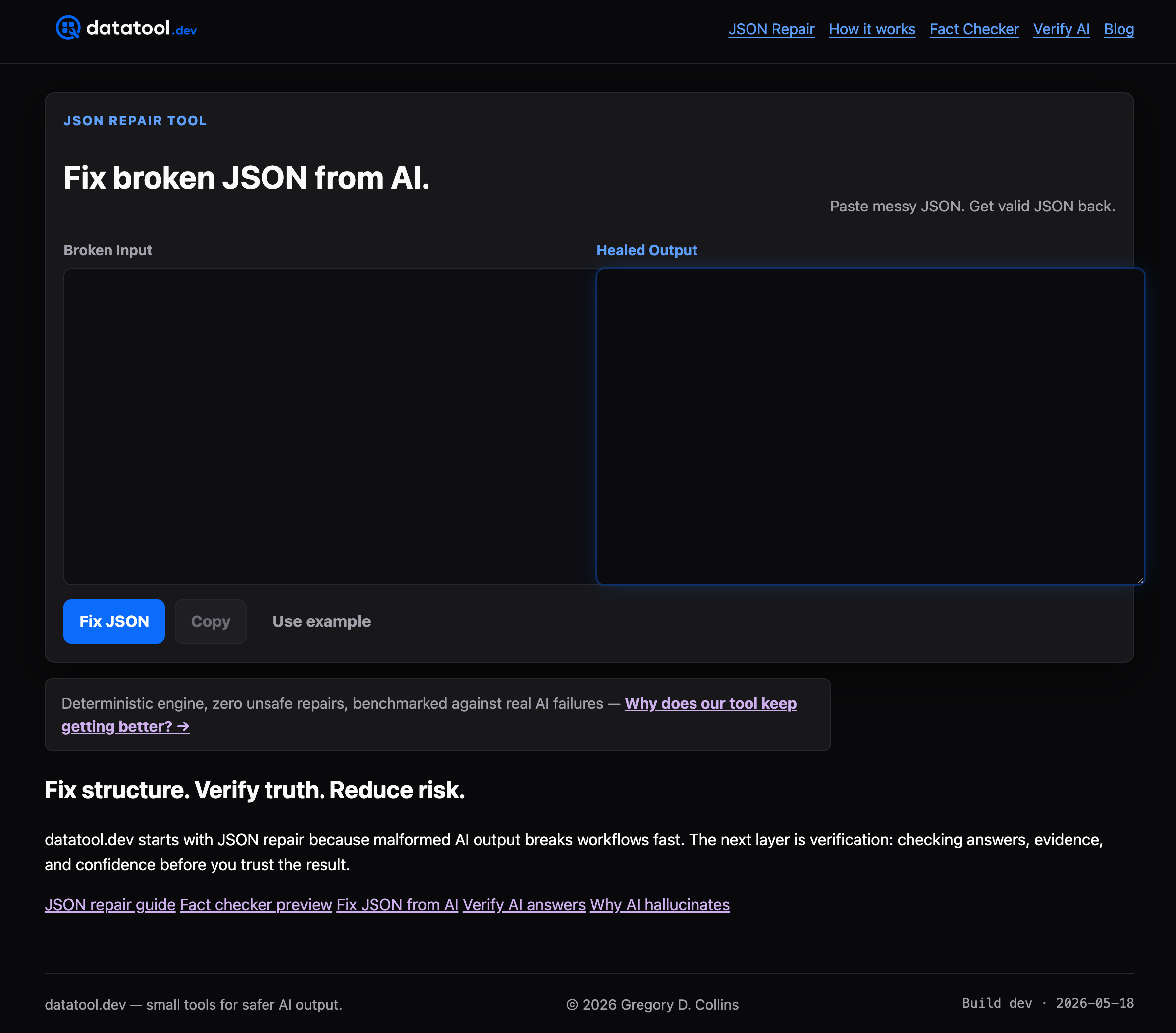
Datatool's JSON repair engine normalizes broken AI output first, so your existing JSON Schema checks actually get clean data to test instead of failing on structural noise before they can even assess the content. It fits directly into the workflow described above: repair, then validate, then unit test with both real and malformed fixtures. For deeper patterns on validating nested or partial AI responses, see Datatool's guide on validating nested JSON reliably. Start a trial and run your next batch of AI-generated JSON through the repair step before it hits your schema.
Frequently Asked Questions
What is the difference between JSON validation and JSON Schema validation? JSON validation just checks that a string is syntactically valid JSON, brackets closed, commas correct. JSON Schema validation goes further, checking that the parsed data matches a defined structure: required fields, types, formats, and value constraints.
How do I validate JSON against a schema in JavaScript?
Use a library like Ajv. Compile your schema into a validate function, run it against your data, and check the returned boolean plus the errors array for details on any failures.
How do I validate JSON against a schema in Python?
Use the jsonschema package. Call validate() for a quick check, or instantiate a Draft-specific class like Draft202012Validator when validating many instances for better performance.
Which JSON Schema draft should I use?
Draft 2020-12 is the current version and includes $defs, prefixItems, and unevaluatedProperties. Use it for new projects unless a library you depend on only supports an older draft.
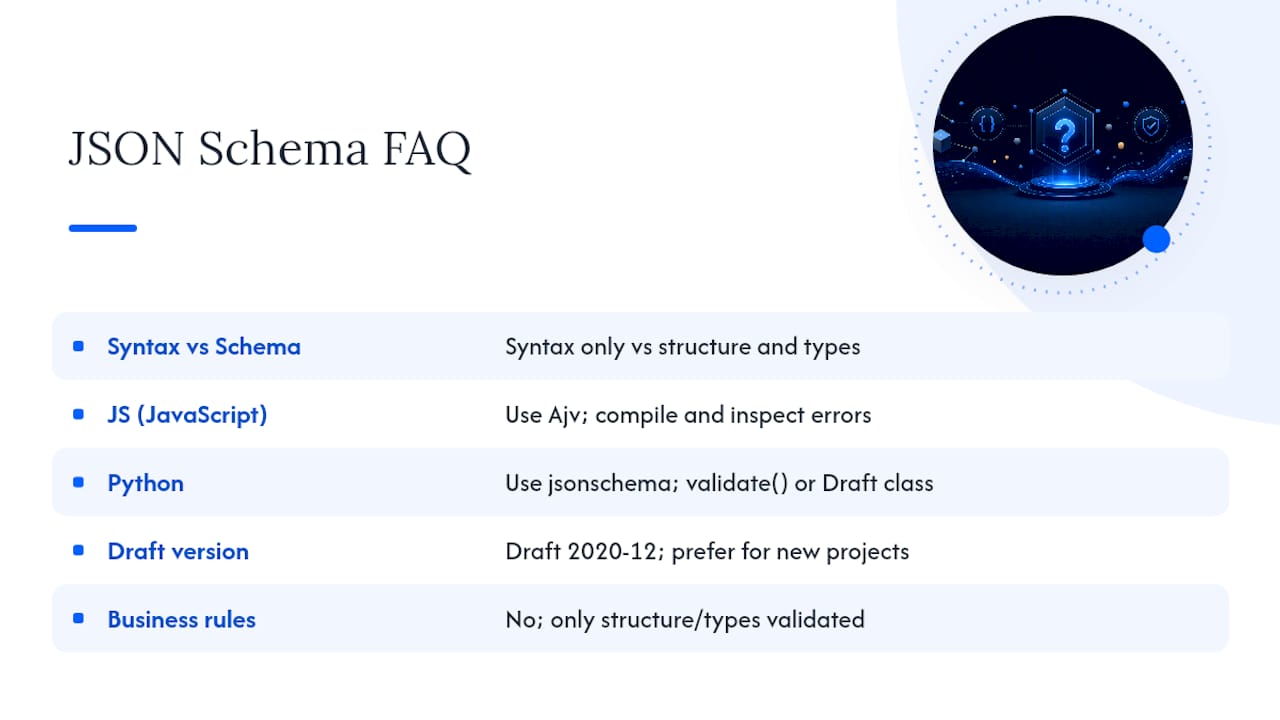
Can JSON Schema validate business logic, not just structure? No. JSON Schema checks structure, types, and value constraints, not cross-field business rules that depend on external state, like checking an ID against a database. Handle that logic separately after validation passes.