

RFC 8259 and ECMA-404 define exactly six JSON value types: string, number, boolean, null, object, and array. Every valid JSON document is built from these types and nothing else. Here is a single snippet showing all of them:
{
  "name": "Ada",
  "score": 98.6,
  "active": true,
  "nickname": null,
  "tags": ["json", "types"],
  "address": { "city": "Austin", "zip": "78701" }
}
That one object covers every type. If your parser rejects it, the problem is in your parser config or the surrounding code, not the JSON itself. Datatool is a practical reference point for repairing and validating JSON when things go wrong in production.
Key Takeaways
JSON has six value types, and every parse error traces back to a violation of their syntax rules or an attempt to use a construct the spec never allowed.
| Point | Details |
|---|---|
| Six types only | JSON supports string, number, boolean, null, object, and array — nothing else is valid. |
| Strict syntax rules | Double-quoted keys and strings, no trailing commas, no comments, lowercase true/false/null. |
| Precision risk with numbers | Transmit large integers and financial values as strings; parse into high-precision types after ingestion. |
| Validate with JSON Schema | Use the type keyword and a tool like ajv in CI to catch type mismatches before they reach production. |
| Datatool for AI output | Datatool repairs truncated, wrapped, and improperly escaped JSON that validators can only flag, not fix. |
Table of Contents
- What are the JSON data types and how do you use each one?
- Common JSON syntax errors and how to fix them fast
- How does JSON handle numbers, and where does precision break?
- JSON vs. JavaScript object literal: what is actually different?
- How to create, store, and exchange JSON files correctly
- How do you validate JSON types in code and CI pipelines?
- JSON types cheat sheet
- What I have seen break JSON in production
- Datatool repairs malformed JSON that validators can only flag
- Sources
What are the JSON data types and how do you use each one?
Each type has strict syntax rules that must be followed for successful parsing.
| Type | Syntax rule | Shortest valid example |
|---|---|---|
| string | Double-quoted, Unicode, escape with \ | "hello" |
| number | Decimal only; fraction and exponent optional | 42 |
| boolean | Literal true or false, lowercase | true |
| null | Literal null, lowercase | null |
| object | { key-value pairs, keys double-quoted } | {"a":1} |
| array | [ comma-separated values ] | [ ] |
String. A sequence of Unicode characters wrapped in double quotes. Escape internal double quotes with \", newlines with , and arbitrary Unicode code points with \uXXXX. Single quotes are not valid. ECMA-404 formalizes the full escape grammar.
Number. An integer or decimal in base 10. You can add a fractional part (3.14) or an exponent (1.5e10). No hex (0xFF), no octal (0777), no NaN, no Infinity.
Boolean. Either true or false. Lowercase only. True and False are parse errors.
Null. The single token null. Lowercase only. It signals the intentional absence of a value.
Object. An unordered set of key-value pairs inside {}. Keys must be strings (double-quoted). Values can be any JSON type. Json shows the canonical railroad diagrams for object and array grammar.
Array. An ordered list of values inside []. Values can mix types freely.
Nesting types together
Objects and arrays nest without limit. A common pattern is an array of objects:
{
  "users": [
    { "id": 1, "name": "Ada", "active": true },
    { "id": 2, "name": "Grace", "active": false }
  ]
}
W3Schools covers the six types as a quick community reference. For authoritative syntax, go straight to RFC 8259 or ECMA-404.
Common JSON syntax errors and how to fix them fast
Most parse failures come from four mistakes. Each one below shows the broken version, the error cause, and the corrected fix.

Single quotes instead of double quotes
// BROKEN
{ 'name': 'Ada' }

// FIXED
{ "name": "Ada" }
Why it fails: JSON requires double quotes for both keys and string values. Single quotes are JavaScript syntax, not JSON.
Trailing comma
// BROKEN
{ "name": "Ada", "score": 98, }

// FIXED
{ "name": "Ada", "score": 98 }
Why it fails: JSON does not allow a comma after the last element in an object or array. JavaScript (ES5+) does; JSON never did.
Unquoted key
// BROKEN
{ name: "Ada" }

// FIXED
{ "name": "Ada" }
Why it fails: Object keys must be strings. A bare identifier is valid JavaScript but invalid JSON.
Function or undefined as a value
// BROKEN
{ "transform": function(x) { return x * 2; } }

// FIXED — omit it, or replace with a string description
{ "transform": "multiply_by_2" }
Why it fails: MDN documents that JSON.stringify silently drops keys whose values are functions or undefined. If you need to round-trip behavior, encode it as a string and decode on the receiving end.
Pro Tip: Dates are not a JSON type. JSON.stringify(new Date()) converts a Date object to an ISO 8601 string like "2024-03-15T10:30:00.000Z". That works fine as long as both sides agree on the format. If your consumer expects a Unix timestamp integer instead, the mismatch will break silently, not loudly. Agree on a format in your schema and validate it.
Comments are also invalid JSON. Strip them before parsing, or use a pre-processor like strip-json-comments if your config files use them.
How does JSON handle numbers, and where does precision break?
JSON's number grammar covers integers, decimals, and scientific notation. What it does not cover is precision guarantees. The spec defines the syntax; what your runtime does with the bits is up to the language.
JavaScript's Number type is a 64-bit IEEE 754 float. That gives you 53 bits of integer precision, which means integers larger than Number.MAX_SAFE_INTEGER (9,007,199,254,740,991) can round silently:
// Precision loss in JavaScript
const raw = '{"id": 9007199254740993}';
const parsed = JSON.parse(raw);
console.log(parsed.id); // 9007199254740992 — off by one
The fix is to transmit large integers and financial values as strings, then parse them with a high-precision library after ingestion:
// Safe pattern
const raw = '{"id": "9007199254740993", "amount": "10000.005"}';
const parsed = JSON.parse(raw);
// Use BigInt or a decimal library for arithmetic
- Transmit high-precision values as strings in your JSON payload.
- Validate the string format with a JSON Schema
patternrule. - Parse into a language-native high-precision type (
BigInt, Python'sDecimal, Java'sBigDecimal) after ingestion. - Never rely on floating-point equality checks for financial amounts.
PostgreSQL's documentation on JSON types notes that numeric values in JSON can lose precision when converted to PostgreSQL's float8 type, and recommends using numeric for high-precision storage. The same principle applies across languages.
JSON vs. JavaScript object literal: what is actually different?
JSON looks like a JavaScript object literal. It is not the same thing. That visual similarity causes a specific class of bugs where developers hand-write what they think is JSON but is actually JS syntax.
Key differences:
- Keys must be double-quoted in JSON. JS allows bare identifiers (
{name: "Ada"}). - No single quotes anywhere in JSON. JS allows them for strings.
- No trailing commas in JSON. Modern JS allows them.
- No comments in JSON. JS allows
//and/* */. - No functions, no
undefinedin JSON. JS objects can hold both. true,false,nullmust be lowercase in JSON. JS is the same, but the error is easy to make when hand-editing.
Before and after:
// JavaScript object literal — NOT valid JSON
{
  name: 'Ada',          // unquoted key, single-quoted value
  score: 98,            // trailing comma below
  greet: function() {}, // function value
}

// Valid JSON
{
  "name": "Ada",
  "score": 98
}
The safe serialization path is JSON.stringify. Never hand-edit JSON for production payloads. One stray single quote or trailing comma will break every downstream consumer. If you must hand-edit, run the result through a validator before committing.
ECMA-404 makes this explicit: JSON is a syntactic framework independent of JavaScript's runtime semantics. The two share history, not a spec.
How to create, store, and exchange JSON files correctly
File rules. Use the .json extension. Encode as UTF-8 (UTF-8 without BOM is the RFC 8259 recommendation). Set the MIME type to application/json when serving over HTTP. The top-level value can be any JSON type: an object, array, string, number, true, false, or null.
Reading and writing in Node.js:
const fs = require('fs');

// Read
const data = JSON.parse(fs.readFileSync('data.json', 'utf8'));

// Write (pretty-printed)
fs.writeFileSync('data.json', JSON.stringify(data, null, 2), 'utf8');
Reading and writing in Python:
import json

with open('data.json', 'r', encoding='utf-8') as f:
    data = json.load(f)

with open('data.json', 'w', encoding='utf-8') as f:
    json.dump(data, f, indent=2, ensure_ascii=False)
CLI one-liners:
# Pretty-print with jq
jq '.' data.json

# Validate with Python's built-in module
python -m json.tool data.json

# Quick parse check in Node
node -e "JSON.parse(require('fs').readFileSync('data.json','utf8'))"
JSON storage: text vs. binary
PostgreSQL documents two JSON column types that illustrate a broader trade-off relevant to any storage layer:
| Storage form | Preserves whitespace | Preserves key order | Duplicate keys | Indexable |
|---|---|---|---|---|
json (raw text) | Yes | Yes | Kept as-is | No |
jsonb (binary) | No | No | Last value wins | Yes |
If your API contract requires stable key order or exact whitespace, store as raw text. If you need fast queries and indexing, use the binary form and accept that key order and duplicates will not survive the round-trip.
Checklist for a valid .json file:
- Extension is
.json - Encoding is UTF-8
- No trailing commas, no comments
- All string keys are double-quoted
- Top-level value matches what the consuming API expects (object vs. array)
- Validated with a linter or parser before committing
For APIs that use newline-delimited records, the JSONL format is worth understanding as a complement to standard JSON.
How do you validate JSON types in code and CI pipelines?
JSON Schema and the type keyword
JSON Schema's type keyword declares the expected type for each field. A minimal schema that enforces types:
{
  "$schema": "https://json-schema.org/draft/2020-12/schema",
  "type": "object",
  "properties": {
    "name":   { "type": "string" },
    "score":  { "type": "number" },
    "active": { "type": "boolean" },
    "tags":   { "type": "array", "items": { "type": "string" } }
  },
  "required": ["name", "score", "active"]
}
If the incoming JSON sends "score": "98" (a string instead of a number), schema validation fails immediately. That is the failure you want to catch before it reaches your database or downstream service.
Running validation locally and in CI
With ajv (a Node.js JSON Schema validator):
npm install ajv
node -e "
  const Ajv = require('ajv');
  const ajv = new Ajv();
  const schema = require('./schema.json');
  const data = require('./data.json');
  const valid = ajv.validate(schema, data);
  if (!valid) { console.error(ajv.errors); process.exit(1); }
  console.log('valid');
"
A one-line CI step (GitHub Actions or any shell-based runner):
node -e "const a=new(require('ajv'))();if(!a.validate(require('./schema.json'),require('./data.json'))){console.error(a.errors);process.exit(1);}"
quicktype generates typed structs and classes from a JSON sample in Go, TypeScript, Python, Rust, and more. It is useful when you need language-native types derived from a real payload rather than writing them by hand.
Repair workflow for malformed JSON
Simple linting tells you something is broken. It does not fix it. A practical repair workflow:
- Run a lint or parse check. Capture the error.
- Pass the broken payload to a deterministic repair engine.
- Re-validate the repaired output against your JSON Schema.
- Log any fields that changed during repair for audit.
- Publish only if re-validation passes.
Datatool testing shows this flow catches the three most common AI output failures: truncated objects (the LLM stopped mid-response), unescaped internal quotes, and payloads wrapped inside a string instead of returned as raw JSON. A simple regex fix misses all three. A parser-based repair engine handles them reliably. For a deeper look at validating AI-generated structured data, the step-by-step guide covers schema contracts and CI integration.
Schema drift is a related problem: when a JSON structure changes over time without updating the schema, type mismatches accumulate silently. Adding a CI schema check on every pull request catches drift before it reaches production. The guide to detecting schema drift in AI output covers practical detection patterns.
JSON types cheat sheet
One-liner rules for each type:
string:"double quotes only"— escape\",\\,\t,\uXXXXnumber:42,3.14,1.5e10— no hex, no octal, noNaN, noInfinityboolean:trueorfalse— lowercase, no quotesnull:null— lowercase, no quotesobject:{"key": value}— keys must be strings, no trailing commaarray:[value, value]— any types, no trailing comma
Validation and pretty-print commands:
jq '.' data.json— pretty-print and validatepython -m json.tool data.json— validate and pretty-printnode -e "JSON.parse(require('fs').readFileSync('data.json','utf8'))"— quick parse checknpx ajv validate -s schema.json -d data.json— schema validation in CI
Pro Tip: Send financial amounts and large IDs as strings in JSON. Parse them into BigInt or a decimal library after ingestion. Floating-point rounding is silent and hard to debug in production.
Pro Tip: Never use Date objects directly in JSON. Serialize to ISO 8601 strings ("2024-03-15T10:30:00.000Z") and document the format in your schema. Consumers that expect a different format will fail silently.
What I have seen break JSON in production
Working with malformed AI output through Datatool, the failure patterns are consistent. LLMs truncate responses mid-object when they hit a token limit. They wrap JSON inside a markdown code fence or a string. They drop the closing brace. They embed unescaped double quotes inside string values.
Here is a real failure pattern from Datatool testing:
// Broken AI output — truncated + bad escaping
{"name": "Ada "Lovelace"", "tags": ["math", "computing"
The downstream JSON.parse throws on the unescaped quotes in "Ada "Lovelace"" before it even reaches the truncation. A regex substitution on the quotes alone would produce {"name": "Ada \"Lovelace\"", "tags": ["math", "computing" — still broken because the array and object are never closed.
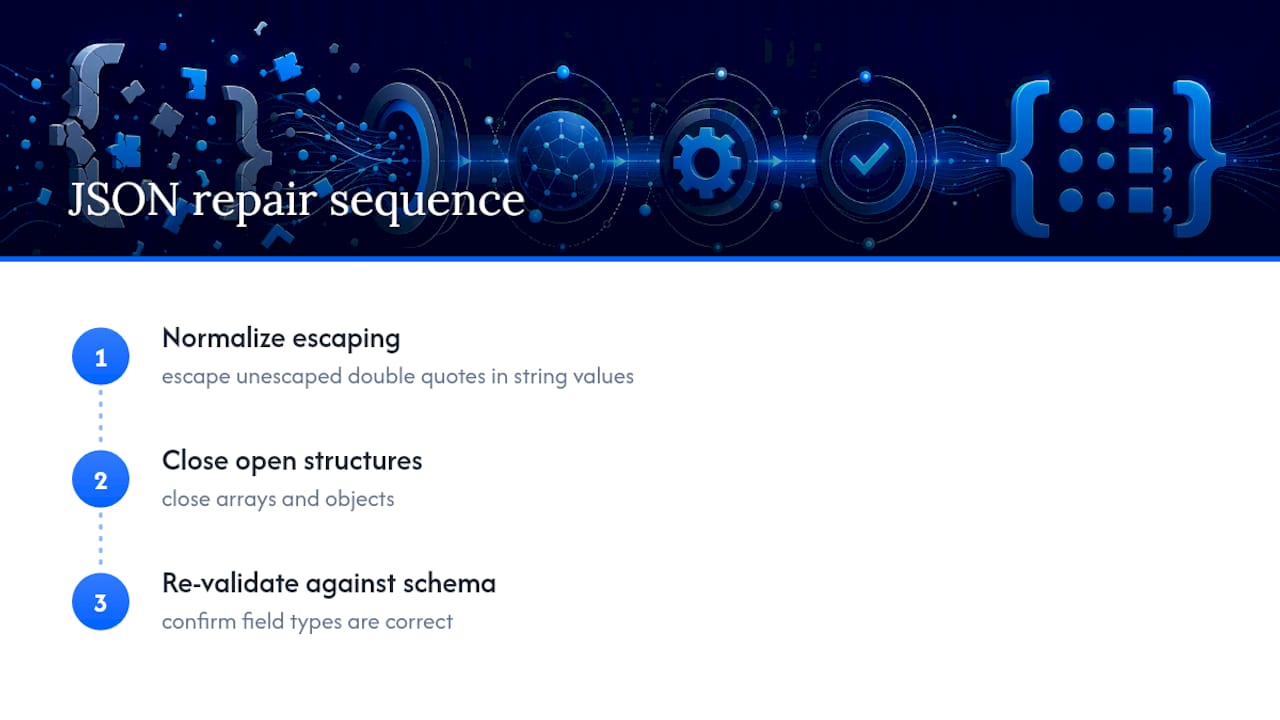
The fix requires two steps: normalize escaping first, then close open structures. After repair, re-validate against the schema to confirm the field types are correct. That two-step approach is what Datatool's deterministic repair engine applies. Simple linters flag the error. They do not fix it.
The broader point: if you are consuming JSON from an LLM in production, a validator alone is not enough. You need a repair step before validation, not instead of it.
Datatool repairs malformed JSON that validators can only flag
Standard validators tell you a payload is broken. Datatool fixes it. Built specifically for AI-generated structured data, Datatool handles the failure modes that appear in real LLM output: truncated objects, payloads wrapped inside strings, unescaped internal quotes, repeated keys, and partial arrays.
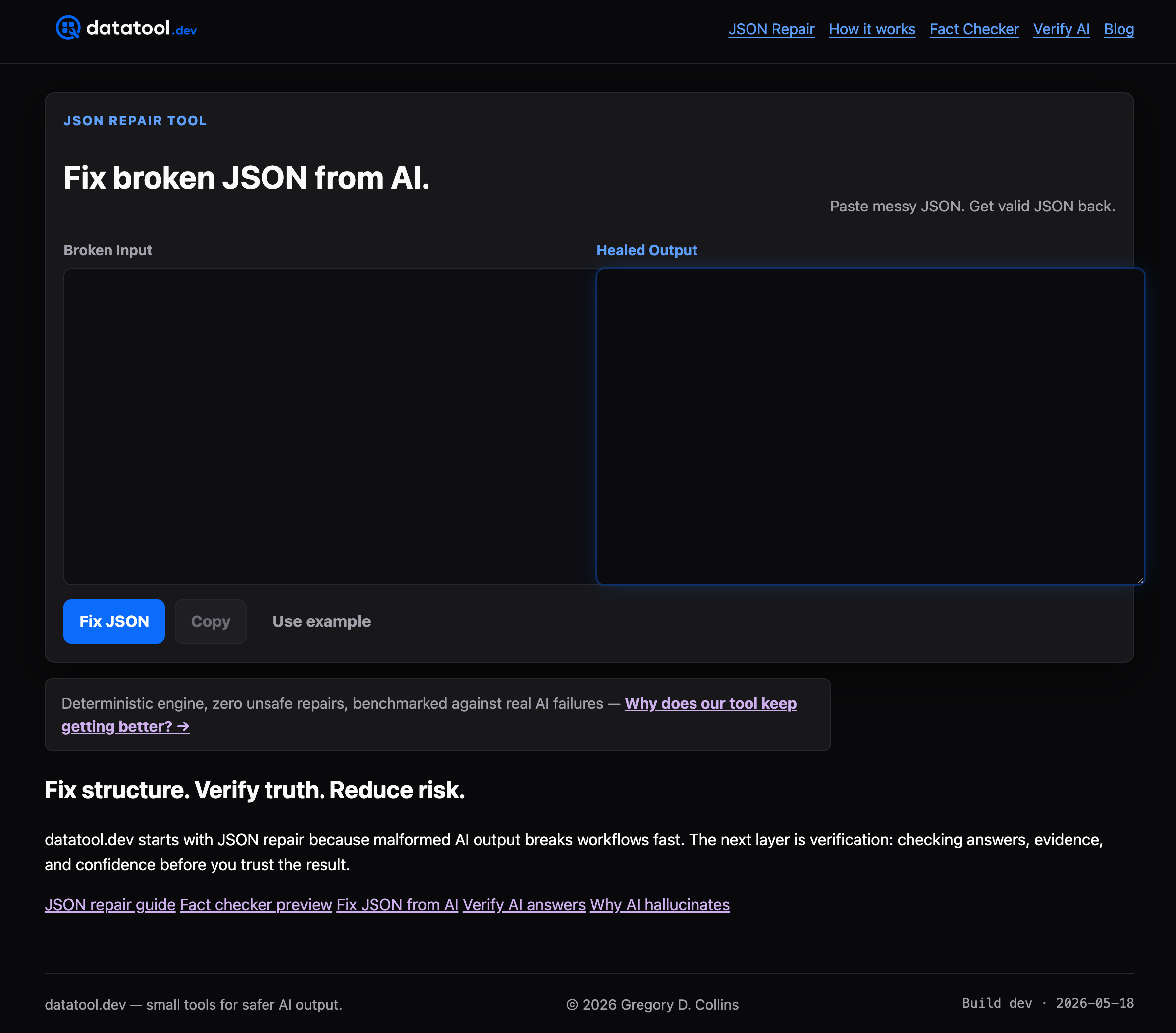
Where a linter stops at the error message, Datatool's deterministic repair engine reconstructs the valid structure, then re-validates against your schema. The result is a clean, typed JSON payload your downstream code can actually use.
- Repairs truncated and partial objects without data loss
- Handles wrapped responses and improper escaping automatically
- Re-validates repaired output against JSON Schema before returning it
Start repairing broken JSON at Datatool.
Sources
- ECMA-404 The JSON Data Interchange Syntax (ECMA International)
- Type-specific keywords — JSON Schema
- Json