

Split the file on , run JSON.parse on each non-empty line, and you have parsed NDJSON. For streams, swap the split for a line-aware reader, like Node's readline or the ndjson Transform stream, so you never hold the whole payload in memory. The .jsonl and .ndjson extensions mean the same thing, and that one-line-per-record shape is exactly why the format exists: streaming and large files. In Node, reach for readline or the ndjson package. In Python, reach for jsonlines or pandas.read_json(lines=True, chunksize=...).
TL;DR:
- Streaming processing with line-aware readers or transform streams is essential to handle large NDJSON files without memory issues.
- Implement try-catch blocks around JSON parsing to isolate and log individual malformed lines, preventing total failure on errors.
- Use explicit UTF-8 encoding and handle common pitfalls such as BOM characters, blank lines, and truncated chunks to improve data robustness.
- Choose NDJSON for large, streaming, or appending datasets, and prefer JSON arrays only for small, static files requiring full document validation.
- Automate repair of AI-generated malformed lines by escaping embedded newlines rather than guessing or manually fixing data errors.
Table of Contents
- Parse NDJSON in Node.js: Small Files and Streams
- Parse NDJSON in Python With Jsonlines and Pandas
- Command-Line Tools for Quick NDJSON Checks
- Common NDJSON Pitfalls and How to Fix Each One
- NDJSON vs a JSON Array: Which Should You Use?
- Datatool's Notes on Repairing AI-Generated NDJSON
- The Recipe Matters Less Than the Failure Path
- Fix Broken NDJSON Without Writing a Repair Script
- Sources
Parse NDJSON in Node.js: Small Files and Streams
For a small file, the split-and-parse pattern gets you working code in three lines. But it breaks the instant one line is malformed, so you need to know exactly why before you ship it.
Here's the naive version, and where it fails:
const lines = fileContents.split('
').filter(Boolean);
const records = lines.map(JSON.parse); // throws on first bad line, kills the whole batch
One bad line, from a truncated write or a stray control character, throws and takes down the entire batch. The fix is to isolate each line's failure:
const records = [];
lines.forEach((line, i) => {
  try {
    records.push(JSON.parse(line));
  } catch (err) {
    console.error(`Bad line ${i + 1}: ${line.slice(0, 80)}`);
  }
});
That gets you past small files. For anything over a few megabytes, don't load the file into a string at all. Use streaming:
- Open the file with
fs.createReadStream(path, { encoding: 'utf-8' }). - Wrap it in
readline.createInterface({ input: stream }). - Loop with
for await (const line of rl)and parse each line as it arrives. - This keeps memory flat no matter how large the file gets.
For pipelines, the ndjson npm package does the same job as a Transform stream: fs.createReadStream(path).pipe(ndjson.parse()) emits a data event per parsed object and an error event per bad line. Set strict: false if you want it to skip invalid lines instead of erroring out. Just test it against your actual data first. Some npm packages in this space haven't been touched in years, and NDJSON edge cases (embedded newlines, BOM bytes) are exactly where old, unmaintained parsers fall over.
Pro Tip: When you're streaming NDJSON over HTTP, the last chunk in a read often cuts a line in half. Buffer it and prepend it to the next chunk before splitting, or you'll silently drop the final record of every batch.
Parse NDJSON in Python With Jsonlines and Pandas
Python gives you two solid paths, and they solve different problems. The jsonlines library is built for record-level work: reading, validating, and catching bad lines one at a time. pandas.read_json is built for bulk ingestion into a DataFrame.
- Use
jsonlines.open('file.jsonl') as reader:and loop withfor obj in reader:to get one dict per line. - Wrap that loop in a
try/except jsonlines.InvalidLineErrorblock; when it fires, the fix is usually stripping a trailing comma or escaping a raw newline inside a string value before retrying. - For bulk loads,
pandas.read_json('file.jsonl', lines=True, chunksize=10000)returns an iterator of DataFrames instead of one giant object in memory, per the pandas.read_json docs. - Pick
jsonlineswhen you need to validate or repair individual records; pickpandaswhen you're loading structured, mostly clean data straight into a table. - To go the other direction, convert a JSON array into NDJSON with
jq -c '.[]' data.json > data.jsonl, or in pandas:df.to_json('data.jsonl', orient='records', lines=True). - Always open files with
encoding='utf-8'explicitly. Python's default encoding varies by platform, and that mismatch is a common source of silent byte corruption on Windows.
Command-Line Tools for Quick NDJSON Checks
You don't need a script to sanity-check a file. jq handles most of it from the terminal.
- Convert an array to NDJSON:
jq -c '.[]' data.json > data.jsonl. The-cflag forces compact, single-line output, which is the whole point of the format. - Validate every line at once:
jq -c '.' < file.jsonl. Any line that isn't valid JSON throws a parse error with the line number attached, which is faster than writing a validation script for a one-off check. - To inspect an NDJSON stream coming off an API, pipe curl into a decoder:
curl -N <url> | node stream-decoder.js, or use the browser-based Chrome NDJSON Payload Parser extension for a quick look without writing anything. - Watch for Windows line endings. A file with
\rinstead of\ron every parsed value. Normalize withtr -d '\r' < file.jsonl > clean.jsonlbefore parsing.
Common NDJSON Pitfalls and How to Fix Each One
Most NDJSON failures trace back to one of five causes, and each one has a deterministic fix.
- Non-UTF-8 bytes. A file saved with Windows-1252 encoding will throw on the first non-ASCII character. Fix: open explicitly with
utf-8, never rely on the platform default. The NDJSON spec recommends UTF-8 for exactly this reason. - Blank lines. A trailing newline at end-of-file, or a stray empty line mid-file, isn't a valid JSON value and will throw. Fix:
if (!line.trim()) continue;before you parse. - A leading BOM. Some editors and Windows tools prepend a byte-order mark to the first line, which breaks
JSON.parseon line one only. Fix: strip it withline.replace(/^/, ''). - Truncated final lines in streams. An HTTP response or a log tail can cut off mid-object. Fix: buffer the last incomplete chunk across reads instead of parsing it immediately, then prepend it to the next chunk.
- Malformed JSON inside a valid-looking line, usually a literal newline character sitting inside a string value instead of being escaped. Fix: replace raw
\before parsing, or route the line to a repair tool when the damage is more than a simple substitution.
// Before: literal newline breaks the string boundary
'{"note": "line one
line two"}'

// After: escaped, valid JSON
'{"note": "line one\
line two"}'
Pro Tip: Log the file name, line number, and the first 80 characters of every broken line before you attempt a repair. That instrumentation is what turns a one-off fix into a repeatable script.
NDJSON vs a JSON Array: Which Should You Use?
Pick NDJSON when you need to stream data, process it with constant memory, append new records without rewriting the file, or validate one line at a time. Pick a single JSON array when a consumer expects one complete document, or when the payload is small enough that loading it whole costs nothing.
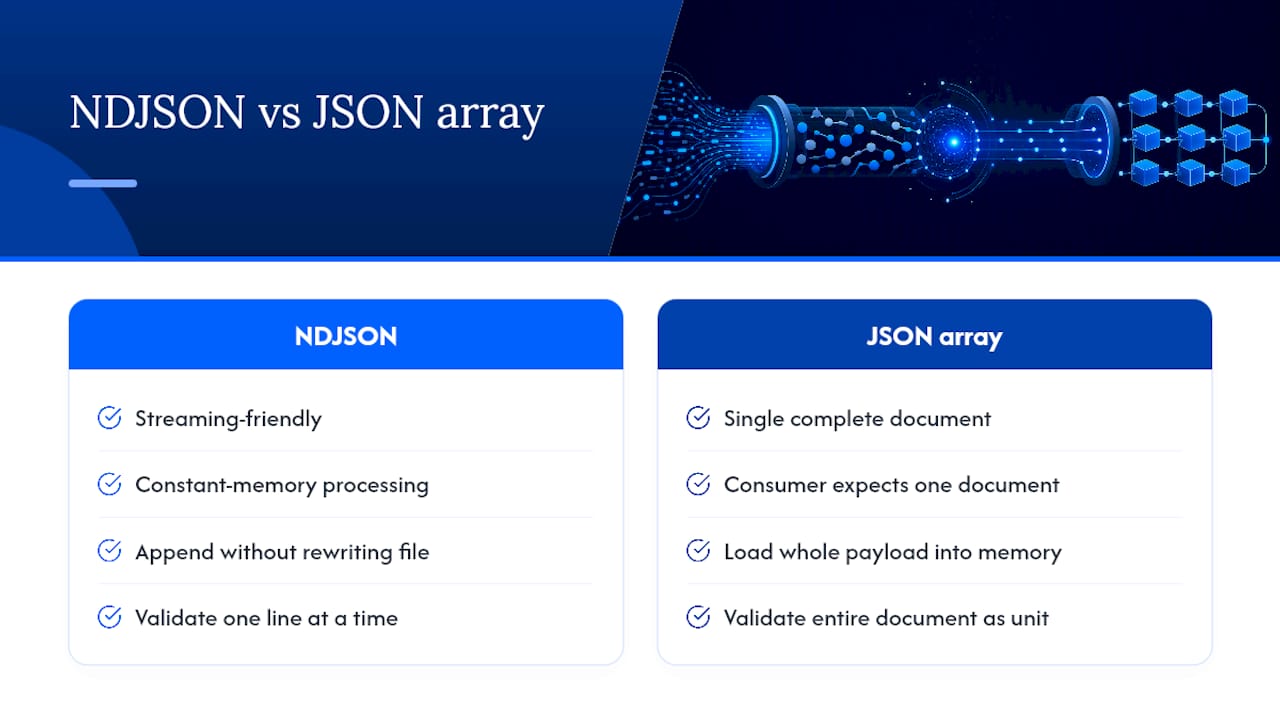
A rough heuristic is to choose NDJSON when handling large files or frequent appending, while smaller or less frequently appended files may use JSON arrays. Below that, and if something downstream needs to validate the whole document as a unit, a JSON array is simpler and gets read by more tooling out of the box.
Datatool's Notes on Repairing AI-Generated NDJSON
Datatool's testing on AI-generated output turns up the same failure repeatedly: a model writes a string field containing a literal newline instead of an escaped one, and JSON.parse throws on that line while every other line in the file parses fine.
A model outputs:
{"summary": "Part one Part two"}JSON.parsethrowsUnexpected tokenat the line break. The deterministic fix: escape the embedded newline (\) and reserialize the field, no semantic loss.
That kind of repair is safe to automate because the fix doesn't change the record's meaning. It's a straight formatting correction. Repairs that add or guess at missing data are different. Those need a human to confirm the value before you trust it downstream. For the fuller breakdown of failure patterns Datatool sees across AI pipelines, see the developer's guide to broken JSON and the notes on extra text in AI JSON output.
The Recipe Matters Less Than the Failure Path
Most NDJSON tutorials stop at the happy path: split, parse, done. That's the easy 90%.
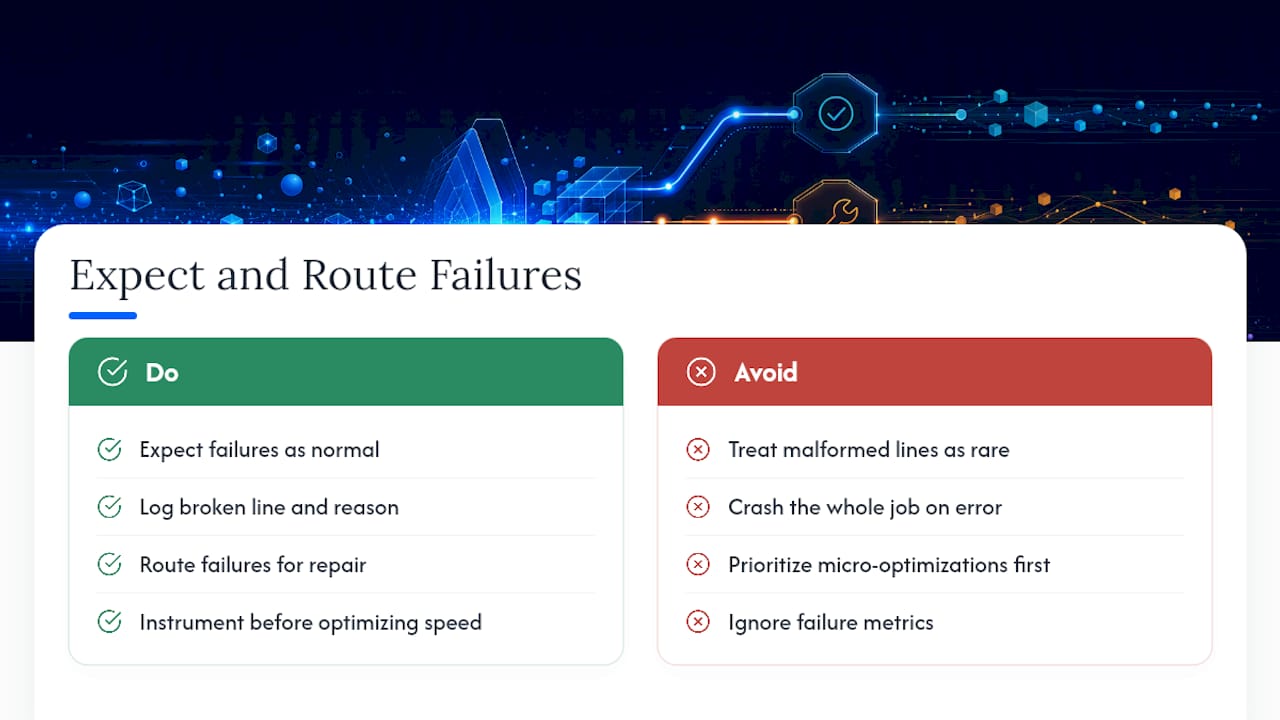
Here's what the conventional advice gets wrong: it treats malformed lines as rare exceptions. If your NDJSON comes from an LLM, they aren't rare. They're a predictable percentage of every batch, and the fix is not a better parser. It's a workflow that expects failure and routes it somewhere useful instead of crashing the whole job.
Prioritize instrumentation before you prioritize elegance. A parser that logs exactly which line broke and why is worth more than one that's five milliseconds faster on clean input. Clean input isn't the problem you're actually solving.
— Gregory
Fix Broken NDJSON Without Writing a Repair Script
Datatool repairs and validates malformed NDJSON and JSONL, the kind that comes out of LLM pipelines with unescaped newlines, truncated final records, and schema drift, without you writing a one-off script every time a new failure pattern shows up.
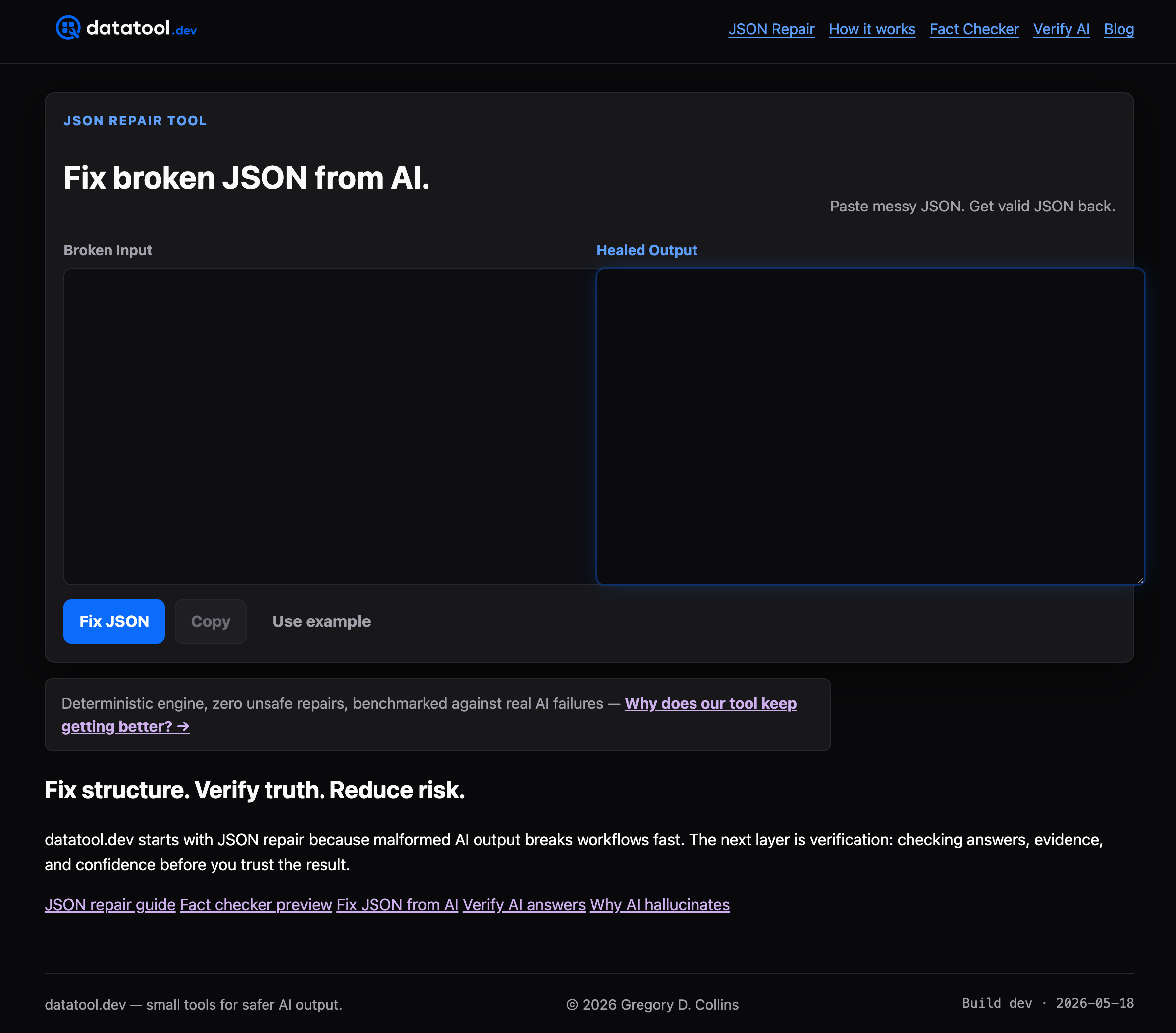
A hand-rolled parser fix works fine for a one-time cleanup. Once malformed output shows up daily, across multiple models or ETL sources, that same script needs constant patching. Datatool's repair engine and schema validation handle that volume deterministically, so your pipeline flags the record instead of throwing and stalling. Paste a broken NDJSON line, get back a valid one, and see the schema check run in the same pass. Start with the free tier at Datatool and run your next malformed batch through it before your next deploy.