

Use a Pydantic BaseModel to define the exact shape you expect, parse the model's raw output into it, and catch ValidationError when it fails. Don't discard the error. Feed it back to the LLM as part of a retry prompt. That loop, schema plus error feedback, is what turns unreliable text generation into structured data you can trust in production.
TL;DR:
- Validating LLM output with Pydantic requires defining flat schemas with explicit constraints and catching validation errors to provide targeted correction prompts.
- Most validation failures stem from malformed JSON caused by extraction issues like truncation, markdown wrapping, or trailing commas, which should be repaired deterministically before parsing.
- Use custom validators and nested models to enforce business logic and reject hallucinations, but start with loose constraints and tighten them based on real outputs to avoid retry loops.
- Log all raw outputs, repairs, and validation errors to improve reliability, and limit retries to prevent endless loops, escalating to human review when necessary.
- When working with high-volume or streaming outputs, buffer partial responses until complete, then validate, and ensure validation processes are fast enough not to bottleneck throughput.
Table of Contents
- What Does It Mean to Validate LLM Output With Pydantic?
- Quick Checklist for Validating LLM Output With Pydantic
- A Minimal Failing Example and the Pydantic Fix
- Detecting and Repairing Malformed JSON Before Validation
- Nested Models and Custom Validators for Business Rules
- How Do You Retry After a Validation Error?
- Integrating Pydantic With OpenAI, LangChain, and Instructor
- What Testing Shows About Developer-First Validation Controls
- Performance Considerations When Validating Large LLM Outputs
- Best Practices for Versioning Validation Schemas Over Time
- Testing Strategies for Pydantic Validation Schemas
- Handling Asynchronous Validation for Real-Time LLM Outputs
- Security Implications of Validating Untrusted LLM Output
- Pragmatic Trade-Offs When Validating LLM Output
- Fixing Broken JSON and Validation Failures With Datatool
- Sources
- FAQ
What Does It Mean to Validate LLM Output With Pydantic?
Validating LLM output with Pydantic means defining a BaseModel that describes the fields, types, and constraints you expect, then running the model's raw text through that schema before your code ever touches it. If the text doesn't match, Pydantic raises a ValidationError with the exact field and reason. You catch that error, and instead of throwing it away, you send it back to the model as correction instructions.
This is different from just calling json.loads() and hoping for the best. json.loads() tells you if the string is syntactically valid JSON. It says nothing about whether "age": "twenty-five" should have been an integer, or whether a required email field went missing. Pydantic checks structure and meaning at the same time, using Field constraints, validators, and JSON schema generation built for exactly this kind of untrusted, semi-structured input.
The result is a validation layer that catches type errors, missing fields, and out-of-range values before they reach your database or your downstream API call. Everything past this point in the article shows you how to build that layer, break it on purpose, and fix it.
Quick Checklist for Validating LLM Output With Pydantic
Copy this into your README before you write a single validator. Most schema failures in production trace back to skipping one of these steps.
- Define a concrete
BaseModelwithFieldconstraints (min_length,ge,le) andLiteraltypes for closed sets of values. - Prefer explicit, flat types over complex
Unionor recursive models. LLM JSON generation is less reliable the deeper and more ambiguous your schema gets. - Wrap every parse call in
try/except ValidationErrorand log the errors in a machine-readable format, not just a stack trace. - Start with loose constraints, run the model on real inputs, then tighten validators based on what actually breaks. Course material on iterative validator tuning backs this up: tight-first schemas cause more retry loops than they prevent.
- Add a deterministic repair step for broken JSON (unbalanced brackets, wrapped text, trailing commas) before you reparse, so you're not re-prompting the model for a fix your code could apply in milliseconds.
Skip any one of these and you'll spend your first month in production reading tracebacks instead of shipping features.
A Minimal Failing Example and the Pydantic Fix
Here's what actually breaks. You ask a model to extract a product record, and you get this back:
Here is the extracted product:
{
  "name": "Wireless Mouse",
  "price": "29.99",
  "in_stock": "yes",
  "tags": ["electronics", "accessories",]
}
Let me know if you need anything else!
Four problems in one response: leading and trailing prose around the JSON, price as a string instead of a number, in_stock as a string instead of a boolean, and a trailing comma that breaks strict JSON parsers. A plain json.loads() call throws a JSONDecodeError on the trailing comma alone and never even reaches the type issues.
Define the schema you actually want:
from pydantic import BaseModel, Field, field_validator

class Product(BaseModel):
    name: str = Field(min_length=1)
    price: float = Field(gt=0)
    in_stock: bool
    tags: list[str] = Field(default_factory=list)

    @field_validator("in_stock", mode="before")
    @classmethod
    def coerce_bool(cls, v):
        if isinstance(v, str):
            return v.strip().lower() in {"yes", "true", "1"}
        return v
Now parse it with diagnostics instead of a bare crash:
- Extract the JSON substring from the response (covered in the next section).
- Attempt
Product.model_validate_json(extracted). - On
ValidationError, logerr.errors()— a list of dicts withloc,msg, andtypefor every failed field. - Decide whether to auto-repair, re-prompt, or escalate to a human based on which fields failed.
import json
from pydantic import ValidationError

try:
    product = Product.model_validate_json(extracted_json)
except ValidationError as e:
    for err in e.errors():
        print(f"Field: {err['loc']}, Problem: {err['msg']}")
With the coerce_bool validator in place, "yes" becomes True instead of failing outright. The gt=0 constraint on price still fails a value like -5, which is exactly what you want. That's a business rule the model got wrong, not a formatting quirk.
One prompt change fixes most of this before it starts: tell the model explicitly to "return only valid JSON matching this schema, no explanation text, no markdown fences." Datatool's testing on malformed AI output consistently shows that models given a strict output-only instruction plus the target field names produce far fewer wrapped-text and trailing-comma failures than models given a loose "extract the product info" prompt.
Detecting and Repairing Malformed JSON Before Validation
Most "invalid JSON" errors aren't validation problems. They're extraction problems. The model buried valid JSON inside a sentence, wrapped it in markdown fences, or got cut off mid-object because it hit a token limit. Fix the text, then validate it.
- Use a regex or bracket-counting scan to pull the outermost
{...}or[...]block out of surrounding prose before you touchjson.loads(). - Strip markdown code fences (
json ...) as a first pass. This alone resolves a large share of "why is my JSON invalid" tickets. - Check for truncation: if the extracted string doesn't end with a matching closing bracket, the response was likely cut off. Re-prompt with a higher token limit instead of trying to guess the missing content.
- Fix common escaping issues (unescaped quotes inside string values) only with narrow, well-tested regex patterns. Broad "fix anything" repair functions introduce silent data corruption.
Programmatic repair is safe for mechanical issues: trailing commas, missing closing brackets, smart quotes instead of straight quotes, wrapped text. It's not safe for issues that require judgment, like a price field that's missing entirely or a value that's ambiguous between two types. Re-prompt or escalate to a human for those.
Deterministic, logged repair is what separates a robust pipeline from one that quietly ships bad data to production. Datatool's approach to LLM output validation is built around exactly this principle: apply only repairs that are provably safe, refuse to guess when the fix is ambiguous, and log every transformation so you can audit what changed and why.
Pro Tip: Log the original raw output alongside every repaired version, even in production. When a repair heuristic misfires six months from now, you'll want to see exactly what the model sent versus what your code changed.
Nested Models and Custom Validators for Business Rules
Real-world LLM extraction rarely stops at flat fields. You'll need nested objects, lists of objects, and validation rules the schema alone can't express.
Nested BaseModel classes handle hierarchy cleanly:
from typing import Literal
from pydantic import BaseModel, Field, field_validator

class Address(BaseModel):
    city: str
    country: str

class Customer(BaseModel):
    name: str = Field(min_length=1)
    tier: Literal["free", "pro", "enterprise"]
    address: Address
    notes: str = Field(max_length=500)

    @field_validator("notes")
    @classmethod
    def no_placeholder_text(cls, v):
        if v.strip().lower() in {"n/a", "none", ""}:
            raise ValueError("notes must contain actual content")
        return v
Literal["free", "pro", "enterprise"] does more work than a plain str ever could: it rejects a hallucinated tier value like "gold" at the type level, no extra validator needed. Field(min_length, ge, le) constraints catch out-of-range numbers and empty strings the same way.
Custom validators should target business logic the model can't reliably infer from shallow instructions, things like "notes can't be a placeholder" or "end_date must come after start_date" using a model_validator for cross-field checks. Don't write a validator for something a Literal or a type annotation already handles.
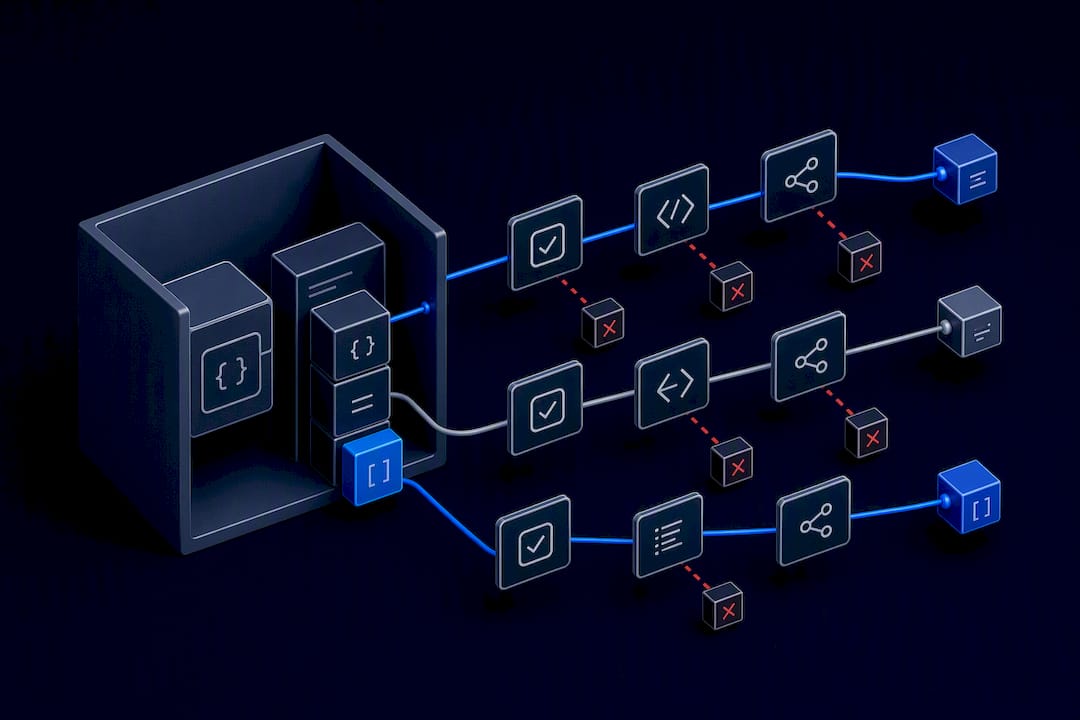
Two failure patterns to watch for. First, overly strict validators written before you've seen real model output cause retry loops that never converge; start loose, per the guidance above, and tighten later. Second, if a field marked Optional keeps coming back None, remove the Optional and make it required. Models take the path of least effort, and an optional field is an invitation to skip it.
Pro Tip: When a nested model keeps failing on one specific sub-field, don't add more validators to the parent model. Test the nested model in isolation with Address.model_validate() first. It's faster to debug one small model than to trace an error through three layers of nesting.
How Do You Retry After a Validation Error?
Turn every ValidationError into a structured re-prompt instead of a dead end. The error object already gives you what you need.
- Call
e.errors()on the caughtValidationErrorto get a list of dicts, each withloc(the field path),msg(what went wrong), andtype(the error category). - Build a re-prompt that includes the original schema (via
Model.model_json_schema()), the field-level errors, and the model's previous bad output, phrased as: "Your previous response failed validation. Fieldprice: input should be a valid number, got 'twenty-nine'. Return corrected JSON matching the schema." - Cap retries at two or three attempts. If the model still fails after that, the schema is probably too complex or the instructions are ambiguous, not the model.
- If failures persist past the retry limit, split the extraction into smaller, more focused models rather than raising
max_retriesfurther. A model asked to extract three fields is far more reliable than one asked to extract fifteen.
Practitioner writeups on the Instructor pattern report higher parse success rates when the model sees the specific validation error compared to blind retries that just resend the original prompt unchanged. The mechanism makes sense: a blind retry gives the model no new information, so it's likely to repeat the same mistake. A retry with the exact field, expected type, and observed value gives the model something concrete to correct.
This is the core operational habit behind reliable LLM pipelines: validation isn't a gate that rejects bad output, it's a feedback channel that improves the next attempt.
Integrating Pydantic With OpenAI, LangChain, and Instructor
A few provider-specific quirks will save you a debugging afternoon.
- OpenAI's JSON mode doesn't convert every Pydantic feature cleanly to its schema format. Deep recursion, large
Uniontypes, and open-endeddict[str, Any]fields commonly trigger "invalid schema" errors before the model even generates a response. Keep schemas flat and explicit when relying on provider-side enforcement. - The Instructor pattern patches your LLM client so calls return Pydantic instances directly instead of raw strings, and automatically retries with error feedback baked in. It's the same feedback-loop principle from the previous section, implemented as a library instead of hand-rolled code.
- LangChain agents need validation at two separate points: the final agent output, and each individual tool's output before it feeds into the next step. Validating only the final answer lets a bad intermediate tool call corrupt everything downstream without you noticing until the end.
- Streaming responses need partial validation. Don't try to validate a half-received JSON object against a strict schema. Buffer tokens, check for a complete, balanced structure, and only run full validation once the object is assembled.
For teams building custom agent tooling around these patterns, integration platforms like Prowl offer a look at how structured validation plugs into broader agent workflows beyond a single API call.
What Testing Shows About Developer-First Validation Controls
Reliable LLM pipelines share a specific set of controls, not a single clever trick. Datatool's testing on developer-first validation points to a consistent pattern across teams that get this right:
- Log every raw output, every repair applied, and every validation error, structured enough to query later.
- Apply deterministic repairs only where the fix is unambiguous. Guessing at intent produces silent corruption that's far more expensive to find than an outright failure.
- Use cost-efficient fact-checking for claims that need verification beyond structure. Datatool references models like 770M MiniCheck as roughly 400 times cheaper per check than routing every fact check through a large model.
- Track schema drift over time with transparent benchmark logs, not just spot checks when something breaks in production.
The common thread: structure alone doesn't guarantee correctness. A response can be valid JSON, pass every type check, and still contain a hallucinated fact. Validation and verification are separate jobs, and conflating them is a common source of overconfidence in "validated" pipelines.
Performance Considerations When Validating Large LLM Outputs
Pydantic's validation itself is fast; Pydantic v2's core is written in Rust, and validating a single object typically costs microseconds, not milliseconds. The real performance risk in LLM pipelines isn't Pydantic overhead, it's what you build around it.
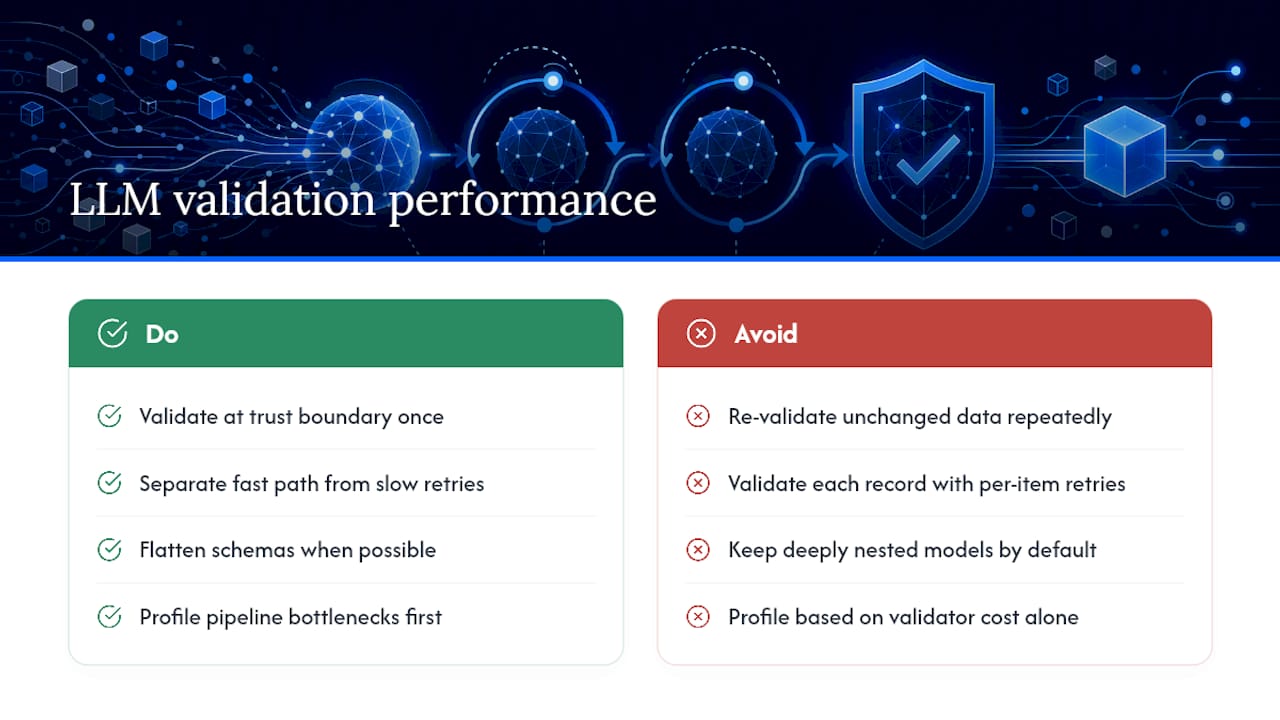
Batch validation is the first place teams lose time. Validating a list of five hundred extracted records one at a time in a Python loop is fine. Validating five hundred records where each one triggers a network round-trip retry on failure is not. Separate the fast path (successful validations) from the slow path (retries) so one bad record doesn't stall the whole batch.
Deeply nested models cost more to validate than flat ones, and they cost the LLM more to generate correctly in the first place. If you're processing thousands of records, flatten your schema wherever the data allows it. A flat schema with twelve fields validates faster and fails less often than a schema nested four levels deep.
Avoid re-validating data you've already validated. It's tempting to call model_validate() again after passing an object through several pipeline stages, just to be safe. Each redundant validation is wasted CPU on data that hasn't changed shape since the last check. Validate once, at the boundary where untrusted LLM output enters your system, and trust your own types after that.
For high-throughput pipelines, measure before you optimize. Profile where time actually goes: token generation from the LLM API dwarfs Pydantic's validation cost in nearly every real pipeline, so the first place to look for speed gains is your retry logic and API call pattern, not the validator itself.
Best Practices for Versioning Validation Schemas Over Time
Your Product schema from six months ago won't match what your product team needs today, and the LLM prompts feeding it will drift too. Treat your Pydantic models like an API contract, because that's effectively what they are.
Version your schemas explicitly rather than editing a model in place. A pattern like ProductV1 and ProductV2 as separate classes, or a schema_version field embedded in the model itself, lets you support old data while you migrate. Breaking an existing schema silently means every downstream consumer of that data breaks with it, often without an obvious error.
When you add a new required field to a schema that's already in production, make it Optional with a sensible default first, deploy, backfill or observe real model behavior, then tighten it to required once you've confirmed the model reliably produces it. This mirrors the loose-then-tight approach recommended for validators generally: the same caution applies to the schema's overall shape, not just individual field constraints.
Keep a changelog next to your models, even a simple comment block listing what changed and why. Six months from now, when a validation error references a field that no longer exists the way it used to, that changelog is the fastest way to understand what happened without archaeology through git blame.
Testing Strategies for Pydantic Validation Schemas
Treat your validation schemas as code that needs tests, not as passive data definitions. Two layers of testing catch two different classes of bugs.
Unit tests check the schema in isolation, with no LLM involved. Feed Product.model_validate() a dictionary with a missing field, a negative price, an out-of-range value, and confirm each one raises ValidationError with the field you expect. Also test the success path: valid input should produce a valid model instance without raising anything. These tests run in milliseconds and catch regressions the moment someone tweaks a Field constraint.
Integration tests check the whole pipeline: real (or recorded) LLM output going through extraction, repair, and validation together. Record a handful of actual raw responses your model has produced, good ones and malformed ones, and replay them as fixtures. This catches the failure modes unit tests can't: a model that wraps JSON in markdown fences, a response that gets truncated at a token limit, a field that comes back as the wrong type despite a clear prompt instruction.
Build a small regression suite of previously-seen malformed outputs. Every time a new failure mode shows up in production logs, add that exact raw output as a fixture. Over months, this suite becomes a concrete record of every way your specific model, for your specific prompts, has broken, and it stops the same failure from silently reappearing after a prompt change or model upgrade.
Handling Asynchronous Validation for Real-Time LLM Outputs
Real-time and streaming use cases need a different validation approach than a single blocking API call. You can't wait for the entire response before checking anything, but you also can't validate a half-formed JSON fragment against a strict schema and expect it to pass.
The practical pattern: buffer streamed tokens until you have a syntactically complete, balanced JSON structure, then run full Pydantic validation once. Don't attempt partial validation on incomplete fragments; a Product object missing its price field mid-stream isn't invalid, it's just unfinished, and treating it as a validation failure produces false alarms.
For async pipelines processing many concurrent LLM calls, use asyncio.gather() with individual try/except blocks around each validation, so one malformed response doesn't cancel the whole batch. Pydantic's validation itself runs synchronously and fast enough that it rarely becomes the bottleneck in an async pipeline; the actual concurrency work is in managing the LLM API calls and retries around it, not the validation step itself.
Timeouts matter more in async contexts than people expect. If a retry-with-feedback loop is running inside a request that has a client-side timeout, cap your retry attempts based on elapsed time, not just attempt count. Two retries at two seconds each is fine. Two retries where the second call takes fifteen seconds because the model is under load will blow past most reasonable request timeouts.
Security Implications of Validating Untrusted LLM Output
Treat every LLM response as untrusted input, the same way you'd treat data submitted through a public web form. The model can be manipulated by prompt injection in the source text it's summarizing or extracting from, and its output can end up containing content you never intended to store or execute.
Pydantic validation catches type and shape problems, but it doesn't sanitize content by default. A notes: str field will happily accept a string containing a <script> tag, a SQL fragment, or an oversized payload designed to exhaust memory. Add explicit checks: length limits via Field(max_length=...), and content sanitization for any field that will be rendered in a browser or interpolated into a query, even after it passes schema validation.
Never eval() or otherwise dynamically execute a string field from LLM output. This sounds obvious until someone builds a "code generation" feature where the model outputs a formula or expression meant to be evaluated. Parse it as data and interpret it explicitly, never hand it to a general-purpose interpreter.
Watch for oversized or deeply nested payloads used as a denial-of-service vector. A model prompted adversarially, or fed adversarial input to summarize, can produce a list field with tens of thousands of entries. Field constraints like max_length on lists and strings aren't just data-quality tools here; they're a resource-exhaustion guard on data you don't control.
Pragmatic Trade-Offs When Validating LLM Output
Strict schemas earn their keep when the output feeds a database, a payment flow, or another system with no tolerance for ambiguity. Fuzzy, permissive validation is fine for exploratory or draft content nobody downstream depends on directly. The real mistake I see is treating validation as a strict gate instead of a feedback loop. A rejected response that never reaches the model again is a dead end, not a safeguard. Log everything, cap retries at two or three, and route anything past that threshold to a human. That threshold is the actual safety net, not the schema itself.
— Gregory
Fixing Broken JSON and Validation Failures With Datatool
When malformed LLM output isn't a rare edge case but a recurring pipeline problem, hand-rolled repair regexes stop scaling. Datatool builds tools specifically for this: a JSON repair tool for deterministic, conservative fixes to broken JSON, and the @datatool/json-heal product line for teams that want that repair logic built into their pipeline rather than reimplemented from scratch each time.
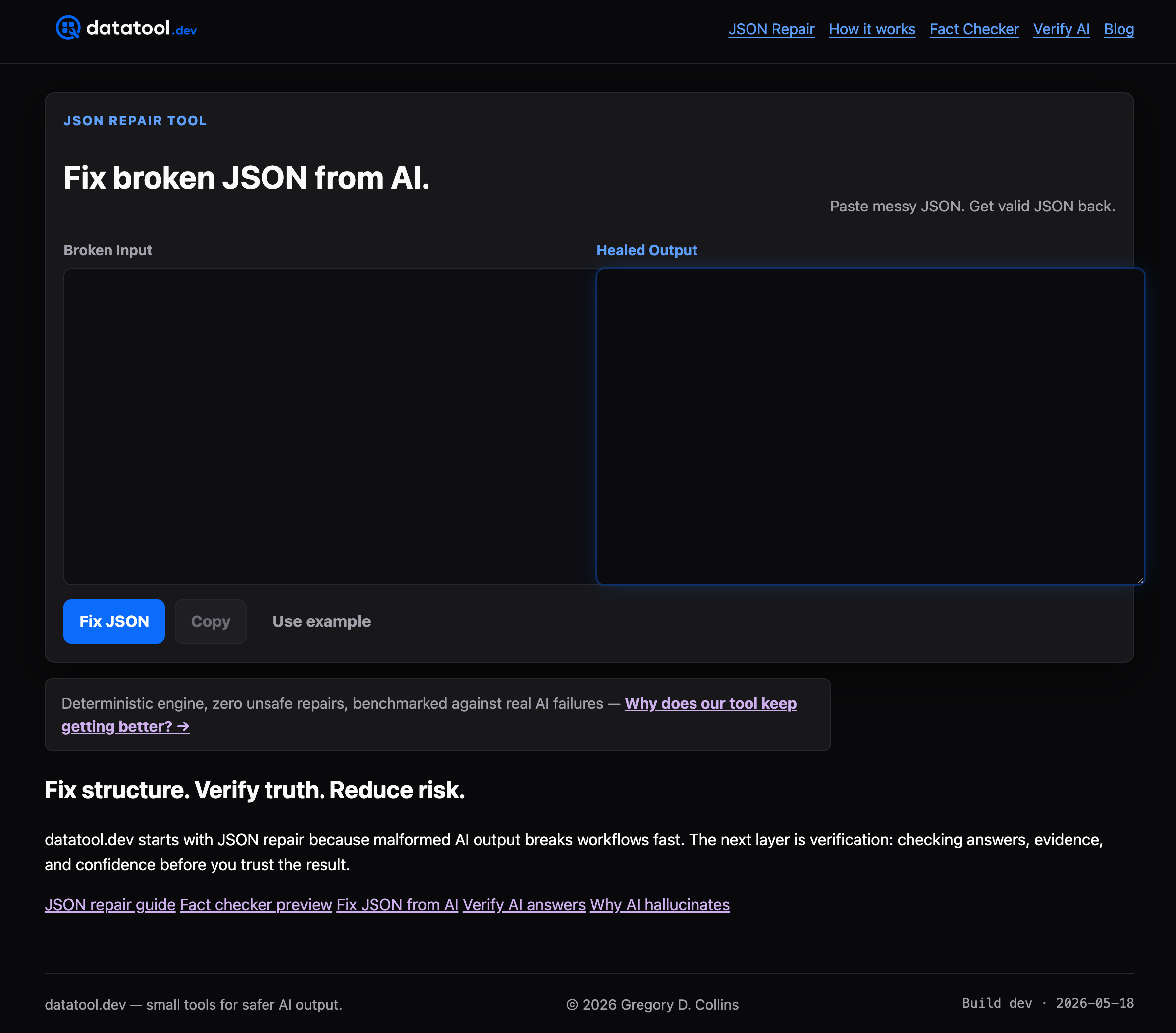
If your team is seeing frequent malformed output from automated extraction pipelines, agents, or high-volume LLM calls, and your current fix is a growing pile of one-off regex patches, that's the signal to look at dedicated repair tooling instead of more patches. A reliable approach should refuse to guess on ambiguous fixes and log every repair for review, which matters most exactly where hand-written heuristics tend to fail silently. Check the JSON repair tool page to see how it handles the malformed cases your validators are currently rejecting.
Sources
FAQ
How Do You Validate LLM Output?
Define a Pydantic BaseModel matching the shape you expect, parse the model's response into it, and catch ValidationError for anything that doesn't fit. Feed the specific error back to the model as a correction prompt rather than discarding it, which practitioner reports show improves parse success over blind retries.
How Do You Validate a Pydantic Model?
Call Model.model_validate() on a dictionary or Model.model_validate_json() on a JSON string, and Pydantic checks every field against its declared type and Field constraints automatically. Any mismatch raises a ValidationError listing exactly which field failed and why, which you can inspect with error.errors().
Is Pydantic AI an Agentic Framework?
Pydantic AI is a separate, dedicated agent framework built by the Pydantic team for constructing LLM-powered agents with type-safe outputs. It's distinct from using core Pydantic BaseModel classes directly for validation, which is the lighter-weight pattern this article focuses on and works with any LLM provider or framework.
What Are the Best Strategies for Validating LLM Outputs?
Define explicit, mostly flat schemas with Field constraints and Literal types, start with loose validators and tighten them after seeing real model behavior, and treat every ValidationError as feedback to re-prompt the model rather than a dead end. Add a conservative, logged JSON repair step for mechanical issues like wrapped text or trailing commas before validation runs, an approach Datatool's tooling is built specifically to handle.
Should I Use Optional Fields in My LLM Output Schema?
Use Optional only for fields that are genuinely allowed to be missing from the source data. If a field keeps coming back None when it shouldn't, remove Optional and make it required instead, since models tend to skip fields that aren't explicitly demanded.