

Canonical JSON is a deterministic serialization format that produces the exact same bytes for the exact same data, every time, on every runtime. RFC 8785 defines this as the JSON Canonicalization Scheme (JCS), and you need it whenever you hash or sign a JSON payload. Without it, two servers can encode identical data differently and produce two different signatures. Libraries like canonical-json on npm implement JCS directly so you don't have to write the sorting logic yourself.
TL;DR:
- Key order must be sorted by UTF-16 code unit order recursively for every nested object to produce a consistent hash.
- Numbers are serialized following ECMAScript standards, normalizing negative zero to zero and maintaining scientific notation formats.
- Canonical JSON output contains no whitespace, with control characters escaped minimally to ensure byte-level determinism.
- Using tested canonicalization libraries is critical, as custom implementations may fail to handle edge cases like surrogate pairs or float formatting.
- Valid JSON must be repaired before canonicalization, since malformed data causes signature verification failures that cannot be fixed by the canonicalizer alone.
Table of Contents
- What Canonical JSON Actually Requires (RFC 8785 Rules)
- Where Canonicalization Fits in a Signing Pipeline
- Why JSON.stringify Breaks Signatures (and the Fix)
- Negative Zero, Floats, and Other Cross-Language Traps
- Testing Canonical Output in CI
- Which Canonical JSON Libraries Are Actually Worth Using
- Canonicalization Is Not Schema Validation
- How Datatool Fits Into a Canonicalization Pipeline
- What I'd Tell a Team Adopting This Tomorrow
- Fix Broken JSON Before You Try to Canonicalize It
- Sources
What Canonical JSON Actually Requires (RFC 8785 Rules)
JCS fixes four things that standard JSON leaves loose: key order, number formatting, string escaping, and encoding. Get any one wrong and your hash breaks.
- Property sorting. Object keys are sorted by UTF-16 code unit order, applied recursively to every nested object. This is not alphabetical sorting in the way most string libraries default to. It's a strict code-unit comparison, and it has to happen at every level of the document, not just the top.
- Number serialization. Numbers follow the ECMAScript
Number.prototype.toString()behavior, the same rule engine JavaScript uses internally. That means1.0becomes1, and1e+21gets written out in the format the ECMAScript spec dictates, not whatever your language's default formatter produces. - Negative zero.
-0is normalized to0. If your serializer doesn't do this, you'll get a different hash from a payload that is mathematically identical. - String escaping. Control characters get escaped using the shortest valid form. Everything else prints as literal UTF-8.
- No optional whitespace. JCS output has zero extra spaces, tabs, or newlines. Every byte is deterministic. ECMA-404 defines the JSON syntax baseline JCS builds on top of.
Miss any of these rules and you'll ship a signature verification bug that only shows up in production, usually on a payload with a negative zero or a nested object nobody thought to test.
Where Canonicalization Fits in a Signing Pipeline
Canonicalization is a single step wedged between serialization and hashing. It doesn't replace either one.
- Build your data object in whatever native structure your language uses (a dict, a struct, a hash map).
- Serialize it to JSON using your normal library. Don't worry about key order at this stage.
- Canonicalize the JSON string. This is where you sort keys, normalize numbers, and strip whitespace. RFC 8785 Appendix F recommends running canonicalization as a post-processing step on top of your existing serializer instead of rewriting your serializer from scratch. That's the practical integration path most teams should take.
- Compute the digest of the canonical bytes using SHA-256 or whatever hash function your protocol specifies.
- Attach the signature to the original (non-canonical) payload, or send the canonical form directly if your protocol requires it.
When you verify a signature, you reverse the order slightly: strip the signature field out of the payload first, canonicalize what remains, then hash it and compare against the signature. Forget to remove the signature field before canonicalizing, and verification fails every time, even on a legitimate payload.
One underrated benefit of this approach: your JSON stays readable on the wire. You're not base64-encoding the whole object into an opaque blob just to make it hashable. Anyone debugging the payload in a log file can still read it.
Why JSON.stringify Breaks Signatures (and the Fix)
Here's the failure Datatool sees most often in developer logs: two services serialize the same object and get two different strings.
const payloadA = { name: "Ana", id: 42 };
const payloadB = { id: 42, name: "Ana" };

console.log(JSON.stringify(payloadA)); // {"name":"Ana","id":42}
console.log(JSON.stringify(payloadB)); // {"id":42,"name":"Ana"}
Same data. Different strings. Different hashes. If one service signs payloadA and another tries to verify against payloadB, verification fails, and you'll spend an afternoon assuming your crypto library is broken when the real bug is key order.
The fix is to canonicalize before you hash, using a library that implements JCS rather than sorting keys by hand:
const canonicalize = require('canonical-json');

const canonicalA = canonicalize(payloadA);
const canonicalB = canonicalize(payloadB);

console.log(canonicalA === canonicalB); // true
To hash the canonical output with Node's built-in crypto module:
const crypto = require('crypto');
const canonicalize = require('canonical-json');

const canonical = canonicalize(payloadA);
const digest = crypto.createHash('sha256').update(canonical).digest('hex');
If your stack isn't JavaScript, the logic is identical, just implemented per language. cyberphone/json-canonicalization on GitHub ships reference implementations in Java and other languages, along with test vectors you can run against your own port to confirm it matches the spec byte for byte. Don't trust a hand-rolled sort function in any language. Test it against those vectors first.
Negative Zero, Floats, and Other Cross-Language Traps
Canonical JSON bugs rarely show up in a single-language system. They show up when a Python backend signs a payload and a Java client tries to verify it, and the two runtimes disagree on something small.
- Negative zero. JCS requires
-0to serialize as0. Some runtimes preserve the sign by default, and that single character breaks every hash downstream. - Floating point formatting. Different language runtimes round and format floats differently. A canonicalizer has to force ECMAScript
toStringbehavior regardless of what language it's written in, or the numbers won't match across services. - Unicode sorting. Key sorting uses UTF-16 code unit order, which means surrogate pairs (characters outside the Basic Multilingual Plane, like some emoji or rare scripts) sort differently than you'd expect if you're comparing raw Unicode code points instead.
- Arrays versus objects. Arrays keep their original order. Only object keys get sorted. Mixing this up in a custom implementation is a common source of silent bugs.
Pro Tip: Never write your own key-sorting function for this. Use a tested canonicalizer like canonical-json or a port of cyberphone/json-canonicalization, and run the official test vectors against it before you trust it in production.
Testing Canonical Output in CI
Deterministic serialization is only useful if you verify it stays deterministic across every build, every language, and every dependency bump. Here's how to check it.
- Write unit tests that canonicalize known inputs and assert the exact string or hash. Pick two or three payloads with tricky properties (nested objects, negative zero, Unicode keys) and hardcode the expected canonical output.
- Add a CI check that fails the build if the canonical hash of a fixed test payload changes. A dependency upgrade to your JSON library is exactly the kind of thing that can silently change output formatting.
- For large payloads, test the streaming path separately. Canonicalizers that expose a "walk" or chunked writer let you canonicalize gigabyte-scale documents without loading the whole string into memory, and you need to confirm chunked output matches the non-streamed result byte for byte.
- When a hash mismatch shows up, diff at the byte level. A visual string comparison misses invisible differences like an extra escape character or a trailing byte. A hex diff or byte-by-byte comparison finds it in seconds.
Which Canonical JSON Libraries Are Actually Worth Using
Don't reimplement JCS from scratch. The spec has enough edge cases (numeric formatting, surrogate pair sorting) that a small mistake in a custom sort function will pass casual testing and fail in production months later.
- canonical-json (npm) gives you
stringify,walk, andhashhelpers, plus a CLI for quick checks from the terminal. Call it without a replacer, custom spacing, or a custom key comparator, and it matches RFC 8785 by default. - cyberphone/json-canonicalization is the reference implementation set referenced directly in the RFC's own appendices, with working code and test vectors in multiple languages. If you're building for Java, Go, or another non-JavaScript runtime, start there.
- Language-specific bindings. Check the RFC's appendices first before searching for a third-party package. Several languages already have ports that were built directly against the official test vectors.
Pick the implementation that matches your runtime and verify it against the published test vectors. That's a five-minute check that saves you a multi-day debugging session later.
Canonicalization Is Not Schema Validation
These two solve different problems, and confusing them is a common mistake.
- Schema validation checks structure. JSON Schema confirms that a document has the fields you expect, with the correct types, before you do anything else with it.
- Canonicalization checks bytes. It doesn't care whether a field is required or what type it should be. It only guarantees that the same logical data produces the same physical bytes, which is what hashing and signing actually depend on.
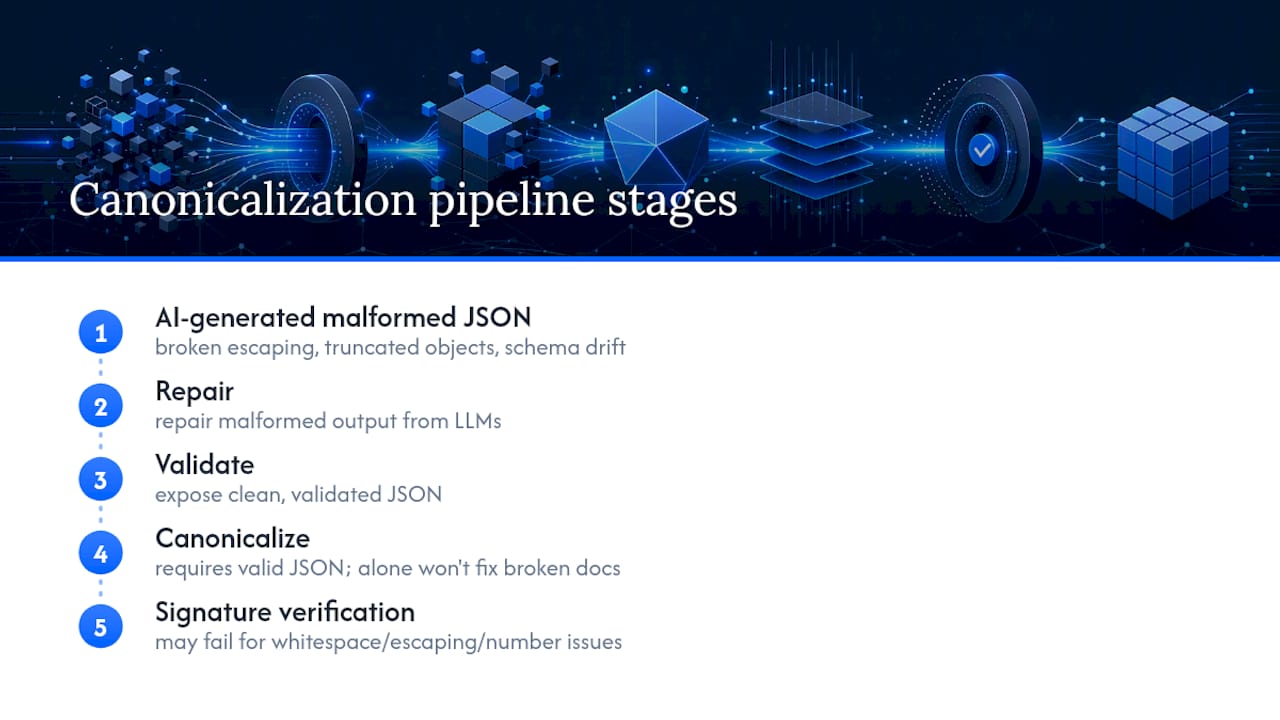
- The order matters. Validate first, then normalize any inconsistencies, then canonicalize, then hash or sign. Canonicalizing a malformed document just gives you a deterministic hash of garbage.
For a deeper walkthrough of the validation half of that pipeline, Datatool's guide on schema validation best practices covers the structural checks that should run before canonicalization ever touches your data.
How Datatool Fits Into a Canonicalization Pipeline
Canonicalization assumes your JSON is already valid. AI-generated JSON often isn't. Some tools repair malformed output from LLMs, broken escaping, truncated objects, and schema drift, exposing clean, validated JSON you can safely feed into a canonicalizer.
Testing on real AI output shows that whitespace inconsistencies, incorrect escaping, and inconsistent number formatting are common causes of signature verification failures in distributed systems, and canonicalization alone won't fix a document that's already broken. Repairing it first does. See how to validate AI-generated structured data for the repair step that should run before canonicalization.
What I'd Tell a Team Adopting This Tomorrow
Start with schema validation, not canonicalization. Write unit tests that canonicalize your fixtures and assert the output. Add a CI check that fails the build the moment a canonical hash changes unexpectedly, because that catches dependency regressions before they ship. Pick a maintained canonicalizer over a homegrown sorter, every time, and specifically test negative zero and Unicode key sorting in your integration tests. Those two edge cases cause more silent signature failures than everything else in the spec combined.
— Gregory
Fix Broken JSON Before You Try to Canonicalize It
Canonicalization only works on valid JSON. If your pipeline ingests AI-generated structured data, you're going to hit truncated objects, broken escaping, and schema drift long before you ever reach the hashing step. Datatool repairs that malformed output and gives you clean, validated JSON that's actually safe to run through a canonicalizer.
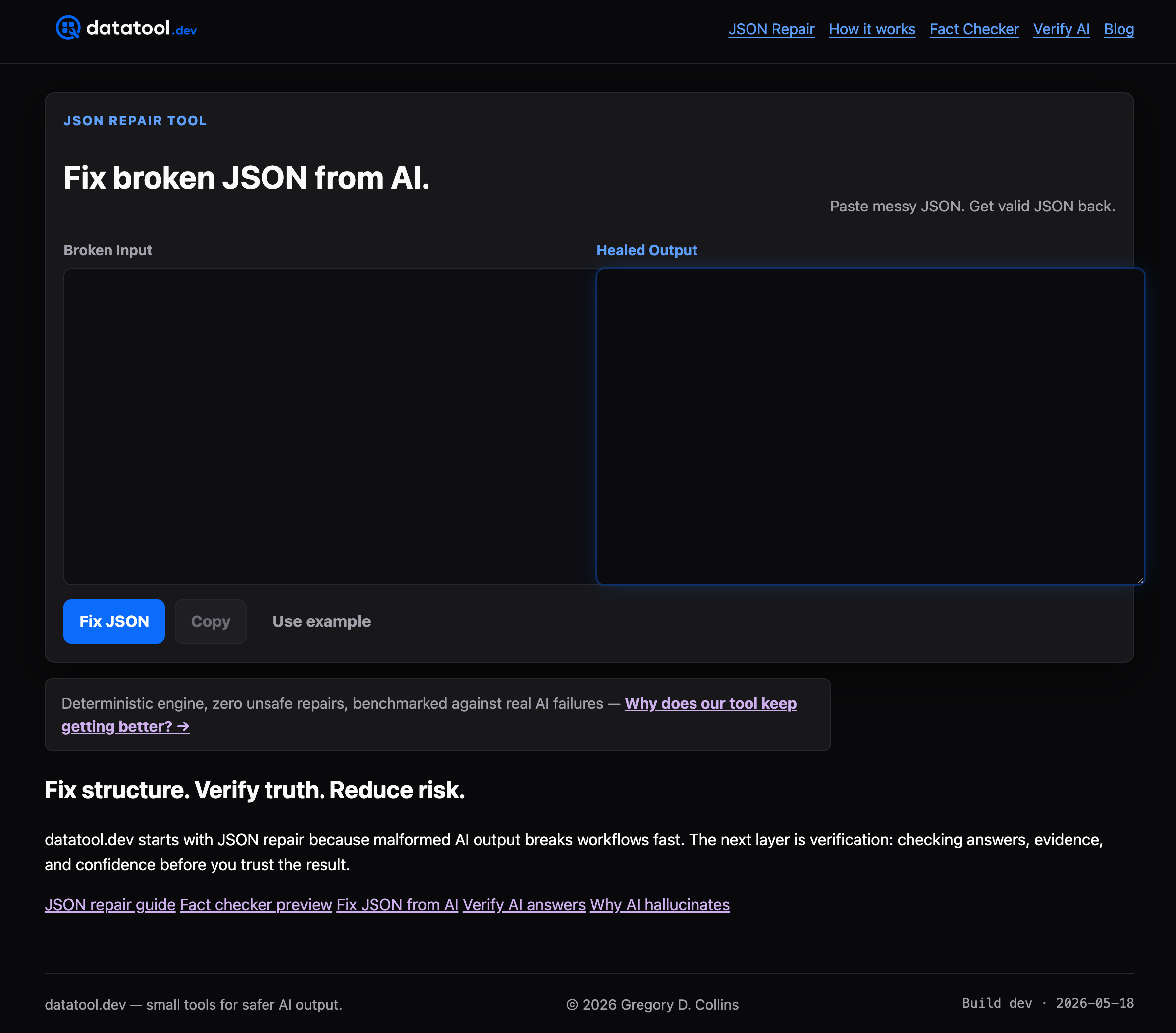
Testing found that whitespace and number-format issues are leading causes of signature verification failures in AI-driven pipelines, and no canonicalizer can fix a document that's already broken. Fix it at the source instead. Try Datatool's JSON repair tool on your next malformed payload and see the validated output before you canonicalize anything.