

Validating AI generated structured data means more than running a syntax check. It requires a multi-layer approach covering JSON-LD compliance, schema.org field requirements, visible-text alignment, and AI crawler readiness. Standard tools like Google's Rich Results Test catch eligibility errors, but they miss entity clarity signals like sameAs references that AI extractors depend on. Developers who stop at syntax pass the easy test and fail the real one. The industry term for this full process is structured data quality assurance, and it covers every layer from raw JSON to live LLM extraction.
What tools and standards do you need to validate AI generated structured data?
Three tools form the foundation of any validation stack. The first is a JSON-LD syntax validator, which catches blocking errors before anything else runs. The second is the Schema Markup Validator (SMV), which checks compliance against the full schema.org vocabulary, not just Google's subset. The third is Google's Rich Results Test, which confirms eligibility for specific rich features in search.

Each tool covers a different layer. Google's Rich Results Test only ensures eligibility for certain rich features. It ignores many schema types and required fields that matter to AI extractors building knowledge graphs. Treat it as one layer, not the whole stack.
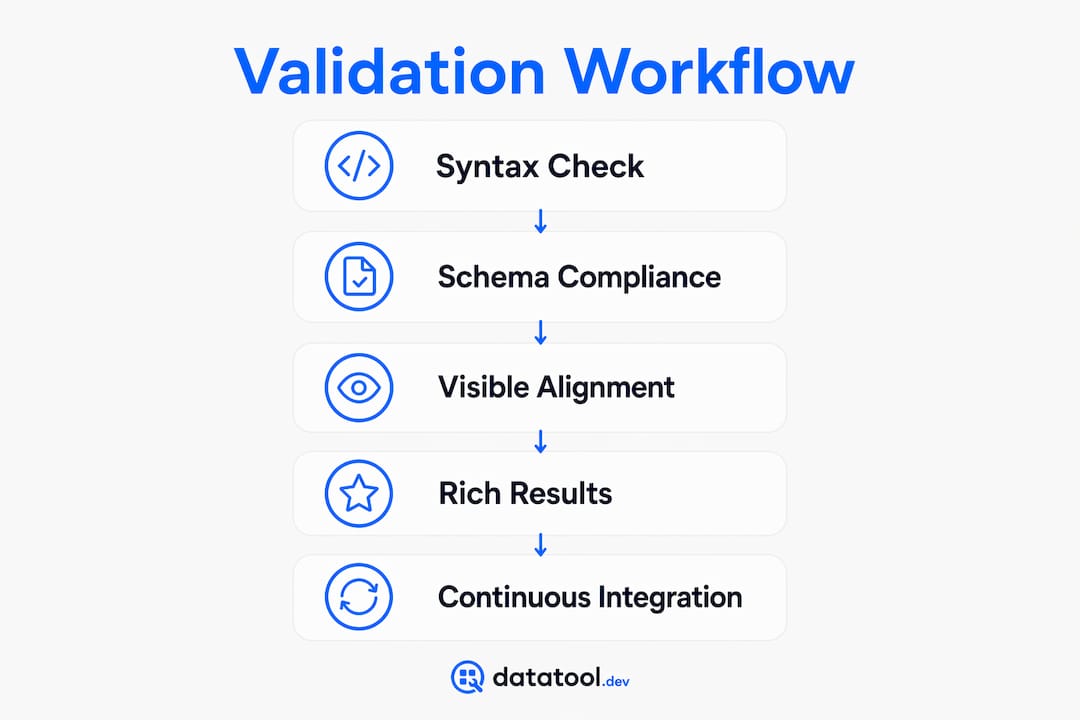
Beyond these three, AI discovery readiness scoring audits Open Graph tags, Twitter Cards, and RDFa simultaneously. AI crawlers fetch site-wide signals beyond rich result eligibility, using server-side rendered HTML as their primary source. Skipping this layer leaves gaps that no syntax checker will catch.
| Validation layer | Tool or method | What it catches |
|---|---|---|
| JSON syntax | JSON validator | Trailing commas, unescaped quotes, missing @context |
| Schema compliance | Schema Markup Validator | Missing required and recommended fields |
| Rich result eligibility | Google Rich Results Test | Blocking errors for Google features |
| AI discovery readiness | Open Graph, RDFa, Twitter Cards audit | LLM crawler signal gaps |
| Visible-text alignment | Manual or scripted HTML diff | JSON-LD values absent from rendered text |
- Run the JSON validator first. A broken syntax stops every downstream check.
- Use SMV for full schema.org coverage, not just Google-supported types.
- Audit Open Graph and RDFa as part of every structured data review cycle.
Pro Tip: Run SMV and Google's Rich Results Test on the same URL at the same time. They surface different errors. SMV often flags missing recommended fields that Google's tool ignores entirely.
How to perform a step-by-step validation workflow
A repeatable workflow prevents errors from reaching production. Follow these steps in order.
-
Validate JSON syntax first. Paste the raw output into a JSON validator. Common blocking errors include trailing commas, unescaped quotes, and missing
@context. Fix these before any schema check runs.Broken:
{"@context": "https://schema.org", "name": "Acme Corp",}Fixed:
{"@context": "https://schema.org", "name": "Acme Corp"} -
Check required and recommended fields. Each schema.org entity type has required fields. A
Productwithoutoffersor aLocalBusinesswithoutaddresswill fail rich result eligibility. Missing required properties result in zero rich result eligibility. Errors block results entirely; warnings reduce richness. -
Run Google's Rich Results Test. Confirm the page qualifies for the rich features you expect. Note every error and warning. Errors must be fixed. Warnings should be fixed where possible.
-
Perform a visible-text alignment audit. Extract every
nameanddescriptionstring from your JSON-LD. Search for each string verbatim in the server-rendered HTML. If a value appears in the schema but not in the page text, AI crawlers will downweight or discard it silently. -
Run live LLM extraction tests. Paste your URL into ChatGPT or Claude and ask it to describe the entity on the page. If the AI paraphrases incorrectly or cites wrong facts, earlier validation layers have failed. This test confirms real-world AI readiness, not just technical compliance.
Pro Tip: Automate steps 1 and 2 in your CI pipeline. Catch syntax and field errors before a pull request merges, not after a deploy.
For a deeper look at unit testing AI outputs against schema.org requirements, the Datatool blog covers reliable methods in detail.
What are the common pitfalls when validating AI generated structured data?
Visible-text alignment mismatches cause the most silent failures. An AI crawler reads the server-rendered HTML and the JSON-LD block. If the name field in your schema says "Acme Corporation" but the page text says "Acme Corp," the crawler treats the schema value as unverified. It discards it without logging an error anywhere you can see.
Server-side rendering is the second major failure point. Client-side JavaScript-injected JSON-LD is often ignored by AI crawlers because they do not execute JavaScript. Frameworks like Next.js with getStaticProps or Shopify Liquid templates place schema directly in the static HTML response. That is the correct approach. Any schema injected after page load via a script tag is at risk.
Duplicate or conflicting schema nodes create a third class of errors. Two Organization blocks with different @id values on the same page confuse entity resolution. Pick one canonical @id per entity and use it consistently across every page that references that entity.
Broken schema feeds incorrect facts into AI knowledge bases. Complete and accurate schema enables better AI interpretation. Thin or broken markup does active harm.
- Visible-text mismatch: Schema value not present verbatim in rendered HTML.
- JS-injected schema: JSON-LD added after page load, invisible to most AI crawlers.
- Duplicate
@idvalues: Conflicting entity declarations across pages or within a single page. - Missing required fields:
Productwithoutoffers,EventwithoutstartDate. - Treating warnings as optional: Warnings reduce richness and lower AI citation confidence.
Pro Tip: Search your rendered HTML for the exact string in your name field. Use curl to fetch the static response and grep for the value. If it is not there, fix the template before running any other check.
For a catalog of real malformed AI response examples and their fixes, the Datatool blog covers the most common patterns developers encounter.
How to scale validation for large AI-generated structured data deployments
Manual testing fails at volume. A site with 10,000 product pages cannot be validated page by page. Automated site-wide schema detection identifies schema drift and inconsistent markup across templates. This is the only practical approach at scale.
Schema drift is the specific problem where a CMS template change silently removes or alters a required field across thousands of pages. Dynamic frameworks and CMS templates often produce inconsistent markup that needs continuous monitoring. A single template edit can break structured data site-wide without triggering any visible error.
- Integrate JSON-LD validation into your CI/CD pipeline. Block deploys that introduce syntax errors.
- Run automated schema compliance checks on a sample of pages after every CMS template change.
- Monitor Google Search Console for structured data errors, but treat it as a lagging indicator. Pre-deployment validation is always preferable to reactive fixes after Search Console reports problems.
- Use AI output testing practices to audit JSON-LD, Open Graph, and RDFa simultaneously across page templates.
| Scale challenge | Recommended approach |
|---|---|
| Template-level schema drift | Automated diff on schema fields after each deploy |
| High page volume | Sampled crawl with schema compliance scoring |
| CMS-generated inconsistencies | Schema monitoring integrated into staging environment |
| Delayed Search Console feedback | Pre-release validation in CI pipeline |
Key takeaways
Reliable structured data validation requires a multi-layer stack covering JSON syntax, schema.org compliance, visible-text alignment, and live AI extraction tests, not just Google's Rich Results Test.
| Point | Details |
|---|---|
| Multi-layer validation is required | Syntax checks alone miss visible-text mismatches and AI crawler signal gaps. |
| Server-side rendering is non-negotiable | JS-injected JSON-LD is invisible to most AI crawlers; place schema in static HTML. |
| Visible-text alignment is the top failure | Every JSON-LD value must appear verbatim in the server-rendered page text. |
| Automate at scale | CI/CD integration catches schema drift before it reaches production. |
| Live LLM tests confirm real-world validity | If an AI cites wrong facts, earlier validation layers have failed. |
Why most developers are validating structured data wrong
The most common mistake I see is treating Google's Rich Results Test as the finish line. It is not. It is the starting gate. That tool tells you whether Google might show a rich result. It says nothing about whether ChatGPT, Claude, or Perplexity will read your schema correctly and cite your entity accurately.
The second mistake is ignoring visible-text alignment entirely. Developers spend hours perfecting their JSON-LD and never check whether the values in that schema actually appear in the rendered HTML. AI crawlers do not take schema on faith. They cross-reference it against page text. If the values do not match, the schema gets discarded silently. You will never see an error. You will just notice that AI systems keep getting your data wrong.
My practical recommendation: add a visible-text alignment check to your standard QA process today. Write a script that fetches the static HTML with curl, extracts all name and description values from your JSON-LD blocks, and greps for each one in the response body. Run it on every template. Fix mismatches before they reach production. That single step will do more for your AI citation accuracy than any amount of schema tweaking.
— Gregory
Datatool for fixing and validating AI-generated JSON
Broken JSON from AI outputs is a specific, fixable problem. Datatool is built for exactly this: detecting and repairing malformed JSON-LD, including truncated objects, invalid escaping, missing @context, and schema drift across templates.
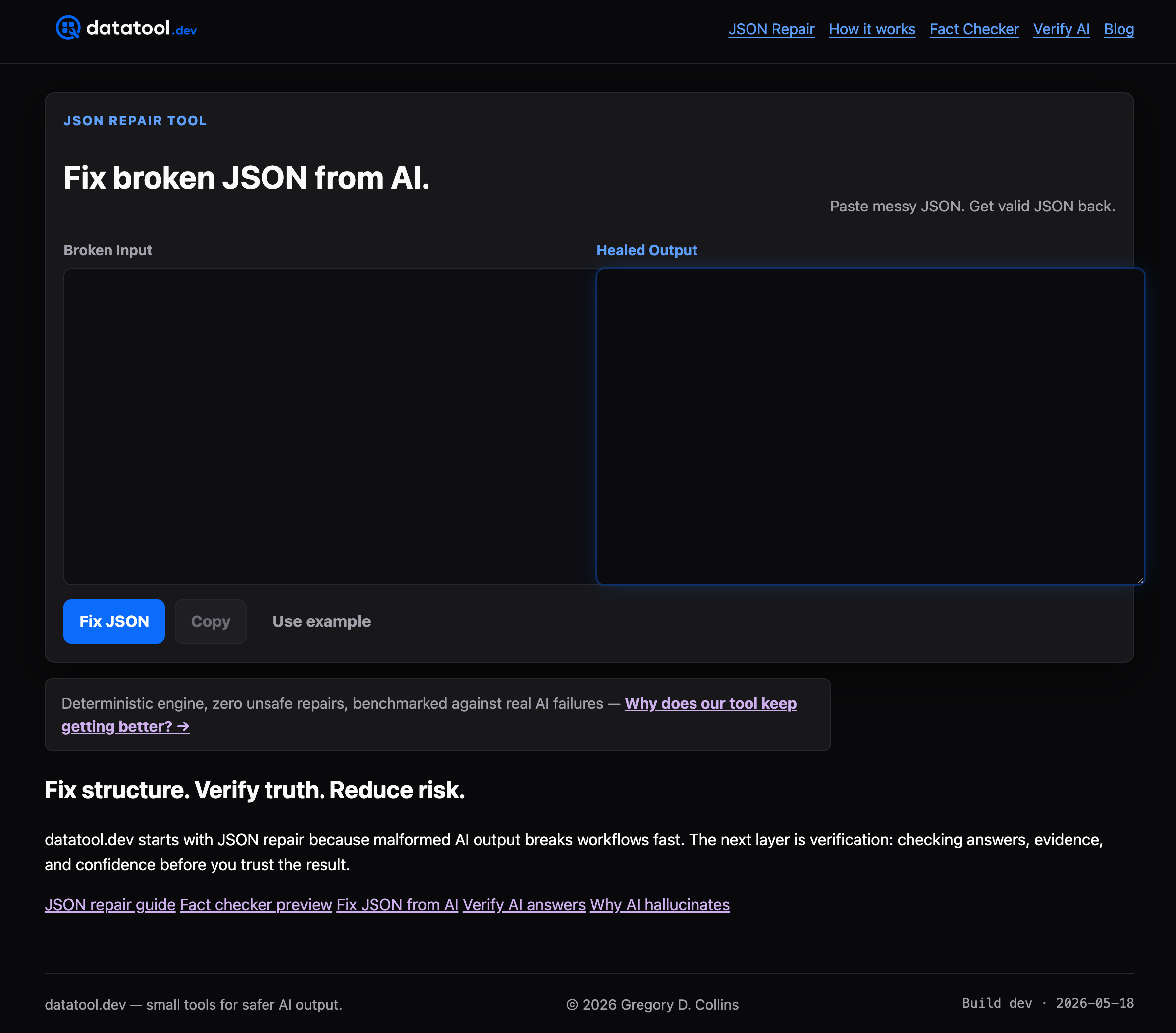
Datatool handles the real-world failures that syntax validators miss, including wrapped responses, partial objects, and broken escaping from LLM outputs. Developers paste the broken output and get valid, schema-compliant JSON back. No manual debugging. No guessing which character broke the parser. For teams running AI-generated structured data through production pipelines, Datatool reduces the time from broken output to valid schema from minutes to seconds.
FAQ
What does it mean to validate AI generated structured data?
Validating AI generated structured data means checking JSON-LD output for syntax errors, schema.org field compliance, visible-text alignment, and AI crawler readiness. It goes beyond syntax to confirm the data is accurate and usable by both search engines and AI systems.
Why is Google's Rich Results Test not enough?
Google's Rich Results Test only checks eligibility for specific Google rich features. It misses entity clarity signals, sameAs references, and visible-text alignment issues that AI crawlers use to verify schema accuracy.
What is visible-text alignment and why does it matter?
Visible-text alignment means every value in your JSON-LD, such as name or description, must appear verbatim in the server-rendered HTML. AI crawlers cross-reference schema against page text and silently discard values that do not match.
How do I validate structured data at scale?
Integrate JSON-LD validation into your CI/CD pipeline and run automated schema compliance checks after every CMS template change. Pre-deployment validation catches schema drift before it affects thousands of pages.
What are the most common JSON-LD errors in AI-generated output?
The most common errors are trailing commas, unescaped quotes, missing @context, and missing required fields for the entity type. These cause blocking errors that prevent rich results and reduce AI citation accuracy.