
Use a schema-aware structural diff, not a raw text diff, to compare JSON Schema files. A structural diff reads the schema's meaning and sorts every change into one of three buckets: breaking, additive, or cosmetic. That classification tells you whether to bump a major version, a minor version, or nothing at all. The sections below show the tools, the code, and the workflow that make this repeatable.
TL;DR:
- Structural diffing identifies whether schema changes are breaking, additive, or cosmetic, guiding appropriate version bumps and release actions.
- Renaming properties is treated as a breaking change unless explicitly verified as harmless, due to its removal and addition nature in diff tools.
- Structural diffing should be used in CI for merge gating, as it accurately detects semantic conflicts that raw or normalized diffs might miss.
- False positives can occur if
$refpointers are unresolved, schema drafts mismatch, or custom keywords are ignored by diff tools.- Combining schema diffs with payload validation and repair ensures AI-generated data aligns with schema contracts, preventing malformed payloads from slipping through.
Table of Contents
- What Diffs Reveal: Breaking vs Non-Breaking vs Cosmetic Changes
- Text Diff vs Normalized Diff vs Structural Diff
- How to Run a Schema Diff: CLI and Node.js Examples
- Turning Diff Output Into a Release Decision
- Edge Cases That Produce False Positives
- Lab Notes: What Datatool Found Diffing AI-Generated Schemas
- A Pre-Merge Checklist for Safe Schema Changes
- Where Datatool Fits Around Your Schema Diff
- Sources
What Diffs Reveal: Breaking vs Non-Breaking vs Cosmetic Changes
A schema diff only earns its keep if it tells you what a change actually costs a consumer. Three buckets cover almost every case.
Breaking changes remove or tighten something a client depended on. Removing a value from an enum, adding a new required field, or narrowing a type from ["string", "number"] to "string" all fall here. Old payloads that used to validate now fail.
Additive (compatible) changes loosen the contract. Adding an optional field, widening a type, or adding a new value to an enum lets old payloads keep validating while new ones gain options. A schema-aware diff engine treats these as additions specifically when the destination schema is more permissive than the source.
Cosmetic changes touch nothing a validator checks: reordering properties, adding a description, renaming a $comment. Zero functional impact.
Rule of thumb for each:
- Breaking: something that validated before now fails.
- Additive: something that failed before now validates, nothing that passed stops passing.
- Cosmetic: no change in what validates, only in presentation or metadata.
One case trips up almost every team: renaming a property. Structurally, that's a removal plus an addition, and most diff tools will flag it as breaking even though the intent was a harmless rename. Treat renames as breaking until proven otherwise.
Text Diff vs Normalized Diff vs Structural Diff
Not all diffs answer the same question, and picking the wrong mode wastes review time or, worse, hides a breaking change.
- Text diff. This is
git diffon the raw file. It shows every literal edit, including whitespace, key reordering, and formatting. It's fast and needs no tooling, but it's noisy. A property that moved from line 12 to line 40 shows up as a deletion and an addition even though nothing changed semantically. - Normalized (canonical) diff. This sorts keys, strips insignificant whitespace, and compares the canonical form. It removes formatting noise but still compares syntax, not meaning. Two schemas that describe the same constraint differently (
"type": "string", "minLength": 1vs an equivalentpattern) still show as different. - Structural (schema-aware) diff. This parses the schema and compares what it actually permits: types, required fields, enums, and composition keywords like
oneOfandallOf. It walks nested objects and arrays recursively and reports changes with full dotted paths, which is what you need to judge compatibility.
Use text diff for a quick local sanity check before committing. Use normalized diff in code review when you want to confirm a refactor didn't touch semantics. Reserve structural diff for anything that gates a merge or a release, since it's the only mode that maps cleanly to breaking versus additive.
Pro Tip: Run structural diff in CI even if your team reviews text diffs in pull requests. Reviewers miss semantic breaks buried in large files; a structural diff won't.
How to Run a Schema Diff: CLI and Node.js Examples
Here's a failing case first. Old schema requires name and email. New schema adds phone to the required array:
// old.schema.json
{ "type": "object", "required": ["name", "email"] }

// new.schema.json
{ "type": "object", "required": ["name", "email", "phone"] }
Any payload that used to validate without a phone field now fails. That's a breaking change, and a structural diff will flag it as a removal (the set of valid payloads shrank).
Node.js example using json-schema-diff:
const jsonSchemaDiff = require('json-schema-diff');

async function checkCompatibility(oldSchema, newSchema) {
  const result = await jsonSchemaDiff.diffSchemas({
    sourceSchema: oldSchema,
    destinationSchema: newSchema
  });

  if (result.removalsFound) {
    console.error('Breaking change detected');
    process.exit(1);
  }
  if (result.additionsFound) {
    console.log('Additive change, safe for minor bump');
  }
}
removalsFoundmeans old valid data can now fail. Treat as breaking.additionsFoundwith no removals means backward-compatible. Safe for a minor version.- Neither flag set means cosmetic. No version bump needed.
For CLI use, most schema-diff tools accept two file paths and can export a Markdown changelog suitable for pasting straight into a pull request description.
Turning Diff Output Into a Release Decision
A diff report is only useful once someone (or something) decides what to do with it. Map the classification directly to semantic versioning:
- Breaking change found → major version bump, CI fails until acknowledged.
- Additive change only → minor version bump, CI passes, changelog auto-generated.
- Cosmetic only → patch or no version change needed.
A CI step should fail the build on any breaking diff, but still emit the full report as a build artifact or PR comment so reviewers see the reasoning, not just a red X. Breaking-change detectors that categorize output into Breaking, Added, Changed, and Notes work well here because they give remediation hints alongside the failure.
Pro Tip: Don't stop at the schema level. A schema diff catches contract changes, but it can't catch a field that's still typed correctly while its actual values silently drift. Pairing schema diffs with payload diffs and integration tests catches the runtime cases that pass validation but still break business logic downstream.
Edge Cases That Produce False Positives
Four things quietly wreck an otherwise good diff.
- Unresolved
$ref. Many tools treat external references as opaque and won't compare what they point to. Inline or resolve$refpointers before diffing anything that spans multiple files. - Draft mismatches. Draft-07 and 2020-12 don't share every keyword's semantics. Confirm both schemas declare the same
$schemadraft before you trust the result. - Composition keywords.
oneOf,anyOf, andallOfinteract in ways automated diffs sometimes miss. Give these a manual read even after a clean automated pass. - Silent tool gaps. Some diff tools skip vendor extensions or custom keywords entirely. Check the tool's documentation for what it ignores, not just what it reports.
Lab Notes: What Datatool Found Diffing AI-Generated Schemas
Testing against a common failure mode: an LLM generating a JSON payload that drops a required field the schema still demands. The structural diff flagged the mismatch immediately, a required property present in the schema, absent from the sample output. That's the easy part. The harder part was a nested object where the model had returned a string where the schema expected a number, wrapped inside an extra layer of quoting the model introduced on its own.
Schema diff told us what should be there. It didn't tell us the value itself was malformed. Validation caught the missing field. Repair fixed the quoting and type mismatch without a manual rewrite.
Relevant capabilities used in that workflow:
- Schema validation against draft-2020-12 to confirm structure and types.
- Deterministic repair for malformed values, broken escaping, and truncated output.
- Schema drift detection for catching when generated output no longer matches the target contract.
Readers building this into their own pipeline can follow the deeper walkthroughs on validating JSON in AI pipelines and detecting schema drift in AI output.
A Pre-Merge Checklist for Safe Schema Changes
Before any schema change ships, run through this in order.
First, run the structural diff and read the classification, not just the raw output. Breaking, additive, or cosmetic changes everything else.
Second, resolve or inline every $ref and confirm both schema versions declare the same draft. A diff against mismatched drafts is a diff against nothing reliable.
Third, run payload tests against real or representative data and export the Markdown changelog for the pull request. Reviewers should never have to run the tool themselves to understand what changed.
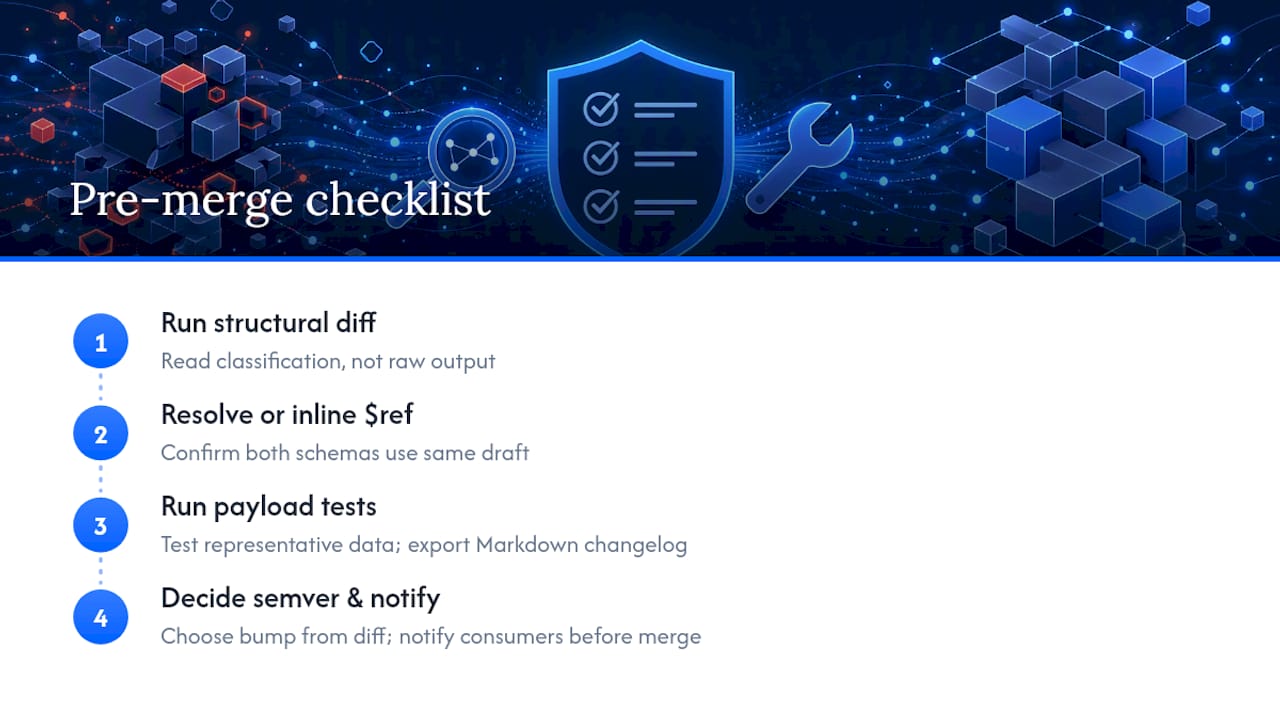
Fourth, decide the semver bump based on the diff classification and notify downstream consumers before merging, not after.
Skipping any one of these steps is how a "minor" release turns into an incident report.
— Gregory
Where Datatool Fits Around Your Schema Diff
A structural diff tells you what changed in the contract. It won't tell you whether the AI-generated payload sitting in front of you actually matches that contract, or whether it's just malformed JSON that happens to look close enough. That's the gap Datatool closes: repair broken or partial JSON from AI output, validate it against your schema, and catch schema drift before a bad payload reaches a diff review at all.
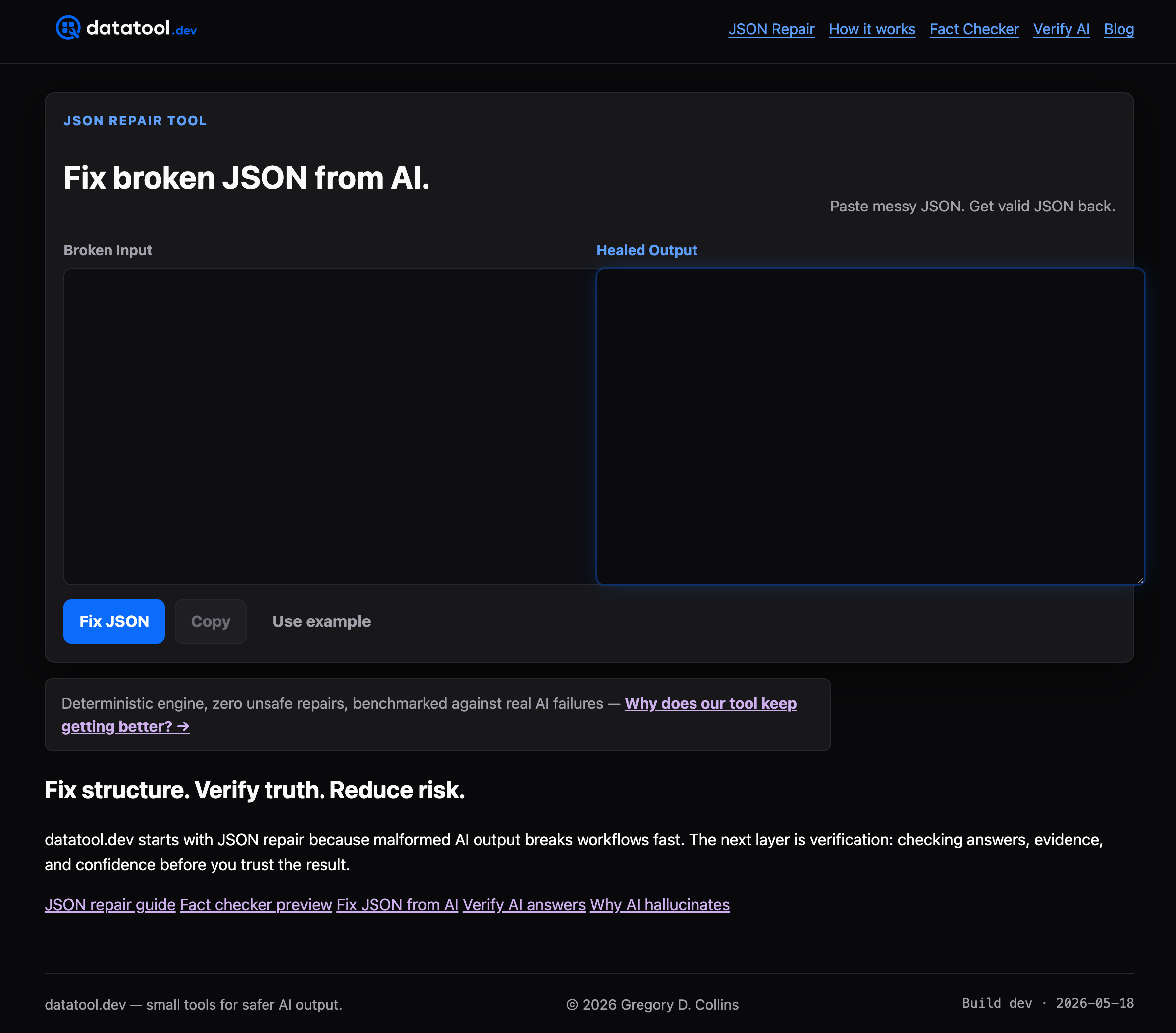
Run validation and repair as a pre-check in CI, right before your schema diff step, so the diff is comparing clean, valid structures instead of guessing around broken escaping or truncated fields. If you're maintaining schemas that AI systems write to or read from, start with Datatool and run your next malformed payload through it before your next release.
Sources
- json-schema-diff — npm package
- How to Validate JSON Schema Differences | ArrayDiff
- JSON Schema Diff — ZeroData Tools
- Schema