

Validate every LLM response before it touches your database, check the stop reason before you parse, repair with a heuristic library only after confirming the output isn't truncated, and cap retries at two before falling back. Constrained decoding cuts syntax errors dramatically but doesn't replace field-level validation. Datatool and Gregory cover deeper implementation examples below, including a full code walkthrough.
TL;DR:
- Most failure issues stem from parsing before checking stop reasons, so verify the stop reason first to prevent unnecessary processing.
- Use heuristic repair tools only after confirming the response is complete to avoid silent corruption from fixing truncated JSON.
- Validate responses with schema validators like Pydantic or Zod and use detailed error information to inform specific retries.
- Implement stateful, incremental streaming parsers to avoid quadratic CPU costs and handle data fragments accurately.
- Log telemetry on repair, truncation, and refusal rates to monitor prompt changes and model behavior, enabling proactive adjustments.
Table of Contents
- Quick Checklist: Prioritized Actions To Make JSON Ingestion Safe
- Schema Validation: Runtime Validators And How To Use Them In Production
- Repair-and-Retry Flow: Heuristics First, Then One Well-Instrumented Retry
- Streaming and Incremental Parsing: Stateful Parsing Patterns
- Detect Truncation, Refusals, and Safety Stops: What To Assert
- Constrained Decoding: What It Does and Where It Helps
- Testing and CI: Contract Tests, Compatibility Checks, and Telemetry Gates
- A Concrete Code Example: Repair, Validate, Fallback
- Performance Optimization Techniques for JSONB Output Handling
- Indexing Strategies to Speed Up Structured-Data Lookups
- Best Practices for Managing JSON Payload Size
- Versioning and Migration of JSON Schemas
- Security Considerations: Injection Risks in AI-Generated Structured Data
- Comparing JSON Types and Formats to Guide Your Ingestion Approach
- Author Perspective: Trade-Offs and Team Practices
- Fixing This in Production Without Building It Yourself
- Sources
Quick Checklist: Prioritized Actions To Make JSON Ingestion Safe
Most broken pipelines fail because teams parse first and check status second. Fix the order, and most failures disappear.
- Check
finish_reason/stop_reasonfirst. Free, near-zero latency. Do this before touching the JSON string at all. - Run heuristic repair (
json_repairor similar) only if the stop reason confirms a complete response. Adds 1 to 5 milliseconds. - Validate with Pydantic or Zod. Cheap, deterministic, and it tells you exactly which field broke.
- Cap retries at two. A third attempt rarely succeeds and just burns tokens and time.
- Log and alert on repair rate and truncation rate. This is background work, not hot-path work, but skipping it means you find out about a bad prompt change from a customer, not a dashboard.
Steps 1 through 4 belong in the hot path. Step 5 belongs in a background job or async logger, since blocking a user response on telemetry writes adds latency for no benefit.
Schema Validation: Runtime Validators And How To Use Them In Production
Pydantic and Zod exist to catch the gap between "valid JSON" and "JSON your application can actually use." A response can parse cleanly and still have a string where you expected an integer, a missing required field, or an enum value the model invented, so working with localize JSON language files and proper localization workflows is essential for accurate data handling. That's a schema validation failure, not a JSON parsing failure, and it needs a different fix.
Use Pydantic for Python services and Zod for TypeScript services. Both let you attach custom validators for business rules that go beyond type checking, like requiring a total field to equal the sum of line_items, or rejecting a status value outside an approved list.
The real leverage is in what you do with the error, not just that you catch it:
- Capture the full
ValidationError(Pydantic) orZodError(TypeScript) object, not just a boolean pass/fail. - Extract the field path and the expected type or constraint from the error object.
- Serialize that into a short, specific retry prompt: "Your previous response had
priceas a string. Returnpriceas a number." - Never silently coerce a wrong type to make validation pass. A string coerced to a number can hide a model that's returning
"unknown"where a price belongs.
A practical guide to converting validator errors into retries covers the retry-prompt pattern in more depth. A repair-first, retry-second pattern resolves the majority of common failures with minimal added latency.
Pro Tip: Log the raw field path from the validation error, not just the error message. "Field items[3].sku missing" is actionable. "Validation failed" is not.
Repair-and-Retry Flow: Heuristics First, Then One Well-Instrumented Retry
Run cheap repair before you spend a retry on the model. Heuristic repair libraries like json_repair or fast-json-repair fix common syntax problems, unescaped quotes, trailing commas, missing brackets, in milliseconds and for free. That's a fair trade before you spend a full model call.
But repair has a hard limit: it cannot safely fix truncation. If a response was cut off mid-object, a repair library will happily close every open brace and bracket, and it will invent the closing structure without knowing what data was supposed to fill it. That's silent corruption, not a fix. Check the stop reason before repair runs, and if the response was truncated, discard the fragment. Don't stitch it.
The flow, in order:
- Check the stop reason. If truncated, skip repair entirely and go straight to retry with more token headroom.
- If the stop reason indicates a complete response, run heuristic repair.
- Validate the repaired output against your schema.
- If validation still fails, build a retry prompt containing the specific field errors and the offending JSON fragment, then send exactly one retry.
- Cap total retries at two. Beyond that, latency cost outweighs the odds of success, and you should fall back to a default or flag the request for review.
Streaming and Incremental Parsing: Stateful Parsing Patterns
Naive streaming parsers re-parse the entire accumulated string every time a new chunk arrives. That's an O(n²) trap: a 10KB response parsed on every 50 byte chunk means hundreds of full re-parses of growing strings. At scale, that shows up as CPU spikes on your inference gateway for no reason anyone can explain from the logs.
The fix is a stateful, incremental parser that resumes at the last processed index and only processes new characters, an approach documented in detail in Aha's engineering writeup on streaming incomplete JSON. That means your parser needs to track:
- Current parse index (where the last chunk left off).
- Context stack (are you inside an object, an array, both nested).
- In-string buffer state (are you mid-string right now).
- Escape state (was the last character a backslash, and if so, is this an escaped character or an incomplete escape sequence).
- Incomplete token buffers (a number or literal that might not be finished yet).
Render partial objects to the UI as soon as a key/value pair completes, but buffer anything still inside an unclosed string or number until it resolves. Edge cases bite here: a trailing backslash that's actually the start of a é Unicode escape split across two chunks will corrupt output if your parser treats it as a literal backslash instead of waiting for the rest of the sequence.
Pro Tip: Count trailing backslashes in your buffer before deciding whether a string is safe to render. An odd count means you're mid-escape, not mid-string.
Detect Truncation, Refusals, and Safety Stops: What To Assert
Every provider signals "why did generation stop" differently, and your code has to check the right field before parsing anything. OpenAI uses finish_reason, Anthropic uses stop_reason, Gemini uses finishReason. In streaming, this field arrives on the final chunk, not the first one, so your parser needs to wait for it.
A truncated response is still an HTTP 200. Nothing about the transport layer tells you generation was cut short. Only the stop-reason field does.
Branch on the value:
length/max_tokens(truncation): discard the fragment for structured output, retry with more headroom.stop/ natural completion: safe to parse and validate normally.- Content or safety stop: surface to the caller or refuse. Do not retry blindly, since the model may refuse again.
tool_use/ function call: route to your tool execution path, not your JSON parser.
Log the stop-reason distribution as telemetry. A rising truncation rate almost always means a prompt got longer, an output schema grew, or a reasoning model started consuming more of its token budget on hidden reasoning steps than you provisioned for.
Constrained Decoding: What It Does and Where It Helps
Constrained decoding, also called structured outputs, compiles your JSON Schema into a token-level mask that blocks the model from generating a token that would produce invalid syntax. It works at the logits level, before a token is even chosen, and the result is a dramatic drop in malformed brackets, unescaped quotes, and missing commas.
Here's what it does not do: it doesn't validate business logic. A constrained model can still return a total of $0 for an order with three items, or a status of "pending" when your workflow only allows "open" or "closed." The masking guarantees syntax, not correctness, so field-level validators stay mandatory even in strict mode.
Availability varies by provider and model size. Smaller models sometimes see a latency or quality trade-off under strict schema constraints, since the mask narrows the token choices at every step. And no version of constrained decoding stops truncation, refusal, or a safety stop. Plan your stop-reason handling exactly as if structured output weren't enabled, because three failure modes survive strict mode regardless of how tight your schema mask is.
Testing and CI: Contract Tests, Compatibility Checks, and Telemetry Gates
Treat your JSON contract with the same rigor as an API contract. A model upgrade or prompt tweak can quietly shrink the JSON subset your application actually supports, and without tests, you won't know until a customer hits it.
- Contract tests: run representative sample prompts through your pipeline and assert full schema conformance on every field, not just "did it parse."
- Compatibility tests: run the same contract tests against a new model version before rollout, and fail the build if support for any field or format regresses.
- Headroom tests: log the 99th-percentile output token count for your real traffic and reserve margin above it, since reasoning models consume hidden tokens from the same budget as visible output.
- Telemetry gates: track repair rate, truncation rate, and refusal rate as operational metrics, not just debug logs, and alert when any of them trend upward.
CI testing patterns for AI output cover how to wire these checks into a standard pipeline without slowing down deploys.
A Concrete Code Example: Repair, Validate, Fallback
Here's a real failure pattern and the fix, in Python.
from pydantic import BaseModel, ValidationError
from json_repair import repair_json
import json

class Invoice(BaseModel):
    total: float
    currency: str
    line_items: list[str]

raw = '{"total": 42.50, "currency": "USD", "line_items": ["A", "B"'  # truncated

def process(raw_output: str, finish_reason: str):
    if finish_reason == "length":
        raise ValueError("truncated response, retry with more headroom")

    fixed = repair_json(raw_output)
    try:
        return Invoice.model_validate(json.loads(fixed))
    except ValidationError as e:
        raise ValueError(f"schema mismatch: {e.errors()}")
The bug: raw is missing its closing brackets. If you skip the finish_reason check, repair_json will happily close the array and object for you, inventing a plausible but fabricated end to the JSON. The fix checks finish_reason before repair ever runs, so a truncated response is rejected instead of silently patched.
Repairing truncated JSON by adding closing braces invents data that was never actually generated. Discard the fragment and retry with more headroom instead of stitching it closed.
Datatool built its repair engine around this exact ordering, truncation check, then repair, then validation, after testing showed that repair-before-check was the single most common cause of silently corrupted downstream records.
Performance Optimization Techniques for JSONB Output Handling
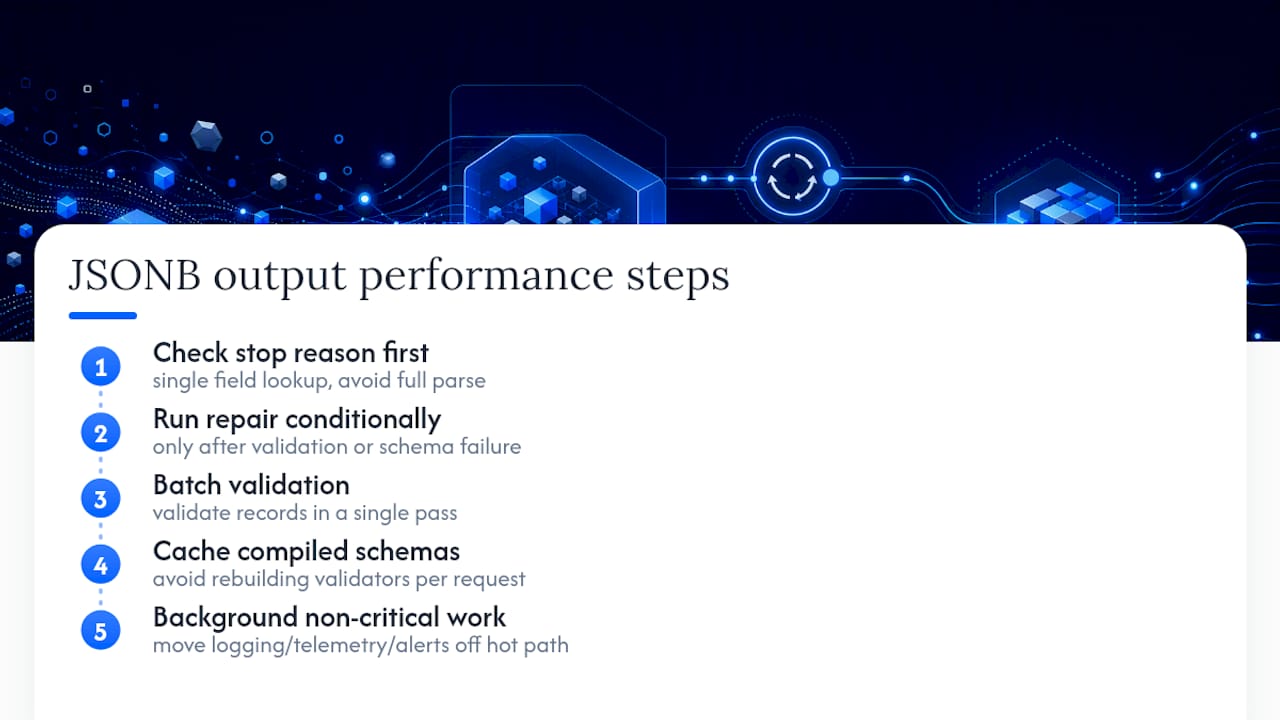
Repair and validation both cost CPU time, and at scale that cost compounds fast if you're not careful about where the work happens. The single biggest performance win is sequencing: check the stop reason before you do anything else, since that's a single field lookup, not a parse. Skipping straight to json.loads() on every response means you pay full parse cost even on responses you're about to discard for truncation.
Heuristic repair should run only when validation actually fails, not on every response by default. Most well-behaved model output parses cleanly on the first try, especially with constrained decoding enabled, so running a repair pass unconditionally wastes cycles on data that didn't need it. Gate repair behind a failed json.loads() or a failed schema check.
Batch your validation where you can. If you're processing a queue of AI-generated records, validate in a single pass with a compiled Pydantic model rather than re-instantiating validators per record. Zod's .safeParse() is similarly cheaper in a loop than wrapping every call in a fresh try/catch with .parse().
Cache compiled schemas rather than rebuilding them per request. Both Pydantic and Zod pay a one-time cost to build their internal validation graph; rebuilding that graph on every incoming request adds latency that has nothing to do with the actual data you're checking.
Keep repair and validation in the hot path, but move logging, telemetry aggregation, and alerting to a background queue. Blocking a user-facing response on a metrics write is a common and avoidable latency tax.
Indexing Strategies to Speed Up Structured-Data Lookups
Once repaired and validated JSON lands in storage, the next bottleneck is retrieval speed, and that depends on how you've indexed the fields your application actually queries. If you're routing repaired records by a status or type field to different downstream consumers, index that field directly rather than scanning full JSON blobs at read time.
Extract frequently queried fields into dedicated columns at write time, right after validation passes. A validated Invoice object already gives you total and currency as typed values, so writing them into indexed columns alongside the raw JSON payload means your application never has to parse JSON just to filter or sort.
For fields you query less often but still need searchable, path-based indexes on the specific keys you actually filter on outperform indexing the entire JSON document. Index the field, not the blob.
Separate your hot-read fields from your audit-trail fields. The full validated payload matters for debugging and reprocessing, but your application's normal read path should touch the indexed columns, not the raw JSON, whenever possible. That distinction alone accounts for most of the read-latency difference teams see between a naive JSON store and one designed around actual query patterns.
Best Practices for Managing JSON Payload Size
Storage size becomes a real problem once you're persisting every raw AI response for debugging and every repaired, validated version for downstream use. Doubling storage per record is fine for the first thousand records and expensive at the millionth.
Decide up front what you actually need to keep. A common pattern: store the validated output as your primary record, and store the raw AI response only when repair or validation failed, since successful first-pass responses rarely need forensic review later. That alone can cut stored volume significantly for pipelines where most responses validate cleanly.
Strip fields you don't use. Models often return more structure than your schema requires, extra metadata, verbose explanations, nested objects your application ignores. If your Pydantic or Zod schema doesn't declare a field, don't persist it. That keeps your stored payload aligned with what your application actually consumes.
Compress or archive raw failure logs on a rolling window rather than keeping them indefinitely at full size. You need enough history to spot a rising repair rate or a new failure pattern after a model upgrade, but you don't need every raw failed response from six months ago sitting at full size in your primary store.
Versioning and Migration of JSON Schemas
Your schema will change. A field gets added, a type gets stricter, an enum grows a new value, and every one of those changes can break records that were validated and stored under the old schema.
Version your schema explicitly rather than mutating it in place. Attach a schema_version field to every stored record at write time, so a year from now you know exactly which validation rules a given record passed under. Without that field, a schema change turns every old record into a question mark.
When you tighten a schema, run your compatibility tests against a sample of previously stored records before deploying the new rules. If old records fail the new schema, decide explicitly: migrate them, grandfather them under their original version, or flag them for reprocessing. Don't let a schema change silently invalidate data that was correct under the rules it was stored with.
Migrations should run as an explicit batch job, not as a side effect of the first read after deploy. A read-triggered migration means your migration logic runs under production read latency, and a failed migration on read can take down a request that had nothing to do with the schema change.
Security Considerations: Injection Risks in AI-Generated Structured Data
AI-generated JSON is untrusted input, even when it comes from your own prompt and your own model. Treat every field the same way you'd treat user-submitted form data, because a model can be prompted, jailbroken, or simply confused into returning content designed to break your downstream systems.
The most common risk is injection through string fields that later get interpolated into a database query, a shell command, or an HTML template. A description field containing a crafted string is a real risk if that string later flows into a raw SQL query or gets rendered without escaping. Parameterized queries and proper output encoding are not optional here just because the source is an AI model instead of a browser form.
Validate string length and character sets, not just type. A schema that accepts any string for a name field will happily accept a 50,000 character payload if the model, or an attacker manipulating the model's input, decides to send one. Set reasonable length caps as part of your Pydantic or Zod schema, not as an afterthought in application logic.
Never eval() or dynamically execute any part of an AI-generated response, even after repair and validation pass. Repair and validation confirm structure and type, not intent. If a field's value is ever used to construct a command, a query, or a file path, sanitize it explicitly at that point, regardless of how clean the JSON looked coming out of validation.
Comparing JSON Types and Formats to Guide Your Ingestion Approach
Not every AI output needs the same handling, and matching your validation strategy to the shape of the response saves real engineering time. A single flat object with a handful of scalar fields, like a classification label and a confidence score, needs lightweight validation: a couple of field checks and you're done. A deeply nested object with arrays of arrays, common in extraction tasks that return line items or multi-step reasoning chains, needs a fuller schema with nested validators and, often, per-item error handling instead of one failure for the whole object.
Streaming responses need incremental, stateful parsing regardless of how simple the final structure is, since even a flat object arrives in fragments. Non-streaming responses can use simpler batch validation, since the full string is available before you touch it.
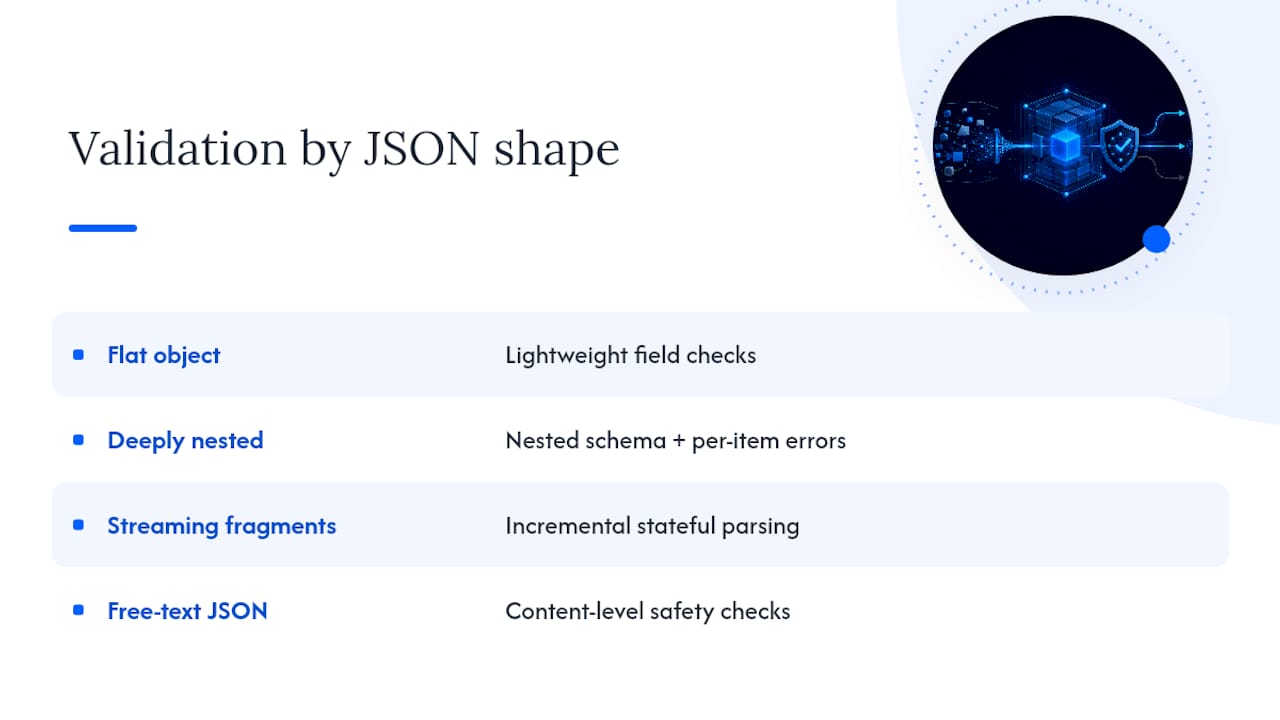
Free-text responses wrapped in JSON, a model returning {"answer": "..."} where the value itself is prose, need less structural validation but more content-level checks, since the risk shifts from malformed syntax to unexpected or unsafe content inside a valid string.
Choose your validation depth based on the shape and risk of the data, not a single default schema-checking routine applied uniformly across every endpoint. A classification endpoint and an extraction endpoint pulling structured data from a contract are different problems wearing the same JSON wrapper.
Author Perspective: Trade-Offs and Team Practices
Accept the latency cost of validation on anything a user sees immediately; move repair and retry to a background job for anything asynchronous, like batch extraction. Write a runbook the first time you see a repeated refusal pattern or a rising repair rate. Don't wait for the third incident to document what fixed the first two.
— Gregory
Fixing This in Production Without Building It Yourself
Everything above, stop-reason checks, heuristic repair, schema validation, retry prompts built from field errors, is a recommended flow for handling AI-generated JSON. Paste malformed or truncated JSON from any model into Datatool and it applies deterministic repair, validates the result against your schema, and returns clean output or a specific failure reason you can act on.
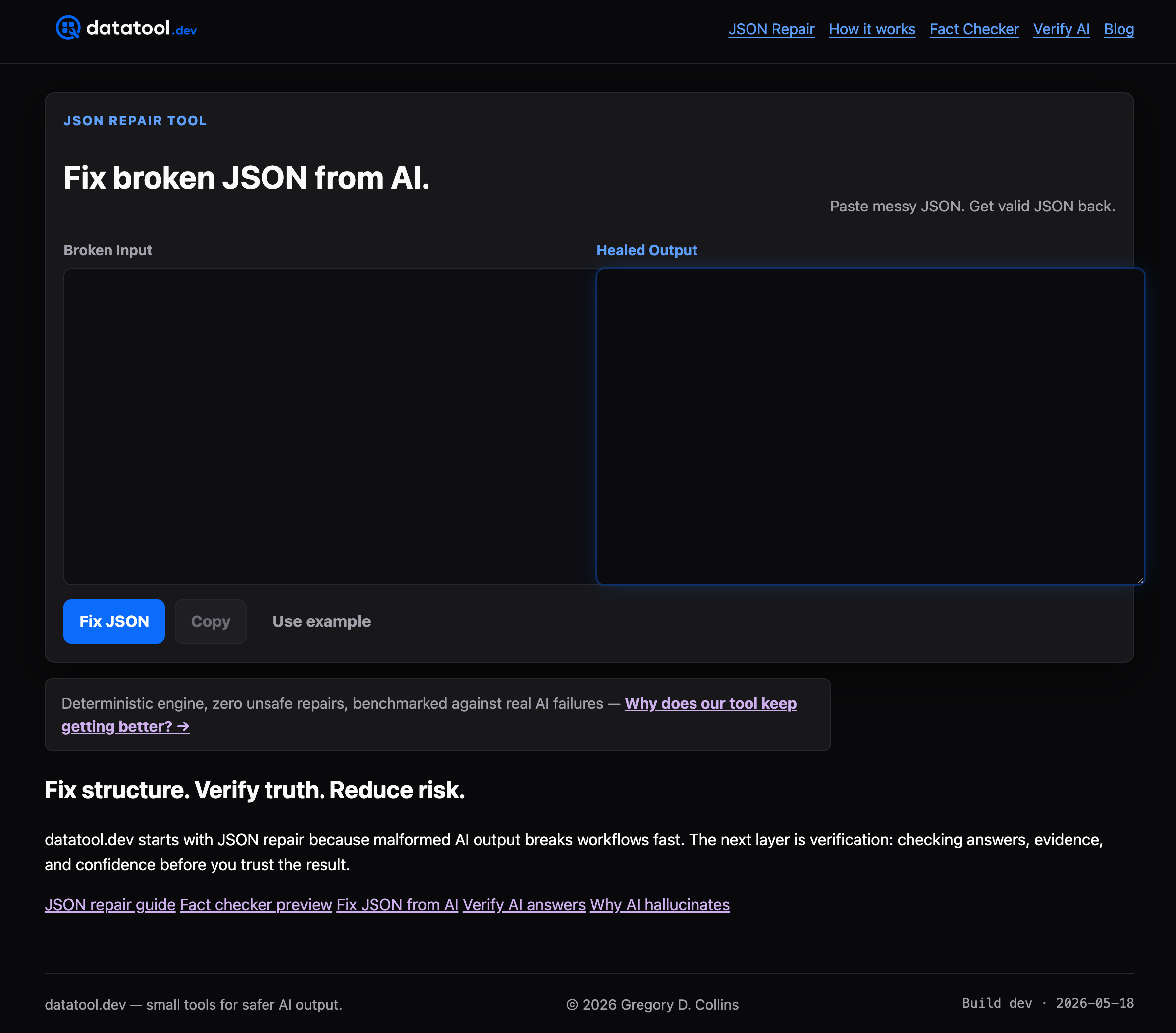
That means your team doesn't have to maintain its own repair library, retry logic, and validation error parser as three separate pieces of infrastructure. If you're currently stitching json_repair, a Pydantic model, and a hand-built retry prompt together across multiple services, Datatool consolidates that into one deterministic step. Start with a free run against your own broken AI output and see what it catches.
Sources
- Constrained decoding (token-level masking) for structured output (arXiv)
- Schema Validation for LLM Output: Zod & Pydantic | AI/TLDR