

Treat every LLM response as untrusted and validate it against a single canonical schema in three places: runtime pre-consume checks, CI contract tests, and continuous monitoring aggregations. The minimum detection stack is: JSON parse → schema validation (JSON Schema, Pydantic, or AJV) → regression diff → statistical field monitoring. When an alert fires, quarantine the payload, run a healing retry, surface the raw response for debugging, increment your drift metric, and page on-call when the threshold is exceeded.
Datatool applies this stack in production testing and the patterns below come from that work.
- Parse every response before any downstream access.
- Validate the parsed object against your canonical schema immediately after parsing.
- Run regression diffs in CI against a stored baseline of real model responses.
- Aggregate validation errors by signature and alert when the same error exceeds your threshold in a rolling window.
Table of Contents
- What does schema drift in AI output actually look like?
- How to detect schema drift automatically at every lifecycle stage
- Validation code patterns: Python + Pydantic and Node + AJV
- A reproducible example: broken JSON → validate → repair → re-validate
- Repair strategies: deterministic engines, re-prompts, and human review
- Engineering practices that prevent schema drift
- What to measure and when to alert on schema drift
- How Datatool tests for schema drift
- Key Takeaways
- The operational trade-off most teams get wrong
- Datatool makes schema drift detection production-ready
- Useful sources and references
What does schema drift in AI output actually look like?
Schema drift in LLM outputs is not always obvious. Fields disappear silently. Types shift from number to string. The model wraps its JSON in a code fence. Datatool testing has documented all of these in real production pipelines, and each one breaks downstream consumers in a different way.
Here are the concrete failure modes engineers encounter most often:
- Wrapped response: The model wraps JSON in triple backticks or adds prose before the opening brace. JSON.parse fails entirely. See why AI returns extra text in JSON for the full pattern catalog.
A minimal failing response looks like this:
// Expected schema requires: { "id": number, "name": string, "price": number }
// Model returned:
{
  "id": "prod-42",
  "name": "Widget",
  "note": "on sale"
}
Three violations: id is a string, price is missing, and note is an extra hallucinated key.
import json

raw = '{"id": "prod-42", "name": "Widget", "note": "on sale"}'
data = json.loads(raw)  # Parses fine — no error yet
# Downstream: float(data["price"])  → KeyError: 'price'
Parse success does not mean schema success. Requesting JSON from an LLM is not the same as enforcing a schema; missing fields, type mismatches, and hallucinated fields still occur even when the model is explicitly instructed to return JSON.
Datatool testing note: Silent type shifts are the hardest failure mode to catch without a schema validator. A field that changes from
numbertostringpasses JSON parsing, passes a null check, and only fails when arithmetic or a downstream typed consumer touches it.
Root causes by symptom:
| Symptom | Likely cause |
|---|---|
| Missing required field | Model update, prompt ambiguity, token truncation |
| Type shift | Model update, temperature change, prompt wording |
| Hallucinated keys | Prompt change, few-shot example mismatch |
| Wrapped response | System prompt missing explicit format instruction |
| Truncated JSON | Token limit too low for the response size |
| Invalid escaping | Model hallucinating escape sequences |
Pro Tip: Pin the exact model version in your config. Provider-side silent updates are the most common source of unexpected type shifts in production.
How to detect schema drift automatically at every lifecycle stage
Use three detection layers. Each catches a different class of failure.
| Layer | Detection signal | Remediation action |
|---|---|---|
| CI regression test | Baseline response diff fails | Block deploy, fix prompt or schema |
| Runtime pre-consume | Validation error on live response | Quarantine, trigger heal-and-retry |
| Continuous monitoring | Error rate exceeds rolling threshold | Alert on-call, inspect raw responses |
CI layer: Store a set of real baseline responses alongside your prompts. On every commit, replay those prompts (or use stored fixtures), validate against the canonical schema, and diff the output shape against the baseline. Regression detection must compare instantiated responses to a baseline, not just schema class definitions. A schema-vs-schema diff will not catch a live model that has started omitting a field.
Runtime layer: Wrap your LLM client call in a validation function. Reject or quarantine any response that fails schema validation before it touches downstream logic. Log the raw response, validation error type, schema version, model version, prompt version, request ID, and timestamp on every failure.
Monitoring layer: Aggregate validation errors by error signature (not raw count). Production-grade drift detection requires structured logging grouped by error signature and persistent history to compute thresholds. Alert when the same specific error exceeds 5% of requests in a 5–15 minute rolling window. Require repeated occurrences before paging to avoid false positives from one-off model hiccups.
Also track field distributions for numeric fields. A z-score gauge on a critical numeric field catches semantic drift where the schema still validates but values have shifted outside the normal range.
Validation code patterns: Python + Pydantic and Node + AJV
Python: Pydantic validation with structured error extraction
import json
from pydantic import BaseModel, ValidationError

class Product(BaseModel):
    id: int
    name: str
    price: float

def validate_llm_response(raw: str) -> Product | dict:
    try:
        data = json.loads(raw)
    except json.JSONDecodeError as e:
        return {"parse_error": str(e), "raw": raw}

    try:
        return Product(**data)
    except ValidationError as e:
        errors = [
            {"field": err["loc"][0], "msg": err["msg"], "type": err["type"]}
            for err in e.errors()
        ]
        return {"validation_errors": errors, "raw": raw}

# Test with the bad response from above
result = validate_llm_response('{"id": "prod-42", "name": "Widget", "note": "on sale"}')
# Returns: {"validation_errors": [{"field": "id", "msg": "...", "type": "int_parsing"},
#            {"field": "price", "msg": "Field required", "type": "missing"}], "raw": ...}
The structured error shape gives your monitoring layer exactly what it needs: field name, error type, and the raw response for replay.
Node.js: AJV with JSON Schema
import Ajv from "ajv";
const ajv = new Ajv({ removeAdditional: true, coerceTypes: false });

const schema = {
  type: "object",
  properties: {
    id: { type: "integer" },
    name: { type: "string" },
    price: { type: "number" }
  },
  required: ["id", "name", "price"],
  additionalProperties: false
};

const validate = ajv.compile(schema);

function validateLLMResponse(raw) {
  let data;
  try { data = JSON.parse(raw); }
  catch (e) { return { parseError: e.message, raw }; }

  if (!validate(data)) {
    return { validationErrors: validate.errors, raw };
  }
  return { valid: true, data };
}
Set additionalProperties: false when your schema is authoritative. Set coerceTypes: true only when you explicitly accept type coercion and have documented that decision. Mixing the two silently hides drift.
Pro Tip: Store your JSON Schema file and your Pydantic model in the same repo directory as the prompt template that generates the output. When the prompt changes, the schema review is unavoidable.
Schema-as-code rule: One canonical schema artifact per output type. If your generation code and your validation code reference different schema files, you will eventually drift between them without noticing. See AI output schema contracts for versioning patterns.
Constrained decoding (OpenAI response_format with JSON Schema, Anthropic tool_use) reduces schema violations at inference time but does not guarantee semantic correctness. You still need application-side validation.
A reproducible example: broken JSON → validate → repair → re-validate
Step 1: The failing response
{"id": "prod-42", "name": "Widget"
Truncated mid-object. json.loads raises JSONDecodeError.
Step 2: Validate and extract the error
result = validate_llm_response('{"id": "prod-42", "name": "Widget"')
# Returns: {"parse_error": "Expecting ',' delimiter: line 1 column 36 (char 35)", "raw": ...}
Step 3: Formulate a plain-English repair prompt
repair_prompt = f"""
The JSON you returned was malformed. Specifically: {result['parse_error']}.
Return ONLY valid JSON matching this schema:
  - id: integer
  - name: string (required)
  - price: number (required)
No code fences. No extra keys. No prose.
Original attempt: {result['raw']}
"""
Step 4: Healing retry with cost cap
MAX_HEALS = 3
for attempt in range(MAX_HEALS):
    healed_raw = call_llm(repair_prompt)
    healed = validate_llm_response(healed_raw)
    if isinstance(healed, Product):
        break
else:
    route_to_human_review(result["raw"], repair_prompt)
Step 5: Re-validate and confirm
The loop exits only when validate_llm_response returns a typed Product. If all three attempts fail, the raw response and validation context go to a human review queue.
Repair prompts that state the expected type and the observed problem in plain English are more effective than feeding raw validation objects back to the model. Stack traces confuse the model and waste tokens.
Pro Tip: Never include the Python ValidationError object or a JSON Schema error array in the repair prompt. Describe the failure in one sentence: "The field price is required but was missing."
Repair strategies: deterministic engines, re-prompts, and human review
Start with deterministic repair before re-prompting. A deterministic engine handles common malformations without a model call, which is faster and cheaper.
Deterministic fixes to apply first:
- Strip code fences (
```json...```) - Remove trailing commas before
}or] - Close unclosed braces or brackets on truncated output
- Fix unescaped newlines inside string values
- Unwrap single-object responses when the schema expects an array
See why AI outputs broken JSON for the full repair pattern catalog.
If deterministic repair produces valid JSON but schema validation still fails, move to a healing re-prompt. Keep the prompt short: name the field, state the expected type, and state what the model returned. Cap retries at 3 attempts and set a token budget per attempt.
Pro Tip: Track heal_attempt_success_rate by error type. If a specific error type never heals after 3 attempts, that is a signal to fix the prompt or schema, not to increase the retry cap.
When all healing attempts fail, route to human review. Provide: raw response, validation error summary, original prompt, and schema version. That compact context is enough for a developer to diagnose the root cause in under two minutes.
Engineering practices that prevent schema drift
- Keep your JSON Schema, Pydantic model, and prompt template in the same versioned directory. A PR that changes the prompt must touch the schema, and vice versa.
- Add CI regression tests that run 10–20 sample prompts against stored baseline responses and fail the build on any schema violation.
- Pin model versions in your config. Scheduled monitoring catches provider-side model updates that pre-deploy CI tests miss because those updates happen between deploys.
- Set
additionalProperties: falseby default. Relax it only when you have a documented reason. - Include a
schema_versionfield in every output. Downstream consumers can gate on it explicitly. - Test constrained decoding on your actual schema before relying on it. Some implementations add latency for deeply nested schemas.
What to measure and when to alert on schema drift
Key metrics to track:
parse_success_rate: percentage of responses that parse as valid JSONschema_validation_fail_count: broken down by field name and error typefield_distribution_zscore: z-score gauge for critical numeric fields over a rolling windowheal_attempt_success_rate: percentage of healing retries that produce a valid responsecost_usd_per_heal: total model cost per healed response
Alert rules:
- Fire when the same schema violation exceeds 5% of requests in a 5–15 minute rolling window.
- Fire when a critical numeric field's z-score exceeds |z| > 2.5 sustained for N minutes.
- Require the error to appear in at least two consecutive aggregation windows before paging on-call. Single-window spikes are usually transient.
On-call alert payload should include: first failure sample, most recent failure sample, one raw response, schema version, model ID, and the error signature. Everything else is noise at 2 AM.
Tracking field distributions over rolling windows catches semantic regressions where the schema still validates but values have shifted. A price field that suddenly averages 10x its historical value is a real problem even if it passes type validation.
For guidance on detecting AI output errors operationally, see how to detect AI output errors for reliable structured data.
How Datatool tests for schema drift
Datatool's testing methodology follows a four-step cycle:
- Capture baseline outputs by running production prompts against the current model and storing validated responses.
- Run scheduled inference on a configurable cadence using those same prompts against the live model endpoint.
- Validate every response against the canonical schema and record the full error signature.
- Run statistical comparisons (field distribution z-scores, error rate deltas) against the baseline to surface silent drift.
Testing primitives Datatool uses:
- Replayable request harness: every test run stores the raw request, raw response, schema version, and model version for replay.
- Schema regression tests in CI: run on every commit against stored fixtures.
- Controlled canaries: new prompts or model versions run on a small fraction of traffic before full rollout.
- Persistent log store: raw responses retained for a configurable window to support post-mortems.
Pro Tip: Run your regression suite against stored fixtures in CI, not against live model calls. Live calls introduce non-determinism and cost. Reserve live scheduled checks for production monitoring.
On anonymization: Datatool anonymizes customer data in published test artifacts by replacing PII fields with synthetic values before storing responses in the test harness. The schema shape and error signatures are preserved; the content is not.
Key Takeaways
Runtime schema validation is the single most effective control for catching AI output drift before it reaches downstream consumers.
| Point | Details |
|---|---|
| Validate at runtime | Reject or quarantine every LLM response that fails schema validation before downstream access. |
| Schema lives in the repo | Store JSON Schema or Pydantic models alongside the prompt template and version them together. |
| CI regression tests | Run 10–20 sample prompts against baseline responses on every commit; fail the build on any schema violation. |
| Alert on aggregated errors | Require the same error signature to exceed 5% of requests in a rolling window before paging on-call. |
| Datatool for production drift | Datatool provides a deterministic repair engine, schema validation, healing retries, and monitoring dashboards for production LLM pipelines. |
The operational trade-off most teams get wrong
The instinct when schema drift appears is to tighten everything: strict schemas, zero tolerance, page on every violation. That approach produces alert fatigue within a week. The more useful discipline is to distinguish between a single malformed response (a transient model hiccup) and a sustained pattern (actual drift).
The rule worth enforcing is simple: require aggregated, repeated identical failures within a configurable window before declaring drift. A single price field returning a string is noise. The same error on 6% of requests over 10 minutes is a production incident.
The other thing teams underestimate is the cost of healing retries without a budget cap. Three attempts is the right ceiling for most schemas. Beyond that, you are spending money to confirm that the prompt or schema needs to be fixed, not that the model needs another chance.
Datatool makes schema drift detection production-ready
Schema drift in AI output is a solvable engineering problem, but it requires the right tooling at each layer. Datatool's deterministic JSON repair engine handles the common malformations (code fences, trailing commas, truncated objects, invalid escaping) before validation even runs. Its schema validation layer catches structural violations and returns structured error shapes your monitoring stack can consume directly. Healing retries are built in, with configurable cost caps and plain-English error prompts. The replay harness and monitoring dashboards give your team the raw responses and error aggregations needed to diagnose drift fast.
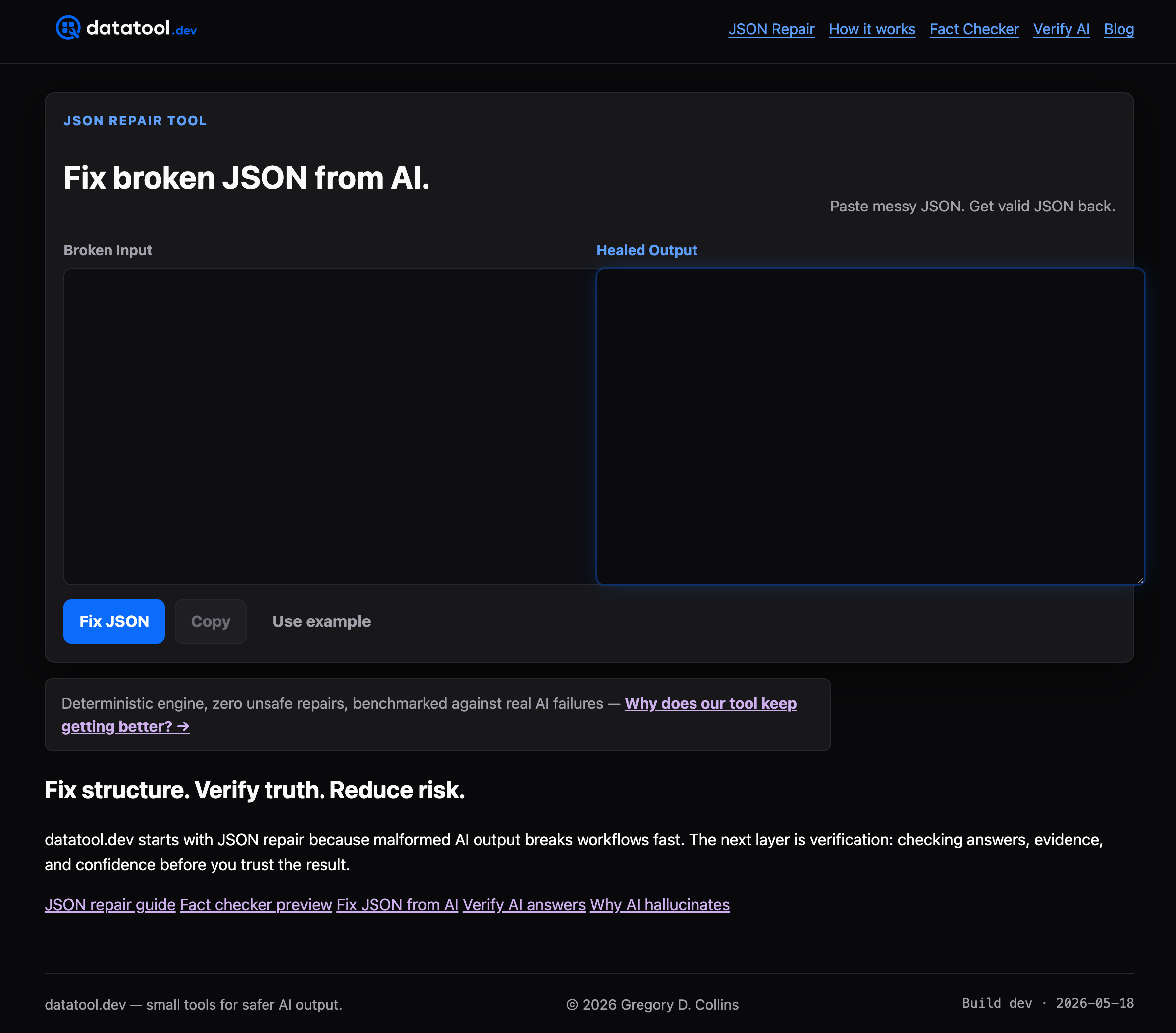
Engineering teams with immediate production risk can run a free drift check on a critical prompt today. No setup required.
Useful sources and references
The sources below informed the implementation patterns, operational guidance, and code examples in this article.
Implementation patterns:
- Catch LLM Schema Drift Before It Breaks Production - DEV Community
- LLM Structured Outputs: Production Guide | Fordel Studios
- Regression detection for schema changes | Instructor Advanced Course | The Neural Base
- Detecting schema drift in production | Structured Outputs Advanced Course | The Neural Base
- Bulletproofing LLM Structured Output in Python: Healing Retries, Cost Caps, and Drift Detection (Runnable Code) - DEV Community
Operational and observability guidance:
- Detecting Schema Drift in Production: Structured logging, error grouping by signature, and persistent history for threshold computation.
- Bulletproofing LLM Structured Output in Python: Healing retries, cost caps, field distribution drift tracking, and plain-English repair prompts.
Datatool internal testing informed the practical trade-offs, code examples, and recommended thresholds throughout this guide. For a broader look at why AI agents produce inconsistent structured data, see why AI agents fail at data analysis.
Note: Every code example in this article is reproducible. Paste the snippets into a clean Python 3.11+ or Node 20+ environment with Pydantic v2 and AJV 8 installed and they will run as shown.