
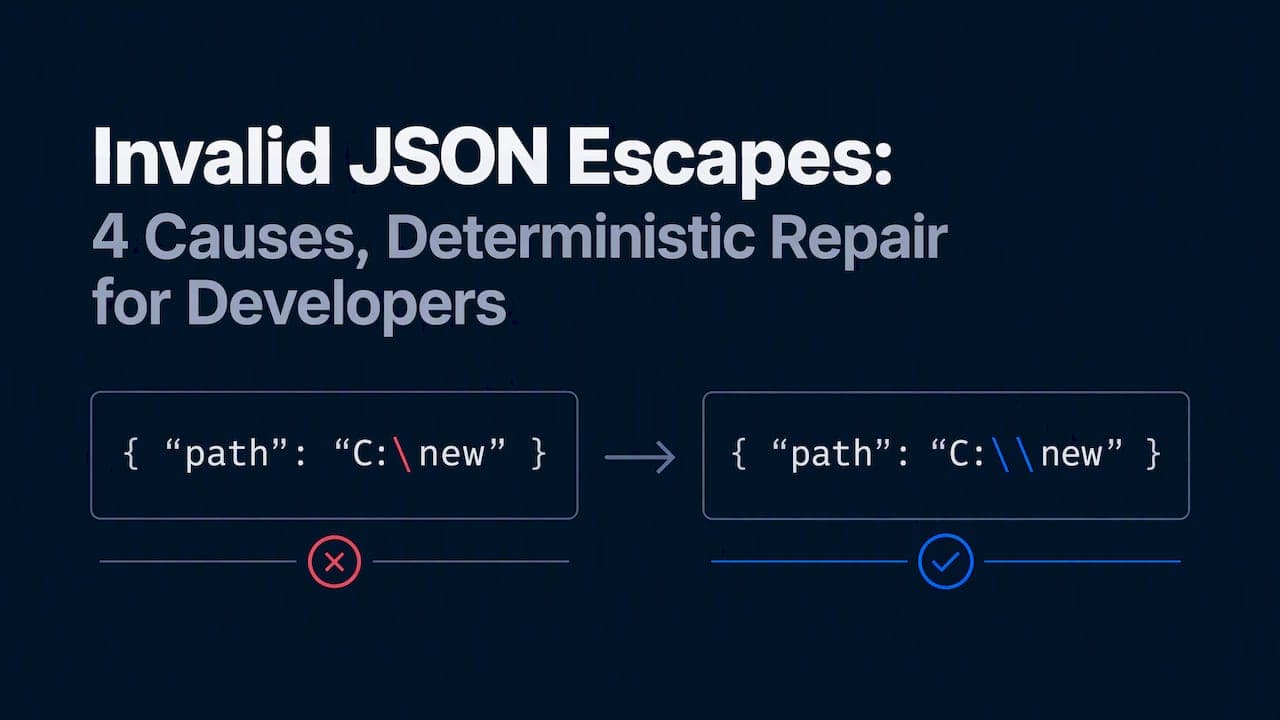
The quickest reliable fixes are: let your language's serializer handle escaping for you, double any literal backslash so \ becomes \\, and confirm every string uses double quotes rather than single quotes. If that doesn't clear the error, run the payload through a validator to find the exact character position, then check that spot against RFC 8259, which defines every valid escape in JSON.
TL;DR:
- JSON permits escaped quotes, backslashes, optional forward slashes, named control escapes, and Unicode escapes with four hex digits; raw control characters invalidate strings.
- For truncated model output, do not guess missing Unicode digits; close only at the last complete token and flag the record for review.
- Global regex replacement can corrupt valid escapes; use structural repair to change only broken tokens, log each edit, and validate the payload against its schema.
- For recurring failures or large files, automate detection of every bad token, then test repaired output for valid syntax, correct schema, and unchanged data.
Table of Contents
- What counts as an invalid escape under the JSON spec
- Common causes and a fast diagnostic checklist
- Concrete failing examples and the minimal fix
- Python fixes: reading tracebacks and using json.dumps correctly
- JavaScript fixes: JSON.parse, JSON.stringify, and string literals
- Java and other languages: the same rule, different syntax
- Why deterministic repair beats regex patches
- Best practices that stop escaping bugs before they ship
- Handling JSON strings with mixed or inconsistent escaping styles
- Automated detection and correction at scale
- Manual fixes versus a dedicated repair tool like @datatool/json-heal
- Fitting JSON escaping fixes into AI content and data pipelines
- Testing fixed JSON to confirm the repair actually worked
- What repairing real-world broken JSON actually teaches you
- How @datatool/json-heal fixes escaping errors without guessing
- FAQ
- Sources
What counts as an invalid escape under the JSON spec
JSON has a short, fixed list of valid escapes. Anything outside that list breaks the parser, and the parser is right to reject it.
RFC 8259 says a string character can be any Unicode code point except the quotation mark, reverse solidus (backslash), and control characters, unless escaped. The valid escape sequences are:
\"for a quotation mark\\for a backslash\/for a forward slash (optional, but allowed)\t,\r,\b,\ffor newline, tab, carriage return, backspace, and form feed\uXXXXfor any Unicode code point, with four hex digits required
Everything else is invalid. \' is not a JSON escape, even though it works fine in Python or JavaScript string literals. \a is not JSON either, despite being common in other languages. A \u sequence with fewer than four hex digits, or one cut off mid-sequence, also fails. An unescaped control character (like a raw tab byte sitting inside a string) is invalid even though it looks harmless in a text editor.
This is why JSON.parse and json.loads throw on input that looks "close enough." The spec doesn't have a close-enough mode. A single stray backslash or control byte is enough to stop parsing.
Common causes and a fast diagnostic checklist
Most invalid-escape errors trace back to a handful of repeat offenders. Knowing which one you're looking at saves time.
- Windows file paths. A string like
"C:\abc"has a lone backslash followed bya, which isn't a valid escape. Parsers reject it immediately. - Single quotes instead of double quotes. JSON strings must use double quotes. Single-quoted JSON (or JSON embedded inside another language's single-quoted string) often slips through hand-written code but fails validation.
- Truncated output. When an LLM response or a network stream cuts off mid-string, you can end up with a trailing backslash or a half-written
\uescape with no closing digits. - Control characters and stray bytes. Copy-pasted text, log output, or binary data pasted into a string can carry raw control characters that JSON requires you to escape.
To confirm which one you're dealing with, run the payload through a validator and read the character position in the error message. Open the raw payload in a plain text editor (not a UI that auto-renders escapes) and look at that exact offset. If you see a single backslash followed by a letter other than n, t, r, b, f, or u, that's your problem. A quick regex search for \\[^"\\\/bfnrtu] will usually surface every offending backslash in a file.
Pro Tip: Grep for a lone backslash before you open a debugger. It finds the bad character faster than stepping through parser internals.
Concrete failing examples and the minimal fix
Seeing the actual error message next to the fix makes the rule stick. Here are three cases that show up constantly in production.
Python, a Windows path:
import json
bad = '{"path": "C:\abc"}'
json.loads(bad)
# ValueError: Invalid \escape: line 1 column 16 (char 15)
Fix: double the backslash, or let json.dumps build the string for you.
good = '{"path": "C:\\\\abc"}'
json.loads(good)  # {'path': 'C:\\abc'}
JavaScript, single quotes and a raw backslash:
JSON.parse("{'path': 'C:\abc'}");
// SyntaxError: Unexpected token ' in JSON at position 1
Fix: build the object normally and let JSON.stringify escape it.
const obj = { path: "C:\\abc" };
const json = JSON.stringify(obj);
JSON.parse(json); // { path: 'C:\\abc' }
- Both fixes work because the serializer, not a human, decides when a backslash needs doubling.
- Neither fix changes the meaning of the data:
C:\abcis preserved exactly.
LLM-truncated output, where a response cuts off mid-escape ("id": "a1b2\u00), has no safe automatic completion. The conservative fix is to close the string at the last complete token and flag the record for review rather than guessing the missing hex digits.
Python fixes: reading tracebacks and using json.dumps correctly
Python's json module gives you a precise error location. A JSONDecodeError includes line, column, and char attributes that point straight at the bad byte.
- Read the traceback position first.
json.JSONDecodeError: Invalid \escape: line 1 column 16 (char 15)tells you exactly which backslash to inspect, no guessing required. - Never hand-build JSON strings. Pass a Python dict to
json.dumps()instead of concatenating strings, and it escapes backslashes, quotes, and control characters automatically. - Watch file encoding and raw strings. Open files with explicit
encoding="utf-8", and when you do need a raw string literal (r"C:\abc") in Python source, remember it only affects how Python parses the literal, not how JSON parses the resulting string.
# Bad: hand-assembled string
bad = '{"note": "Line1
Line2\abc"}'

# Good: let the serializer do the work
good = json.dumps({"note": "Line1
Line2\\abc"})
JavaScript fixes: JSON.parse, JSON.stringify, and string literals
JSON strings require double quotes, full stop. A common source of confusion is mixing up JSON syntax with JavaScript string literal syntax, which is more permissive.
Per MDN's JSON.parse reference, JSON.parse throws a SyntaxError on single-quoted strings, trailing commas, and unescaped control characters, all of which are legal or common in everyday JavaScript but illegal in JSON.
- Build data as a plain JavaScript object or array, then call
JSON.stringify()to produce valid JSON instead of writing JSON by hand. - If you must embed a JSON string inside a JS string literal, escape the quotes for the literal (
"{\"key\":\"value\"}"), but understand that's a separate escaping layer from JSON's own rules. - For multiline text, use
// Bad: hand-written, single-quoted
const bad = "{'key': 'line1
line2'}";

// Good: built as an object, then serialized
const good = JSON.stringify({ key: "line1
line2" });
Java and other languages: the same rule, different syntax
The fix is identical across ecosystems: stop building JSON by string concatenation, and let a library handle escaping.
- In Java, use Jackson or Gson to serialize objects to JSON rather than assembling strings manually. Both libraries apply the escaping rules RFC 8259 requires, including backslash doubling and control character handling.
- In C# and Ruby, the equivalent move is the platform's built-in serializer (
System.Text.Json,JSON.generate), which escapes quotes and backslashes the same way. - Raw string literals in C# or Python remove the need to double backslashes in source code, but they don't change JSON's own structural rules. A raw string still has to produce valid JSON once it's parsed.
Why deterministic repair beats regex patches
Search-and-replace fixes for broken JSON are tempting and often wrong. A regex that doubles every backslash can double backslashes that were already correctly escaped, corrupting valid data while trying to fix invalid data. Community guidance on JSON tooling makes the same point: regex has no concept of JSON structure, so it can't tell a backslash inside a string from one that's already escaped correctly.
Testing reflects this: schema-aware, deterministic repair holds up where regex breaks down, because it parses structure first and only normalizes what's actually broken.
- Validate the payload and capture the exact error position.
- Locate the broken token using that position, not a blind scan of the file.
- Apply a deterministic fix (close a truncated string, normalize a malformed escape) without altering any field value.
- Revalidate against the schema to confirm the repair didn't introduce new errors.
Pro Tip: A repair tool that logs every change it makes is one you can trust in a pipeline. One that silently guesses is not.
A truncated \u00 at the end of a string gets closed and flagged, not completed with an invented code point. Our deterministic repair notes cover the full workflow for LLM output specifically.
Best practices that stop escaping bugs before they ship
A few habits eliminate most invalid-escape bugs permanently.
- Never hand-build JSON strings with concatenation. Use your language's serializer every time.
- Validate incoming JSON at the boundary, before it reaches business logic, and add schema checks to CI so a bad payload fails a build instead of reaching production.
- Log the raw payload and the parser's error position whenever a validation step fails. It turns a five-minute debugging session into a thirty-second one.
- For any LLM-generated JSON, schema-validate first and run a repair pass before the data touches downstream code. See our schema validation guide for CI patterns that catch this early.
| Practice | What it prevents |
|---|---|
| Use a serializer, never string concatenation | Manually doubled or missed backslashes |
| Validate at the boundary | Bad JSON reaching business logic |
| Add schema checks to CI | Silent regressions in output shape |
| Log raw payload and error position | Slow, repeated manual debugging |
Handling JSON strings with mixed or inconsistent escaping styles
Mixed escaping shows up most often when JSON passes through more than one system before you see it. A string might arrive with some backslashes correctly doubled and others left raw, typically because one upstream step serialized properly and another concatenated strings by hand.
The safe approach is never to apply a single blanket transformation to the whole payload. Doubling every backslash indiscriminately will break the ones that are already valid. Instead, parse what you can first. If the payload fails validation, isolate the specific substring the error points to, rather than rewriting the whole file.
For a string with inconsistent styles, work character by character within the broken segment: check whether each backslash is followed by a valid escape character (n, t, r, b, f, ", \, /, or u plus four hex digits). A backslash followed by anything else needs doubling; one already followed by a valid escape character should be left alone. This is tedious to do by hand across a large payload, which is exactly the kind of job a deterministic repair pass is built for: it applies the same per-character logic consistently instead of a single global find-and-replace.
Once the segment is fixed, revalidate the full payload rather than assuming the one fix resolved everything. Mixed escaping often means multiple independent issues in the same file.
Automated detection and correction at scale
A single malformed escape is easy to fix by hand. A thousand-line JSON export with a dozen scattered errors is not, and manual fixes at that scale introduce their own mistakes.
Automated detection starts with a validator that reports every error position, not just the first one it hits. Some parsers stop at the first failure, which hides the rest of the problems in a large file. A detection pass worth running should collect a full list of broken tokens before any correction begins, so you know the scope of the problem up front.
Correction at scale needs the same discipline as a single fix, just applied consistently across every broken token: locate, classify the error type (bad escape, truncated sequence, stray control character), apply the narrowest fix that resolves it, and log the change. Doing this with a script that doesn't understand JSON structure, like a global regex replace, risks fixing some tokens while corrupting others that happened to match the same pattern.

For files with many independent errors, batching the fixes with full logging matters more than speed. A log of exactly what changed at each position lets a reviewer spot-check a sample instead of re-reading the entire file, which is the difference between trusting an automated fix and re-verifying everything by hand anyway.
Manual fixes versus a dedicated repair tool like @datatool/json-heal
A single invalid escape in a short payload is usually faster to fix by hand: find the position, fix the backslash, done. That calculus changes once you're dealing with LLM output at volume, nested structures, or files where more than one error type is present.
Manual fixes scale linearly with effort and error risk. Each fix is a judgment call, and judgment calls made under time pressure, across dozens of files, tend to introduce the same kind of silent corruption that regex patches cause: a backslash doubled that shouldn't have been, a string closed one character too early.
A dedicated repair tool like @datatool/json-heal applies the same deterministic logic on every run: parse first, locate the specific broken token, apply the narrowest valid fix, and log it. It doesn't guess at field values it can't recover, and it produces the same output for the same input every time, which manual fixing under deadline pressure can't guarantee. The tradeoff is upfront setup to wire the tool into your pipeline, which pays off once broken JSON is a recurring problem rather than a one-off.
Fitting JSON escaping fixes into AI content and data pipelines
LLM-generated JSON fails differently than hand-written JSON. The errors cluster around truncation (the model's response gets cut off mid-string), stray backslashes in generated file paths or regex patterns, and occasional control characters from copied source text. These same failure types are the ones catalogued above, so the fixes are the same, but the frequency is higher.
The practical move is to put a repair and validation step directly in the pipeline, right after the model call and before the payload reaches any downstream code that assumes valid JSON. That means validating against your schema first, running a deterministic repair pass if validation fails, and only then handing the result to your application. Skipping straight from "the model responded" to "parse and use" is where most production incidents start.
This matters more as AI-generated content and structured data move through multistep workflows, where a malformed field in step one can silently break step five. If you're building a pipeline that generates and schedules AI content with sourced claims, the same structured-data discipline applies: a guide on structured data for AI citations covers how to keep that data trustworthy as it moves between systems. The core principle holds regardless of the pipeline: validate before you trust, repair deterministically when you can, and flag for review when you can't.

Testing fixed JSON to confirm the repair actually worked
A repair isn't done until you've proven the output is both valid JSON and the correct data. These are two separate checks, and skipping either one leaves a gap.
First, confirm the JSON parses. Run it through json.loads or JSON.parse and make sure it doesn't throw. This catches syntax problems but says nothing about whether the data itself is right.
Second, validate against a schema if you have one. A payload can be syntactically valid JSON and still have the wrong types, missing required fields, or a string where a number should be. Schema validation catches the class of error that parsing alone misses.
Third, diff the repaired output against the original where possible. If a repair tool logs exactly what it changed, compare that log against the original payload to confirm nothing beyond the broken escape was touched. This is the check that catches an overzealous fix, like a regex replace that corrupted a correctly escaped value elsewhere in the file.
Automated tests that feed known-bad payloads through your repair step and assert on the exact output are worth the setup time once malformed JSON is a recurring part of your pipeline, particularly with LLM output where the same failure patterns repeat.
What repairing real-world broken JSON actually teaches you
Most invalid escapes trace back to three sources: hand-built strings, Windows paths, and truncated model output. The pattern repeats constantly, and the conservative move is always the same: fix the structure, never guess the content. A repair that preserves original data and logs its own changes is one you can trust; one that silently invents a value is not.
— Gregory
How @datatool/json-heal fixes escaping errors without guessing
We built our JSON repair tool for exactly the failures covered above: invalid escapes, truncated strings, and malformed output from AI models that would otherwise stop your pipeline cold.
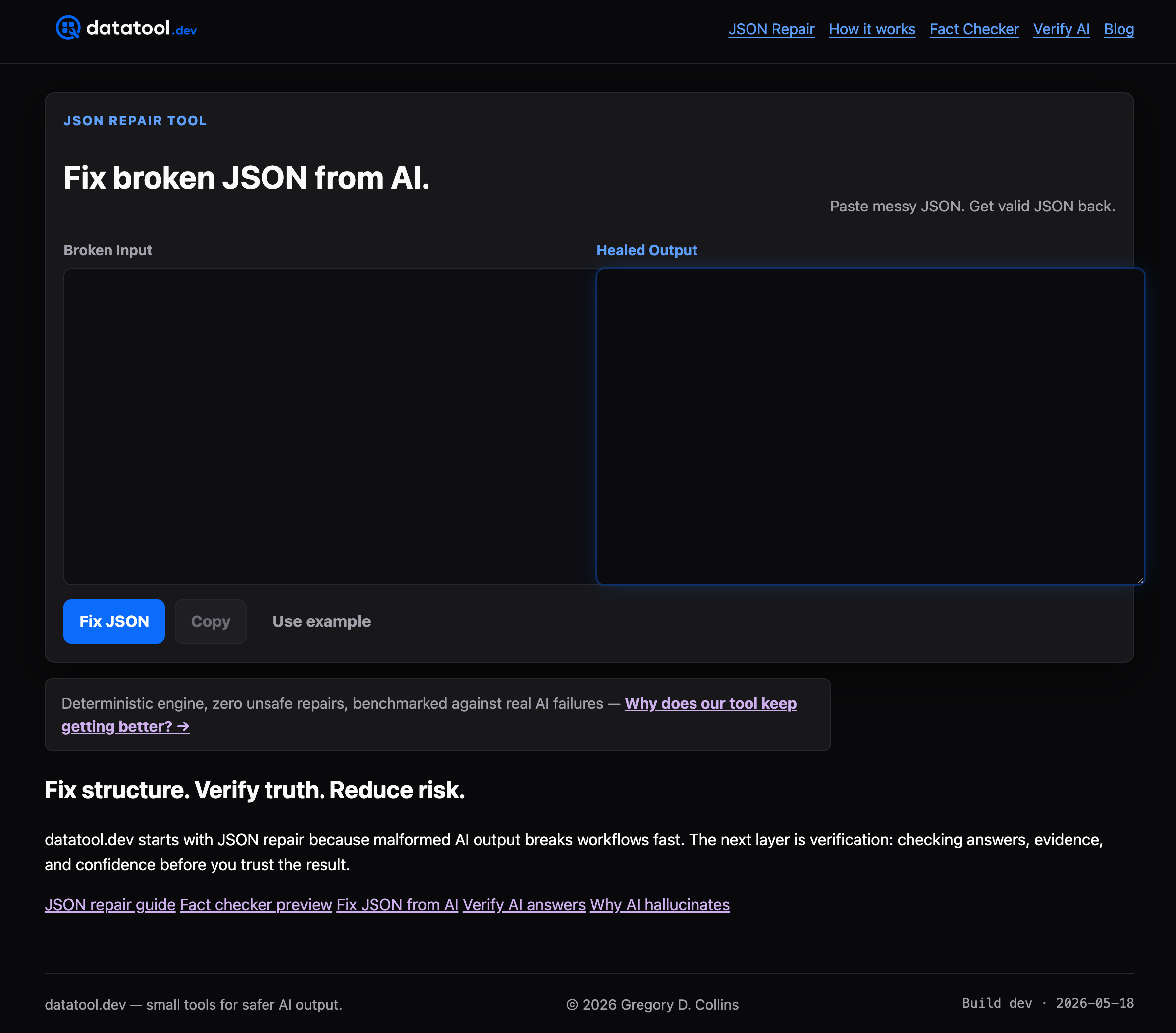
Some online tools take broken JSON and return valid JSON, with every change logged so you can see exactly what was fixed and why. Such repair engines work the same way on every run: parse first, locate the specific broken token, apply the narrowest fix the schema allows, and never invent a value they can't recover.
- Deterministic repair means the same input produces the same output every time, with no silent guessing.
- Schema validation runs alongside repair, so a fixed payload is checked for structure, not just syntax.
- Detailed logs show every change, which matters when you need to trust a fix without re-reading the whole file.
If invalid escaping or truncated AI output is a recurring problem in your pipeline, see how our repair engine works and try it on your own broken JSON.
FAQ
How do I fix an invalid JSON error?
Run the payload through a validator to find the exact error position, then check that character against RFC 8259's list of valid escapes. Most invalid JSON errors come from a lone backslash, a single-quoted string, or a trailing comma, all of which a serializer like json.dumps or JSON.stringify avoids by construction.
What does invalid JSON mean?
Invalid JSON means the payload doesn't follow the syntax rules defined in RFC 8259, such as using single quotes instead of double quotes, leaving a backslash unescaped, or including a raw control character inside a string. Parsers like JSON.parse and json.loads reject the entire payload rather than skip the bad part.
Why is my JSON not valid?
The most common reasons are an unescaped backslash (often from a Windows file path), single quotes where JSON requires double quotes, or a truncated string from a cut-off network response or LLM output. Checking the parser's reported error position against the raw payload usually identifies which one applies.
How can I repair JSON?
For a small, one-off error, locate the bad character using your parser's error message and fix it directly, typically by doubling a backslash or swapping quote style. For recurring or large-scale breakage, a deterministic, schema-aware repair pass is safer than regex, since regex-based fixes risk corrupting valid parts of the file.
Sources
- RFC 8259: The JavaScript Object Notation (JSON) Data Interchange Format
- JSON.parse() - JavaScript | MDN
- json — JSON encoder and decoder — Python documentation