

JSON does not support comments. RFC 8259 defines the format as a strict sequence of structural tokens, and comments are not one of them. Use an annotated format like JSONC or JSON5 during development, then strip or convert comments into plain JSON before any machine, API, or production pipeline touches the file.
TL;DR:
- JSON does not support comments, so comment syntax like // or /* */ causes parsing errors in strict implementations.
- Use JSONC or JSON5 formats during development for human editing, but strip comments before deploying or sending data to comply with RFC 8259.
- Tokenizer-based tools like strip-json-comments reliably remove comments while preserving line positions, avoiding errors caused by regex-based approaches.
- In CI pipelines, always convert annotated formats to strict JSON before validation and deployment to prevent subtle bugs or security issues.
- Handling malformed AI-generated JSON requires dedicated repair tools to fix partial or invalid data before performing schema validation.
Table of Contents
- Why JSON doesn't support comments
- Common workarounds developers actually use
- Tools to strip or convert commented JSON
- Fixing broken JSON: two failing examples
- Automating conversion in your CI/CD pipeline
- Editor and tooling support for commented JSON
- A practical checklist for teams handling annotated JSON
- Best practices and pitfalls to avoid
- Why teams keep this trade-off, and how to manage it
- How datatool.dev handles messy and malformed JSON
- FAQ
- Sources
Why JSON doesn't support comments
The JSON spec defines JSON as a sequence of six structural characters plus values. Comments are not part of that grammar. There is no token for // or /* */. A strict parser that encounters one will throw a syntax error, full stop.
This was a deliberate choice, not an oversight. JSON was built for machine-to-machine data exchange. Comments introduce ambiguity: what happens when a comment sits inside a string? What happens when a comment breaks a trailing comma rule? Every edge case adds a decision the spec authors chose to avoid.
Some parsers accept comments anyway. V8's JSON.parse does not, but many config-loading libraries wrap a preprocessing step around their JSON parser and quietly allow // lines. That tolerance creates a trap: your file works on your machine, then fails the moment it hits a strict parser somewhere else in your pipeline.
Here is why that matters in practice:
- A payload with comments sent as
application/jsonmay be rejected by any server-side validator that follows the spec literally. - Nonstandard parser behavior is not guaranteed across language runtimes: a Python
json.loads()call will reject what a lenient JavaScript loader accepts. - Comments in production payloads create a security surface. An attacker who can inject comment-like text into a field that gets passed to multiple parsers downstream can exploit parser disagreement.
- Deterministic parsing matters for caching, hashing, and diffing. A file with comments does not hash the same as its comment-free equivalent, which breaks naive change detection.
The practical rule: comments are a development convenience, never a production guarantee.
Common workarounds developers actually use
Four patterns cover almost every real case. Each fits a different stage of the pipeline.
- JSONC for human-edited config files. JSONC (JSON with Comments) is a superset that permits
//and/* */comments. VS Code uses it forsettings.jsonandtsconfig.json. It is not valid JSON on its own, and the JSONC specification is explicit that content sent asapplication/jsonmust have comments stripped first. Use JSONC when humans will read and edit the file directly, and when your tooling already understands the format. - JSON5 for broader syntax flexibility. JSON5 adds comments plus unquoted keys, trailing commas, single quotes, and a few other JavaScript-like conveniences. It fits build configs (Webpack, Babel plugins often accept JSON5) where developers want a looser syntax but still want something closer to JSON than YAML. The trade-off: JSON5 has its own parser requirements, so you need a library that understands it specifically, and most production APIs will not.
- Comment-as-data keys. Instead of a real comment, teams add a field like
"_comment": "this value is in milliseconds". This works with any strict JSON parser because it is just another string value. The downside: it pollutes the actual data structure, shows up in iteration over keys, and someone eventually writes code that treats_commentas real data by accident. - Companion documentation files. Keep the JSON clean and put explanations in a separate
README.mdorCONFIG.mdnext to it. This avoids every parsing risk entirely. It works best for small, stable configs. For larger or frequently-changed files, documentation drifts out of sync with the data it describes, so teams often prefer YAML or TOML instead, both of which support native comments and handle complex configs better than comment-as-data JSON hacks.
Pick JSONC when your editor and build tooling already support it. Pick JSON5 when you need extra syntax flexibility and control both ends of the pipeline. Pick comment-as-data keys only for small, rarely-changed files where a stray _comment field causes no harm. Switch to YAML or TOML when comments are a core requirement and you are not locked into a JSON-only toolchain.
Tools to strip or convert commented JSON
Once you have an annotated file, you need a reliable way to turn it into strict JSON. The tool choice affects more than whether it works: it affects whether your error messages still make sense afterward.
strip-json-comments is the standard choice in Node projects. It removes both // and /* */ comments and supports a trailingCommas option for JSON5-style files that also carry trailing commas. By default it replaces removed comments with whitespace instead of deleting them outright, which keeps every remaining character at its original line and column position.
- strip-json-comments: npm package, handles both comment styles, optional trailing comma removal, whitespace-preserving by default.
- jsonc-to-json extensions: VS Code extensions and standalone converters that strip comments on save or as a build step, useful when your team edits JSONC directly in the editor.
- jsonc-to-json crate: a Rust-based tokenizer for pipelines that need a compiled, fast conversion step outside the Node ecosystem.
- Online minifiers: tools like a JSON minifier handle comment removal and compaction in one step for quick one-off conversions.
The deeper distinction is tokenizer-based stripping versus naive deletion. A naive approach uses regex to find and delete anything that looks like a comment. That breaks the moment a string value contains // or /*, because regex cannot tell the difference between a comment and a substring that happens to match the pattern. A tokenizer-based stripper, like the one behind the jsonc-to-json crate, walks the actual token stream, so it knows when it is inside a string literal and leaves that content untouched.
Pro Tip: Always choose a tokenizer-based stripper over a regex-based one once your config files contain URLs, file paths, or any string value that might include //.
For CI pipelines, prefer whitespace-preserving stripping every time. If your schema validator reports an error at line 42, column 10, you want that to point at the same spot in your source JSONC file, not a shifted position caused by deleted comment text.
Fixing broken JSON: two failing examples
Here is what breaks, why, and the exact fix. Both examples are copy-paste ready.
- A config file with comments fails
JSON.parse. Say you have this file saved asconfig.jsonc:
{
  // Timeout in milliseconds
  "timeout": 5000,
  "retries": 3 /* max retry attempts */
}
Running JSON.parse(fs.readFileSync('config.jsonc', 'utf8')) throws:
SyntaxError: Unexpected token / in JSON at position 4
The fix: strip comments before parsing.
const stripJsonComments = require('strip-json-comments');
const fs = require('fs');

const raw = fs.readFileSync('config.jsonc', 'utf8');
const clean = stripJsonComments(raw);
const config = JSON.parse(clean);

console.log(config.timeout); // 5000
The strip-json-comments call replaces the comment text with matching whitespace, so if JSON.parse later throws a position-based error on a different line, that position still lines up with the original file.
- A CI pipeline fails validation on trailing commas and block comments. A shell step that pipes a JSONC file into
jqfor validation will fail outright, becausejqexpects strict JSON:
$ cat settings.jsonc | jq .
jq: error (at <stdin>:0): Invalid numeric literal
Fix the pipeline by converting first, then validating:
npx strip-json-comments-cli settings.jsonc --trailing-commas > settings.json
jq . settings.json > /dev/null && echo "valid JSON"
This two-step pattern, convert then validate, is the one that holds up in CI. It separates "is this syntactically clean JSONC" from "is this valid JSON," so a failure tells you exactly which stage broke. Whitespace-preserving conversion in the first step means that if jq still reports an error, the line number matches what a developer sees in their editor, cutting debugging time instead of sending someone hunting through a renumbered file.

Automating conversion in your CI/CD pipeline
The rule that holds this all together: annotated files are the source of truth for developers, and strict JSON is the only artifact that reaches production. Practitioner guidance on API source-of-truth workflows describes this same pattern: keep one annotated file for humans, generate one strict file for machines, and never let the two drift apart by hand-editing the generated copy.
A minimal build step looks like this:
- Convert: run strip-json-comments or a jsonc-to-json tool against every
.jsoncsource file as part of the build. - Validate: run the resulting JSON through a schema validator to confirm structure, not just syntax.
- Gate: fail the build if conversion or validation produces an error, rather than letting a broken artifact reach deployment.
- Round-trip test: parse the generated JSON back and compare key structure against the annotated source to catch silent data loss.
Whitespace-preserving comment removal keeps error line and column numbers aligned with the source file, which matters most when a schema validator reports an error and a developer needs to find the exact spot in the annotated original, not a renumbered generated copy, according to strip-json-comments's documented approach to replacing comments with whitespace rather than deleting them.
Add a fail-fast policy: if the conversion step cannot cleanly strip comments, for example because a block comment is left unterminated, stop the build instead of shipping a partially-stripped file. A partially-converted JSON file that happens to parse is worse than one that throws, because it ships silently wrong data. Our guide on canonical JSON for CI covers this source-of-truth pattern in more detail, including how to structure the generated artifact so tests and examples stay consistent across a codebase.
Editor and tooling support for commented JSON
VS Code treats certain filenames, like settings.json and tsconfig.json, as JSONC by default, which is why comments work there without complaint. You can force this mode manually: open the command palette, run "Change Language Mode," and select "JSON with Comments" for any file where you want comment support while editing.
A few settings make this workflow safer:
- Set the language mode to JSONC explicitly for any config file that will carry comments, rather than relying on filename detection.
- Use a JSONC-aware schema when validating in the editor, so comments do not trigger false positive errors during editing.
- Add a pre-commit hook or linter rule that rejects any file with a
.jsonextension (not.jsonc) if it contains comment syntax, catching the mistake before it reaches a strict parser downstream. - Consider an extension that converts on save, writing a parallel
.jsonoutput automatically whenever the.jsoncsource changes, instead of relying on a developer to remember a manual build step.
The core risk this section addresses: a file extension that says .json but contains comments. That mismatch is the single most common way commented content leaks into a pipeline that expects strict JSON, because downstream tools trust the extension rather than checking the content.
A practical checklist for teams handling annotated JSON
Here is the short version, in the order you should implement it:
- Keep one annotated source file (JSONC or JSON5) per config, owned by whoever edits it most.
- Add a CI conversion step that strips comments with a whitespace-preserving tool before any JSON reaches a strict parser.
- Run schema validation on the converted output, not the annotated source.
- Gate deployment on a clean conversion and a passing validation, with no manual override.
- Log every conversion and validation failure with enough context to debug without re-running the pipeline locally.
Pro Tip: Treat comment stripping as a build step with its own test, not an inline call buried in application startup code, so a broken config fails in CI rather than at runtime.
Where this gets harder is not the comment stripping itself, it is the layer underneath: structured data generated by AI systems, which often arrives malformed in ways comment stripping alone cannot fix. Truncated responses, invalid escaping, and schema drift are different problems from comments, and they need a repair step, not just a stripping step. There are tools specifically designed for that layer: repairing and validating AI-generated JSON that is broken in ways beyond comment syntax, including wrapped responses and partial objects. For a closer look at how that repair process handles a specific real-world case, see our walkthrough on fixing malformed Anthropic JSON responses.
Best practices and pitfalls to avoid
A short list of do's and don'ts that covers most of what goes wrong:
- Never send commented JSON to a consumer expecting
application/json, even if your own parser happens to tolerate it. - Run explicit conversion and schema validation in CI rather than relying on a lenient parser to silently accept comments in production code.
- Do not depend on nonstandard parser behavior, because a library upgrade or a different runtime can remove that tolerance without warning.
- Watch for duplicate keys introduced by careless comment-as-data patterns, since a repeated
_commentkey silently overwrites the earlier one in most parsers. - Check file encoding before stripping comments: a byte-order mark or mixed encoding can shift positions and break a whitespace-preserving stripper's alignment.
These are small checks, but each one maps to a real failure mode teams run into after their first production incident involving a stray comment.
Why teams keep this trade-off, and how to manage it
Annotated JSON earns its keep when a config file changes often and multiple people need context without a separate doc. It stops being worth it once that file feeds more than one consumer or crosses a team boundary, because then every reader needs to know the conversion step exists.
Treat the JSONC-to-JSON boundary as a contract, not a convenience. Name it, document who owns the conversion step, and put a migration plan in place before a second team starts depending on the generated artifact. The failures I see most come from teams that never wrote that boundary down, so a new engineer edits the generated JSON directly, and the next build silently overwrites their fix.
— Gregory
How datatool.dev handles messy and malformed JSON
Comment stripping solves one problem. Malformed, truncated, or hallucinated JSON from an AI system is a different one, and it needs a repair engine, not a regex. Our JSON repair tool fixes broken AI output such as invalid escaping, partial objects, and wrapped responses, and returns valid JSON your pipeline can trust.
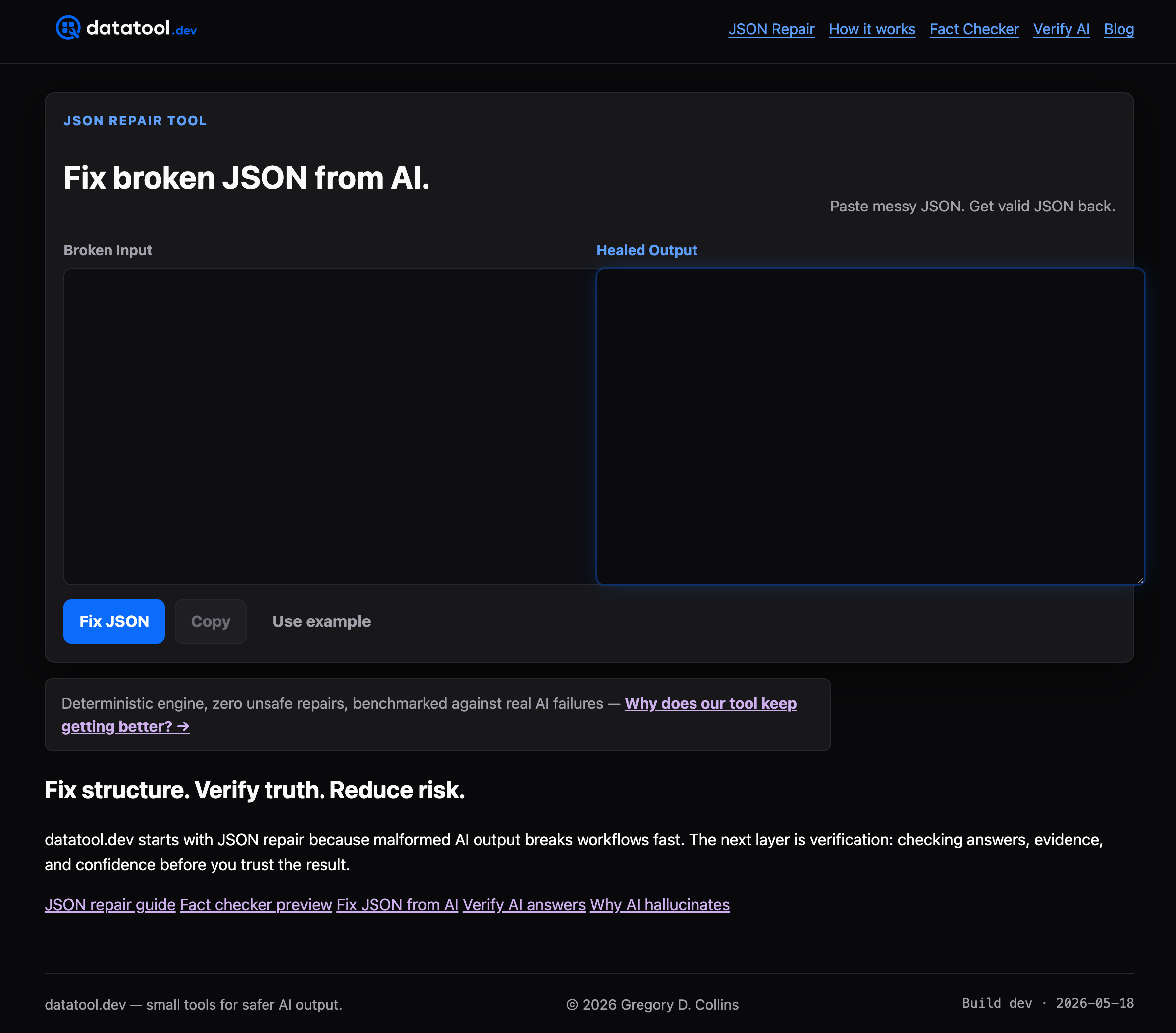
Under the hood, the @datatool/json-heal engine works deterministically: it refuses to guess at ambiguous structure, and it logs every repair action so your team can review exactly what changed before deployment. That matters most in CI, where a silent guess can ship wrong data just as easily as a thrown error can block a release.
- Paste malformed JSON directly, or call the repair engine from a CLI or API step in your pipeline.
- Review the repair log to see exactly what was fixed before the output reaches production.
- Run the repaired output through your existing schema validator as the final gate.
Start with the JSON repair tool the next time an AI response breaks your parser instead of your usual comment syntax.
FAQ
Are comments allowed in JSON?
No. RFC 8259 defines JSON's grammar without a comment token, so a strict parser rejects any file containing // or /* */. Use JSONC or JSON5 during development, then convert to strict JSON before sending it anywhere.
What is the difference between JSON, JSONC, and JSON5?
JSON is the strict format defined by RFC 8259 with no comments, no trailing commas, and quoted keys only. JSONC adds // and /* */ comments as a superset meant for human-edited config files. JSON5 goes further, adding comments plus unquoted keys, trailing commas, and single-quoted strings, but needs a dedicated parser.
How do I remove comments from a JSON file before parsing it?
The standard approach in Node projects is strip-json-comments, which strips both comment styles and can also remove trailing commas with its trailingCommas option. For non-Node pipelines, a tokenizer-based converter like the jsonc-to-json crate avoids the edge cases that regex-based stripping misses.
Can I parse JSON embedded inside a Markdown file?
Yes, but extract the JSON block first rather than parsing the whole Markdown file directly, since Markdown syntax around it is not valid JSON. Pull the content between the code fence markers, then run it through a standard parser or a repair tool if the extracted JSON is malformed.
What happens if I send JSONC to an API expecting strict JSON?
Most APIs will reject it outright with a parsing error, since application/json implies strict JSON per RFC 8259. Convert JSONC to plain JSON with a stripping tool before sending it, and never rely on a lenient server-side parser to tolerate comments.
Sources
- RFC 8259 - The JavaScript Object Notation (JSON) Data Interchange Format
- strip-json-comments (npm)
- JSONC specification