
Schema based prompting uses a formal data schema, whether JSON Schema, a Pydantic model, or an XML grammar, as the prompt itself, so the LLM produces output you can parse and validate instead of guess at. The schema acts as a contract between your code and the model: you define the shape once, and the model fills it in. Use it anywhere output needs to hit a downstream system unchanged: agent tool calls, extraction pipelines, text-to-SQL, production APIs.
TL;DR:
- Schema based prompting ensures predictable output structure, but it requires clear, concise field descriptions and validation to prevent drift.
- Using JSON Schema, Pydantic, or XML depends on your system’s stack, with JSON Schema best for transfer or validation, and Pydantic ideal inside Python environments.
- Raw JSON responses often contain extra text, truncation, or invalid escape sequences, which can be mitigated with strict instructions and robust repair workflows.
- Continuous monitoring of schema validity and repair rates is crucial to detect model or prompt drift that silently causes validation failures over time.
- Implementing fallback layers like deterministic repair engines and boundary validation helps maintain reliability and reduces pipeline failures in production.
Table of Contents
- What Is Schema Based Prompting, With a JSON Example?
- Why Does Schema Based Prompting Improve Output Reliability?
- Which Schema Format Should You Use: JSON, Pydantic, or XML?
- What Causes Malformed JSON, and How Do You Fix It?
- How Do You Apply Schema Prompting to Real Systems?
- How Do You Validate and Monitor Schema-Based Prompts in Production?
- What Should a Schema Prompting Checklist Cover?
- Production Lessons From Building Schema-Based Systems
- Fix Malformed Schema Output Before It Reaches Your Pipeline
- Sources
What Is Schema Based Prompting, With a JSON Example?
Schema based prompting treats the model as a data transformer. You give it an input_schema describing what's coming in, an output_schema describing what must come out, and instructions that pin down edge cases. The model's job shrinks to one thing: map input to output inside the shape you gave it.
Here's a minimal version you can copy:
{
  "instructions": "Extract the shipment details. If a field is missing, use null. Do not add fields not listed in output_schema.",
  "input_schema": {
    "email_text": "string"
  },
  "output_schema": {
    "tracking_number": "string | null",
    "carrier": "string | null",
    "delivery_date": "string (ISO 8601) | null"
  },
  "inputs": {
    "email_text": "Your package ships via UPS, tracking 1Z999AA10123456784, arriving March 3."
  }
}
Put instructions and output_schema in the system message. Put inputs in the user message. That separation matters: the schema is the contract, the input is the data, and mixing them in one blob is how models start treating field names as content to summarize instead of keys to fill.
The trade-off is token cost. A verbose schema with long descriptions on every field adds up fast across thousands of calls. Opper's schema prompting pattern keeps descriptions terse and reserves detail for fields that actually need disambiguation.
Why Does Schema Based Prompting Improve Output Reliability?
Models see enormous amounts of code, config files, and structured data during pretraining. JSON, YAML, and typed function signatures are not foreign territory to a large language model; they're some of the most consistent patterns it has learned. A schema based prompt leans on that training signal directly, and the model treats the task as pattern completion rather than open-ended writing.
That narrows the search space. Free text gives the model infinite ways to answer. A schema gives it a fixed set of slots, each with a type, so the model isn't deciding whether to write a paragraph or a list, it's deciding what value belongs in delivery_date. SchemaPro's research found that prompts built from a task's input schema improve zero-shot and few-shot generalization across multiple tasks, because the schema itself carries structural information the model can transfer between similar problems.
Three mechanisms do the actual work:
- Semantic descriptions attached to each field tell the model what "delivery_date" means versus "ship_date," cutting down ambiguous mappings.
- Constrained decoding, where the API forces tokens to match a grammar, removes malformed syntax as a possibility entirely rather than hoping the model gets it right.
- Progressive disclosure, where you expose a short schema first and request full detail only when needed, keeps the model from drowning in fields it doesn't need for the current step.
None of this is free. Under-specified field descriptions ("value: string") give the model nothing to disambiguate with, and long schemas with dozens of nested objects eat into your context budget before the actual data shows up. Schema based prompting reduces ambiguity; it doesn't eliminate the need to write clear field descriptions.
Which Schema Format Should You Use: JSON, Pydantic, or XML?
Pick the format based on where the schema lives in your stack, not personal preference.
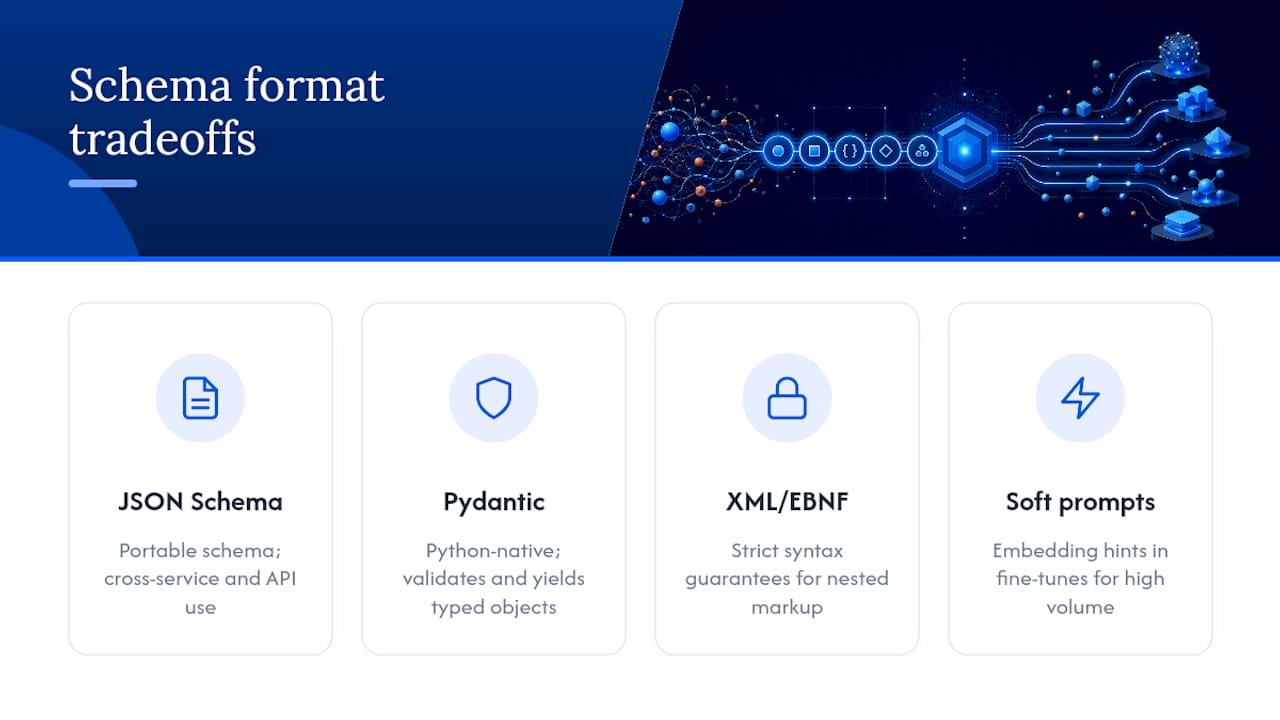
JSON Schema works well when the schema needs to travel, between services, into an API spec, or into a validator that isn't Python. Pydantic wins inside a Python codebase because the same class validates the output and gives you typed objects for free. XML or EBNF grammars matter when you need syntactic guarantees a JSON parser can't give you, like nested markup that has to stay well-formed. Soft prompts, embedding-level schema hints baked into a fine-tune, show up in narrow, high-volume production paths where you've already committed to a specific model and want to skip repeating the schema text every call.
Here's a failure you'll hit constantly: the model wraps valid JSON in explanatory text.
Sure, here's the extracted data:
{"tracking_number": "1Z999AA10123456784", "carrier": "UPS"}
Let me know if you need anything else!
json.loads() throws immediately on that string. The fix is two-layered: tighten the prompt, then add a parser that doesn't give up on the first failure.
instructions = (
    "Return ONLY the JSON object. No preamble, no explanation, "
    "no markdown code fences. The first character of your response "
    "must be '{'."
)
That instruction alone stops most wrapping. For the responses that still slip through, a repair step that strips leading/trailing text and re-attempts the parse catches the rest, which is the approach Datatool's repair engine takes instead of failing the whole request.
Pro Tip: Put the "return only JSON" instruction in the system message, not the user message. Models weight system-level formatting rules more heavily than instructions buried in the same turn as the data.
What Causes Malformed JSON, and How Do You Fix It?
Datatool's testing across production LLM traffic surfaces the same handful of failure modes over and over. Knowing which one you're looking at determines the fix.
- Extra text around valid JSON. The model adds a greeting or sign-off. Fix: instruct "JSON only, first character must be
{," and strip non-JSON text before parsing as a fallback. - Truncated objects. The response gets cut off mid-array because the model hit a token limit. Fix: request fewer fields per call, or split into a discovery call followed by detail calls, the progressive disclosure pattern.
- Invalid escape sequences. A model writes
"path": "C:\Users\file"without escaping backslashes. Fix: a repair pass that normalizes escaping before the JSON parser ever sees the string. - Partial arrays. The model starts a list, produces three valid objects, then stops with an open bracket. Fix: a parser that salvages complete elements and drops the trailing partial one instead of rejecting the whole array.
- Schema drift. The model starts returning
"delivery_date"as"deliveryDate"after a prompt template gets edited upstream. Fix: schema validation on every response, logged and alerted, not just checked at deploy time.
The operational fix underneath all five is the same: don't treat a parse failure as a dead end. A parse-tolerant repair flow, attempt strict parse, fall back to lenient repair, retry with the repaired input if validation still fails, catches the majority of malformed responses Datatool's testing has logged without a second model call.
Pro Tip: Log the raw malformed response before repair, not just the repaired result. When schema drift shows up three weeks later, that raw log is the only way to tell whether the model changed behavior or your prompt template did.
How Do You Apply Schema Prompting to Real Systems?
The pattern looks different depending on what you're building, but the contract, define the shape, let the model fill it, stays constant.
- Dialogue state tracking. Concatenate the conversation with a domain and slot schema that includes descriptions and, where possible, a fixed value set per slot. Empirical work on schema-driven DST shows this domain/slot pattern improves both tracking accuracy and output stability on multi-turn benchmarks like MultiWOZ.
- Text-to-SQL. Feed the model table and column metadata, not just the user's question, along with a couple of worked examples. Grounding the schema in actual database structure cuts down on the model hallucinating column names that don't exist.
- Agent and tool inputs. Give each tool an
inputSchemaplus asemantic_descriptionso the model can pick the right tool from a list, the same pattern that underlies Model Context Protocol tool definitions. - ETL extraction. Point the output schema straight at your downstream type system. If your pipeline expects a Pydantic model, generate the JSON Schema from that model so validation and extraction never drift apart.
For text-to-SQL specifically, building a labeled set of real business questions against real schema helps catch grounding failures before they hit production, a practice Brainiac Consulting's evaluation framework covers in more depth.
How Do You Validate and Monitor Schema-Based Prompts in Production?
A schema based prompt without validation at the boundary is just a suggestion. Gate every response through a JSON Schema or Pydantic validator before it touches downstream code, and back that gate with regression fixtures that check structure and domain constraints, not just "is this valid JSON."
Schema drift is the failure mode that hides the longest. A prompt template gets edited, a field gets renamed, and nothing breaks loudly, requests just start failing validation at a low, easy-to-ignore rate. Sample production responses regularly and check them against fixed rate thresholds, the same way you'd monitor error rates on any other API.
From Datatool's error logs: the most common schema violation across tested LLM outputs isn't invalid JSON syntax, it's a missing required key the model silently drops when a schema has more than a dozen fields. Shrinking schemas with progressive disclosure measurably cuts this failure class.
Operational patterns worth adopting:
- Add a confidence threshold field to the schema so the model can flag low-certainty extractions instead of guessing silently.
- Include an
"other"fallback key for values that don't map cleanly to your enum, rather than forcing a bad match. - Use progressive disclosure, small discovery schema first, detail schema on demand, to cut token spend without losing coverage.
- Track and log repair rates over time; a sudden spike is usually a model version change or a template edit, not noise.
Datatool's guide to validating AI-generated structured data walks through building these fixtures step by step if you're setting this up from scratch.
What Should a Schema Prompting Checklist Cover?
Before shipping a schema based prompt to production, run it against this list:
- Every field has a semantic description, not just a type.
- The schema includes a failure-mode or fallback field for values that don't fit cleanly.
- Discovery schemas stay small; detail is requested only when needed.
- Validation runs at the API boundary, not just in a notebook during development.
- Regression fixtures cover both structural validity and domain-specific constraints.
- Repair and drift rates are logged somewhere you'll actually look at them.
| Practice | Why it matters | Where it lives |
|---|---|---|
| Semantic field descriptions | Cuts ambiguous mappings between similar fields | Schema definition |
| Failure-mode / fallback fields | Gives the model a safe answer instead of a guess | Schema definition |
| Progressive disclosure | Reduces token cost on large schemas | Prompt design |
| Boundary validation | Catches malformed output before it reaches business logic | API layer |
| Repair rate logging | Surfaces schema drift before it causes silent failures | Monitoring |
Production Lessons From Building Schema-Based Systems
Two failure patterns show up more than any others in real deployments: a model that returns technically valid JSON with unescaped backslashes in file paths, and a model that wraps its answer in a markdown code fence even after being told not to. Neither is rare. Both are avoidable with the same discipline, tighten the instruction, then build a repair layer that doesn't assume the first parse attempt will succeed.
The lesson that took longest to learn is that schema based prompting isn't a one-time setup. Templates drift as teams edit them, models get upgraded silently by providers, and a schema that worked reliably in January can start failing validation in June for no reason visible in your own code. Treat schema compliance as something you monitor continuously, not something you configure once. Datatool's own repair workflow, attempt strict parse, fall back to lenient repair, log what broke, exists because that continuous monitoring step is the part teams skip until an incident forces the issue. For deeper implementation detail, the JSON Schema validation guide and the breakdown of why complex schemas fail are worth reading before you write your first production schema.
— Gregory
Fix Malformed Schema Output Before It Reaches Your Pipeline
Every fix in this article, parser-tolerant repair, escape normalization, drift detection, gets slower and more brittle when you build it yourself for every project. Datatool exists for exactly this gap: a deterministic repair engine that takes the broken JSON your schema based prompt produced, wrapped text, truncated objects, bad escaping, and returns something your validator will actually accept, without a second model call.
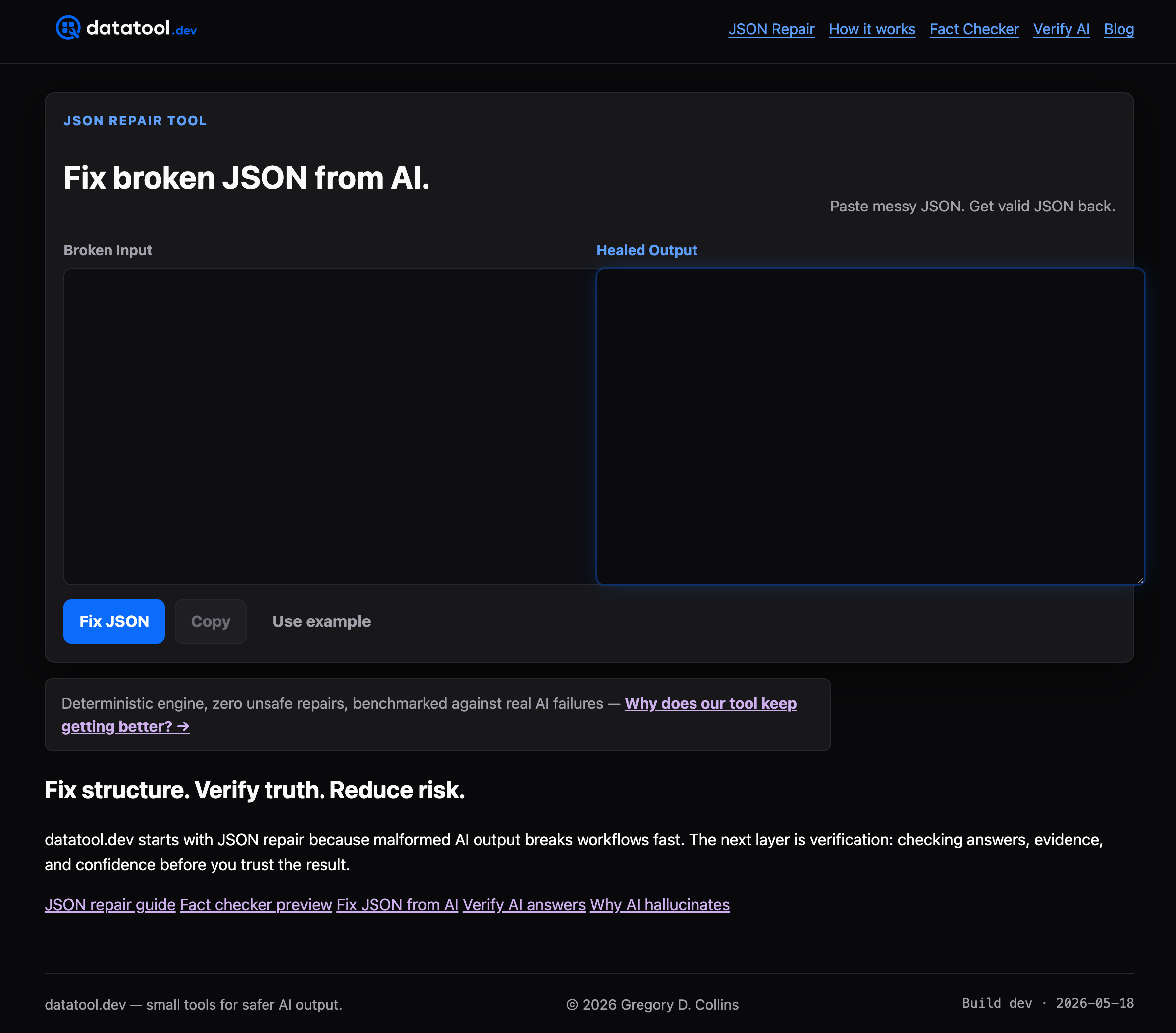
Drop it into CI as a pre-prod gate against your Pydantic or JSON Schema models, or run it at runtime as the fallback when a live response fails validation. Either way, it's the layer between "the model almost got it right" and "the pipeline broke." If you're already writing regression fixtures for schema drift, point your test suite at Datatool's repair and validation tools and see how many of your current parse failures it catches on the first pass.
Sources
- Introduction to Schema Based Prompting: Structured inputs for Predictable outputs
- Unified Schema Prompt / SchemaPro