
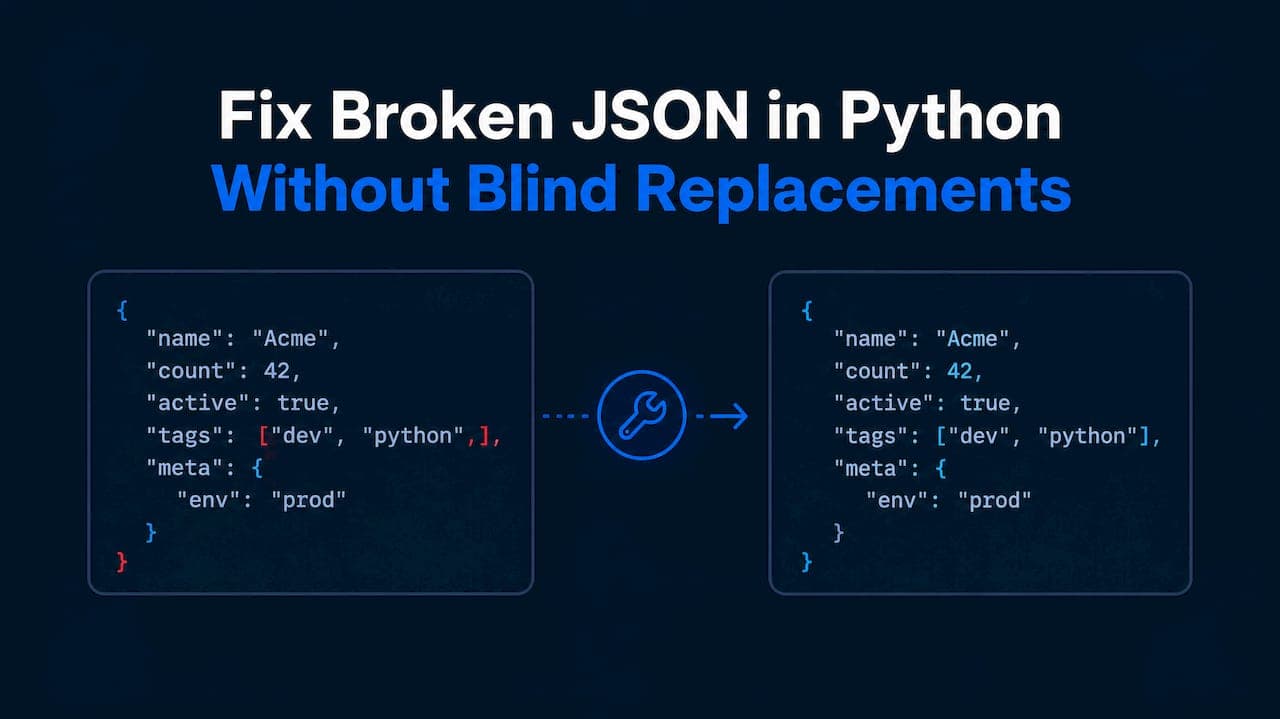
The fastest reliable path is json.loads() first, then a bounded repair step, then schema validation. Try the fast path. If it throws JSONDecodeError, run a repair function that strips wrappers, fixes quotes, closes truncated strings, or removes trailing commas. Validate the result against a schema before trusting it, and use a repair tool that reports every change so you can audit what happened.
TL;DR:
- Read JSONDecodeError’s position, line, and column, then inspect nearby characters; wrappers, byte order marks, and truncation require different fixes.
- Use targeted repairs for trailing commas and comments, but avoid blind quote replacement because apostrophes inside valid strings can corrupt otherwise recoverable data.
- After repair, validate against Pydantic or JSON Schema and log the original payload, repaired output, rule applied, character offset, and request ID.
- Reject uncertain repairs involving payments, legal text, or compliance, while low risk scraped records may be repaired when optional fields are missing.
- For truncated responses, close open strings and brackets only when safe, and drop an incomplete final key or value rather than inventing its contents.
Table of Contents
- How to read JSONDecodeError and classify the break
- Code-first recipes for the most common syntax problems
- Production workflow: parse, repair, validate, log
- How datatool.dev's json-heal fits the workflow
- Fixing two real examples: a scraped wrapper and truncated output
- A short checklist to keep broken JSON out of your pipeline
- When to repair versus when to reject
- Try datatool.dev's JSON repair tooling
- FAQ
- Sources
How to read JSONDecodeError and classify the break
JSONDecodeError tells you exactly where parsing failed. Read that location before guessing at a fix.
- Catch the exception and print
e.pos,e.lineno, ande.colno. These point to the exact character where the parser gave up. - Slice the raw string around that position:
raw[max(0, e.pos-20):e.pos+20]. The offending characters are almost always visible in that window. - Check for wrappers first. Scraped and LLM output often arrives inside triple backticks, Markdown code fences, or explanatory prose before the real JSON starts. A Byte Order Mark at the start of a file causes the same kind of failure and is easy to miss with a plain
print(). - Scan for single quotes instead of double quotes, trailing commas before a closing bracket, inline comments, or Python literals like
True,False, andNoneinstead of JSON'strue,false, andnull. RFC 8259 defines JSON strings as double-quoted and its literals as lowercase, so any of these patterns will fail a conformant parser. - Check the tail. If the string just stops mid-value, you are dealing with truncation, not a syntax typo.
Running python -m json.tool yourfile.json from the command line gives you the same error with no extra code, which is often the quickest first check.
Code-first recipes for the most common syntax problems
Most broken JSON falls into a handful of patterns. Here is working code for each one.
- Fast path with fallback: try
json.loads(raw)first; call a repair function only inside theexcept json.JSONDecodeErrorblock, so clean JSON never pays a repair cost. - Strip wrappers before anything else: remove leading/trailing triple backticks, a leading
jsonlanguage tag, and any Byte Order Mark withraw.lstrip(''). - Convert single quotes carefully: naive
.replace("'", '"')breaks any string that legitimately contains an apostrophe. Escape interior double quotes first, or use a small state machine that tracks whether you're inside a string. - Remove trailing commas with a targeted regex, not a blind replace:
re.sub(r',\s*([}\]])', r'\1', raw)matches a comma followed by a closing bracket or brace and removes only the comma. - Strip comments the same way: a regex that matches
//to end-of-line or/* */blocks, applied only outside of string literals. - Close truncated strings only when it's safe: if the payload ends mid-string, closing the quote and the enclosing brackets can recover a usable object; if it ends mid-key, drop that incomplete pair instead of guessing its value.
import json
import re

def basic_repair(raw: str) -> str:
    raw = raw.strip().lstrip('')
    raw = re.sub(r'^```(json)?|```$', '', raw.strip())
    raw = re.sub(r',\s*([}\]])', r'\1', raw)
    return raw

try:
    data = json.loads(raw)
except json.JSONDecodeError:
    data = json.loads(basic_repair(raw))
Pro Tip: Write one repair function per failure pattern instead of one giant regex. Smaller functions are easier to test and easier to disable individually when they misfire.

For a deeper look at quote escaping specifically, see our guide on escaping quotes in JSON, and for trailing commas, our comma fix walkthrough covers edge cases this section skips.
Production workflow: parse, repair, validate, log
A repair step without validation just moves the failure downstream. Use this sequence in production.
- Parse first. Call
json.loads()on the raw payload. Most well-formed responses pass immediately and never touch the repair code path. - Repair only on failure, and record exactly what changed: which rule fired, what was replaced, and the character offset.
- Validate the repaired output with Pydantic or a JSON Schema. A repaired object that doesn't match your expected shape is a signal, not a success. Our guide to JSON Schema validation covers setting this up with Pydantic models.
- Log everything: the original payload, the repaired output, the repair report, and a request ID for tracing back to the source call.
- Reject when integrity matters. For financial figures, legal text, or anything with compliance exposure, route repaired-but-uncertain data to human review instead of auto-accepting it.
This sequence matters because each step catches a different failure mode: parsing catches syntax errors, repair recovers what it safely can, and validation catches the cases where repair silently produced the wrong shape.
How datatool.dev's json-heal fits the workflow
There are tools like @datatool/json-heal designed to slot into the repair step without hiding what they changed. These tools return a repair report alongside the fixed output, so the audit trail from the workflow above can come built in rather than hand-rolled.
from datatool import repair

result = repair(raw)
if result.ok:
    data = json.loads(result.repaired)
else:
    log.warning("repair failed", extra={"raw": raw})
result.oktells you whether a confident repair was possible at all.result.repairedis the corrected JSON text, ready forjson.loads()and schema validation.result.reportlists each repair applied: the strategy used, what changed, and where.
Our repairs are deterministic: the JSON repair tool applies the same fix to the same input every time, logs every change, and preserves the original payload rather than discarding it. That combination is what turns a one-off script fix into something you can run unattended in a pipeline.
Fixing two real examples: a scraped wrapper and truncated output
Here is the full flow applied to two patterns you'll hit constantly with scraped pages and LLM responses.
- HTML-wrapped JSON. A scraper pulls a
<script>tag containingvar data = {"id": 1, "name": "Widget"};.json.loads()fails immediately onvar data =. Extract the object with a regex anchored on the first{and last}, then parse:raw[raw.index('{'):raw.rindex('}')+1]. - Truncated LLM output. A streamed response cuts off mid-object:
{"id": 1, "items": ["a", "b". The decoder raisesJSONDecodeError: Expecting ',' delimiterat the cutoff. A repair that closes open strings and brackets recovers{"id": 1, "items": ["a", "b"]}, dropping only the incomplete trailing element rather than guessing its content. - In both cases, validate the recovered object against a Pydantic model before using it. A recovered shape that fails validation tells you the repair guessed wrong, which is safer than silently shipping bad data.
A short checklist to keep broken JSON out of your pipeline
Fixing broken JSON after the fact works, but a few habits upstream cut how often you need to.
- Ask the model to emit a single, explicit JSON block and check the API's
finish_reasonfield: alengthcutoff means the output was truncated before you even parse it. - Prefer NDJSON for streaming responses so one broken line doesn't invalidate the whole payload; our NDJSON parsing guide covers repairing individual lines without losing the rest of the stream.
- Validate immediately and log the raw response on failure. A failed validation with no logged input is nearly impossible to debug later.
- Keep repair rules small and specific per failure type, and centralize repair logging with request IDs so patterns across failures are visible, not scattered across log files.
Pro Tip: If the same repair rule fires on more than a small share of requests, that's an upstream prompt or scraper problem, not something to keep patching downstream.
When to repair versus when to reject
Repair makes sense when the cost of losing a field is low and the data is transient, like a scraped listing missing one optional attribute. Reject and route to human review when integrity actually matters: payment amounts, legal text, anything feeding a compliance process. Either way, validate the output and keep the original payload. A repair you can't audit is a liability, not a convenience.
— Gregory
Try datatool.dev's JSON repair tooling
We built our repair engine for exactly the failures covered above: wrapped responses, trailing commas, truncated objects, and invalid escaping, all fixed deterministically and logged so you can see what changed.
- Every repair produces a report you can audit before trusting the output.
- The JSON repair tool works as a drop-in step before your existing validation logic.
Try the repair tool on a sample payload and see the report it generates before wiring it into your ingestion path.
FAQ
What causes a JSONDecodeError in Python?
A JSONDecodeError means the text passed to json.loads() doesn't match the grammar defined in RFC 8259, commonly due to single quotes, trailing commas, unescaped quotes inside strings, or truncated output. The Python json documentation describes the exception's pos, lineno, and colno attributes, which point to the exact failure location.
How do I fix truncated JSON from an LLM response?
Close any open strings and brackets at the point of truncation, then drop the last incomplete key or value rather than guessing its content. Always validate the recovered object against a schema afterward, since a recovery that passes json.loads() can still have the wrong shape.
Is it safe to use regex to fix broken JSON?
Targeted regex works well for specific, well-understood patterns like trailing commas before a closing bracket, but a blind find-and-replace across the whole string can corrupt valid data inside string values. Scope each regex narrowly and test it against clean JSON to confirm it leaves correct input unchanged.
What's the difference between repairing and validating JSON?
Repairing fixes syntax so the text can be parsed at all; validating confirms the parsed object actually matches the structure your code expects. Skipping validation after repair means a successfully parsed but wrongly shaped object can still break downstream logic.
Can automated tools reliably repair AI-generated JSON?
Tools built specifically for AI output, like @datatool/json-heal, handle common LLM failure patterns such as wrapped responses and truncation with deterministic, logged repairs rather than silent guesses. Pairing an automated repair step with schema validation keeps the recovered data auditable instead of treating the repair as a final answer.
Sources
- RFC 8259 - The JavaScript Object Notation (JSON) Data Interchange Format
- json — JSON encoder and decoder — Python documentation