

Yes, OpenAI supports Structured Outputs. Enable it by setting strict: true on a json_schema response format, or on a function tool definition, and the model returns JSON that matches your schema exactly, not just JSON that happens to parse.
That distinction is the whole point. JSON mode guarantees syntax. Structured Outputs guarantees shape: the right keys, the right types, no missing fields, no invented enum values. OpenAI's own testing found gpt-4o-2024-08-06 hit 100% schema compliance with Structured Outputs enabled, versus under 40% for older prompting approaches.
Before you wire this into production, know three things:
- Supported models: gpt-4o and later, plus most current function-calling models. Older models fall back to JSON mode behavior.
- Refusal field: every response can include a
refusalfield. Check it before you try to parse anything. - finish_reason: if it reads
length, your JSON got cut off. Parsing it anyway is how you get "unexpected end of JSON input" in production logs at 2 a.m.
Key Takeaways
OpenAI's Structured Outputs enforces schema compliance through constrained token sampling, and pairing it with a repair and validation layer covers the failures that constraint alone doesn't catch.
| Point | Details |
|---|---|
| Enable with strict mode | Set strict: true on response_format or a function tool to get schema-guaranteed JSON. |
| Compliance jump is real | OpenAI reports 100% schema compliance for gpt-4o-2024-08-06 versus under 40% for older methods. |
| Check refusal before parsing | A populated refusal field means the model declined, not that parsing failed. |
| Know the unsupported subset | Deep nesting and some composition keywords aren't supported; flatten schemas to avoid 400 errors. |
| Pair with repair tooling | Datatool repairs truncated or malformed JSON that slips past Structured Outputs and re-validates it before use. |
Table of Contents
- What Is OpenAI Structured Outputs and How Do You Turn It On?
- How Does Structured Outputs Enforce Schema Compliance?
- Structured Outputs vs JSON Mode: Which Should You Use?
- What SDK Patterns Should You Use to Parse Structured Outputs?
- Common Errors With OpenAI Structured Outputs and How to Fix Them
- What Are the Production Best Practices for Structured Outputs?
- How Do You Test and Repair Structured Output Failures?
- What Developers Get Wrong About Structured Outputs
- Fix What Structured Outputs Doesn't Catch
- Sources
What Is OpenAI Structured Outputs and How Do You Turn It On?
Structured Outputs is an API feature that forces the model's response to match a JSON Schema you define, field for field. You turn it on one of two ways: through response_format with type: "json_schema" and strict: true, or through a function/tool definition with strict: true set on the tool itself. Both paths use the same enforcement mechanism under the hood.
Here's what breaks without it, and the fix.
The failure: legacy JSON mode drops fields
A common pattern is calling the API with response_format: { type: "json_object" }, better known as JSON mode. It works, until the model decides a field isn't needed and quietly omits it.
# Legacy JSON mode - no schema enforcement
response = client.chat.completions.create(
    model="gpt-4o",
    messages=[{"role": "user", "content": "Extract the invoice: Total $450, vendor Acme Corp, due 2026-03-01"}],
    response_format={"type": "json_object"}
)
data = json.loads(response.choices[0].message.content)
print(data["due_date"])  # KeyError: 'due_date' — model called it "date_due"
Datatool.dev's testing on malformed AI output shows this exact pattern repeatedly: JSON mode returns syntactically valid JSON with renamed keys, missing optional-looking fields, or numbers formatted as strings. Your code has no way to know until it crashes downstream.
The fix: Structured Outputs with strict mode
from pydantic import BaseModel
from openai import OpenAI

client = OpenAI()

class Invoice(BaseModel):
    vendor: str
    total: float
    due_date: str

completion = client.beta.chat.completions.parse(
    model="gpt-4o-2024-08-06",
    messages=[{"role": "user", "content": "Extract the invoice: Total $450, vendor Acme Corp, due 2026-03-01"}],
    response_format=Invoice
)

message = completion.choices[0].message

if message.refusal:
    print("Model refused:", message.refusal)
else:
    invoice = message.parsed
    print(invoice.due_date)  # "2026-03-01" — guaranteed present, guaranteed a string
Three things changed:
- The schema comes from a Pydantic model instead of a hand-written JSON Schema dict, so field names and types can't drift out of sync with your code.
- The SDK's
parsehelper handles the schema conversion and deserialization for you, returning a typedInvoiceobject instead of a raw string. - The
refusalcheck happens before you touch.parsed, so a safety refusal never crashes your parser with a null value.
Pro Tip: Always check message.refusal before message.parsed, even in a quick prototype. Skipping it is the single most common cause of null-pointer crashes datatool.dev sees in structured output pipelines, because the field is empty on success and populated on refusal, exactly backward from what most developers assume on first read.
The equivalent JavaScript pattern uses Zod instead of Pydantic, and the same two checks apply before you touch the parsed object.
How Does Structured Outputs Enforce Schema Compliance?
Structured Outputs works by constraining the model at the token level, not by asking it nicely. OpenAI converts your JSON Schema into a context-free grammar, then masks the model's output so it can only emit tokens that are valid under that grammar at each step of generation. If your schema says a field must be one of three enum values, the model is not sampling from its full vocabulary and hoping to land on a valid string. It literally cannot produce a token outside those three options.
That's why schema hallucination, a model inventing an extra key or picking an enum value you never defined, mostly disappears. It's not a smarter model. It's a smaller sampling space.
This buys you reliability, but it isn't free:
- First-request latency. The first time your app sends a new schema, OpenAI has to compile it into that grammar. Expect a small delay on that first call. Subsequent calls with the same schema hit a cache and run at normal speed.
- A restricted schema subset. Structured Outputs doesn't support every JSON Schema keyword. The root must be an object, every field is treated as required, and
additionalPropertiesmust befalse. Deep nesting and some composition keywords (oneOfchains, certain conditional schemas) are limited or unsupported. - No optional fields in the schema sense. If you want a field to sometimes be absent, model it as nullable (
["string", "null"]) instead of making it optional. Structured Outputs requires every declared property to be present in the output.
The unsupported list matters more than it looks. Teams migrating a complex, deeply-nested schema from a legacy validator often hit a 400 error on their first Structured Outputs call, not because the feature is broken, but because the schema itself uses a keyword outside the supported subset. Datatool.dev's guide on why complex schemas break structured output covers the specific patterns that trigger this, and it's worth reading before you migrate a schema you didn't design from scratch.
The tradeoff is straightforward: you give up some schema expressiveness and accept a small first-call delay, in exchange for output that OpenAI's testing shows matches your schema essentially every time instead of most of the time.
Structured Outputs vs JSON Mode: Which Should You Use?
JSON mode guarantees valid JSON syntax. Structured Outputs guarantees valid JSON syntax and schema adherence. That's the entire difference, and Microsoft's Azure OpenAI documentation draws the same line: use JSON mode when you just need parseable output, use Structured Outputs when you need the output to match a contract.
In practice, the choice maps cleanly to what happens after the API call returns.
Use Structured Outputs when:
- A downstream database, ORM, or typed system will ingest the response directly.
- The output populates a UI component that breaks if a field is missing or the wrong type.
- Multiple team members or services rely on the same output contract and can't tolerate drift.
- You're extracting structured data (invoices, form fields, entity extraction) where partial results are worse than a clear failure.
JSON mode still has a place when:
- You're prototyping fast and the schema is still changing call to call.
- The model version you're targeting doesn't support Structured Outputs.
- You're logging loosely-structured data where a missing optional field genuinely doesn't matter.
A concrete example: if you're generating a JSON object to populate a React form, a missing field means a broken render. That's a Structured Outputs case. If you're logging a rough summary object for internal analytics where an occasional missing tag is fine, JSON mode is less overhead for the same job.
What SDK Patterns Should You Use to Parse Structured Outputs?
Hand-writing JSON Schema and hand-parsing the response is where most schema drift starts. A field gets renamed in your database model but not in the schema dict sitting in a config file three directories away, and nobody notices until production throws a KeyError. The fix is to define your schema once, as code, and let the SDK do the conversion and parsing.
The recommended flow looks like this:
- Define a typed model (Pydantic in Python, Zod in JavaScript/TypeScript).
- Pass that model directly to the SDK's parse helper instead of hand-writing a JSON Schema dict.
- Check
refusalandfinish_reasonon the response before touching the parsed object. - Deserialize into the typed model and use it downstream with full type safety.
Python, using the pattern shown earlier, extends naturally to nested models:
class LineItem(BaseModel):
    description: str
    amount: float

class Invoice(BaseModel):
    vendor: str
    total: float
    line_items: list[LineItem]
JavaScript with Zod follows the same shape:
import { z } from "zod";
import { zodResponseFormat } from "openai/helpers/zod";

const Invoice = z.object({
  vendor: z.string(),
  total: z.number(),
  lineItems: z.array(z.object({
    description: z.string(),
    amount: z.number()
  }))
});

const completion = await client.chat.completions.parse({
  model: "gpt-4o-2024-08-06",
  messages: [{ role: "user", content: "Extract the invoice details" }],
  response_format: zodResponseFormat(Invoice, "invoice")
});
This matters for a reason beyond convenience: OpenAI's cookbook on Structured Outputs recommends the parse-helper pattern specifically because it prevents the schema you validate against from drifting away from the schema your application code actually expects. When the schema lives as a typed model instead of a JSON string, a change to one field name breaks your build at compile time instead of failing silently in production three weeks later.
Common Errors With OpenAI Structured Outputs and How to Fix Them
Four errors account for most of the support tickets and Slack threads about Structured Outputs. Here's the triage flow for each.
-
Refusal instead of data. The model declined to answer, usually for safety reasons, and the response has a populated
refusalfield with an emptyparsedobject. Fix: always checkrefusalfirst, before you try to readparsed, and render a fallback message or safe error to the user. -
Truncated JSON.
finish_reasonreads"length"and your JSON parser throws on an unexpected end of input. Fix: checkfinish_reasonbefore parsing. If it'slength, increasemax_tokensor break the request into smaller chunks rather than retrying the same call and hoping for a shorter response. -
Unsupported schema error. The API returns a
400naming a specific schema keyword it doesn't support (often around nestedoneOf, deep recursion, or missingadditionalProperties: false). Fix: strip the schema down to the supported subset. OpenAI's developer guide lists the exact constraints, and rewriting around them is almost always faster than debugging the error message alone. -
Parallel tool call conflicts. When a model call includes multiple tools with
strict: true, parallel tool calling can produce malformed combined output. Fix: setparallel_tool_calls: falseand re-run the request. This forces sequential tool execution and removes the interaction bug entirely.
Pro Tip: Log the raw response string alongside the parsed object in every environment, not just staging. When a schema error shows up in production, the raw string is what tells you whether the model produced malformed JSON or your schema definition itself is the problem, and you cannot tell the difference from the parsed object alone because a failed parse gives you nothing to inspect.
A refusal is not a bug. It is the API telling you, correctly, that it didn't follow your schema on purpose. Treating it as a parse failure instead of a distinct response type is the most common design mistake in Structured Outputs error handling.
What Are the Production Best Practices for Structured Outputs?
Schema design decisions you make on day one determine how much pain you feel on day ninety. A handful of rules cover most of it.
Design rules that hold up under load:
- Set
additionalProperties: falseon every object, including nested ones. This is required by Structured Outputs anyway, but treat it as a design principle, not just a compliance checkbox. - Treat every field as required and model optionality with nullable types instead of omitted fields.
- Avoid deep nesting. Flatter schemas hit fewer unsupported-keyword errors and are easier for the model to fill correctly.
- Keep composition keywords (
oneOf,anyOf) simple. Complex branching schemas are exactly where Datatool.dev sees the most unsupported-feature errors in customer testing.
Version control your schemas like you version control your database migrations. A schema is a contract between your prompt and your application code, and it belongs in source control next to the code that consumes it, not in a config file someone edits by hand in production. Run sample inputs against every schema change in CI before merging, the same way you'd test a database migration against a staging dataset. Datatool.dev's guide to schema contracts covers versioning patterns for teams running Structured Outputs across multiple services.
Observability is not optional at scale. Track three numbers: refusal rate, parse failure rate, and truncation rate (finish_reason == "length"). A sudden spike in any of them usually means either your prompt changed upstream or OpenAI shipped a model update that shifted behavior slightly. Log the raw output alongside the parsed result so you can diagnose the difference between "the model produced bad JSON" and "our schema is wrong" without waiting for a customer report.

Cost and performance follow directly from schema design. Reusing the same schema across calls hits OpenAI's grammar cache and avoids the first-request compilation delay covered earlier. Stream responses where your UI can render incrementally, and budget tokens with the knowledge that strict: true schemas sometimes produce slightly more verbose output than an unconstrained prompt, since the model has to fully populate every required field.
For teams building on complex or evolving datasets, background reading on general dataset schema design is useful context before you lock in a Structured Outputs contract you'll be maintaining for a year.
| Practice | Why it matters |
|---|---|
additionalProperties: false everywhere | Required by the API, and it prevents silent extra fields from slipping through. |
| Nullable instead of optional fields | Structured Outputs treats every declared field as required, so optionality needs a null type. |
| Schema in source control | Lets you test schema changes in CI the same way you test code changes. |
| Track refusal and truncation rates | Catches upstream prompt or model behavior shifts before customers report them. |
How Do You Test and Repair Structured Output Failures?
Even with strict: true doing the heavy lifting, production systems still need a test → detect → repair → re-validate loop. Structured Outputs eliminates most schema drift, not all failure modes, and truncation, network-level corruption, and edge-case refusals still happen at scale.
Testing. Write unit tests that send synthetic inputs designed to stress your schema: empty strings, unusually long text, ambiguous requests that might trigger a refusal. Datatool.dev's testing best practices guide walks through building a synthetic test suite that exercises refusal paths and truncation paths specifically, not just the happy path most teams test by default.
Detection. Set alert thresholds on the metrics from the previous section. A parse failure rate that jumps from 0.1% to 2% overnight is worth an incident, not a shrug. Datatool.dev's observability guide covers the specific dashboards worth building for structured output pipelines.
Repair. When output does arrive malformed, truncated mid-object or with broken escaping, the fix is deterministic repair, not a retry loop that burns tokens and adds latency:
- Detect the failure class (truncated JSON, invalid escaping, wrapped-in-markdown response).
- Run the raw string through a repair engine that closes unterminated objects, fixes escaping, and strips wrapper text.
- Re-validate the repaired object against your schema before it reaches application code.
# A truncated response from a network timeout mid-stream
raw = '{"vendor": "Acme Corp", "total": 450, "line_items": [{"description": "Widget'

# Deterministic repair closes the structure instead of discarding the response
repaired = repair_json(raw)
# {"vendor": "Acme Corp", "total": 450, "line_items": [{"description": "Widget"}]}

validate(repaired, schema=Invoice.model_json_schema())
This is precisely the workflow Datatool.dev built its repair engine around: automated repair tools transform truncated or escaped JSON into valid, schema-compliant objects deterministically, then re-validate before the object moves downstream, instead of throwing the whole response away and burning another API call on a retry.
Pro Tip: Don't wait for a customer-facing crash to build your repair path. Run repair and re-validation on every response in staging for a week before launch, even the ones that parse cleanly, so you know your baseline failure rate before real traffic hits it.
What Developers Get Wrong About Structured Outputs
The conventional advice treats Structured Outputs as a solved problem: turn on strict: true, ship it, done. That's wrong, and it's the source of most of the production incidents datatool.dev sees. Constrained decoding fixes schema hallucination. It does not fix truncation from a network timeout, and it does not fix a refusal you forgot to check for before dereferencing a null object.
What gets underrated is schema design discipline. Teams migrate a legacy validator's schema wholesale, hit an unsupported-keyword error, and conclude the feature is unreliable. The feature is fine. The schema was built for a different constraint system.
Prioritize two things first: strip your schema to the supported subset before you touch strict mode, and build refusal and truncation checks into your parsing code from the first commit, not after the first incident. Everything else, observability, versioning, repair tooling, is scaffolding around those two decisions.
— Gregory
Fix What Structured Outputs Doesn't Catch
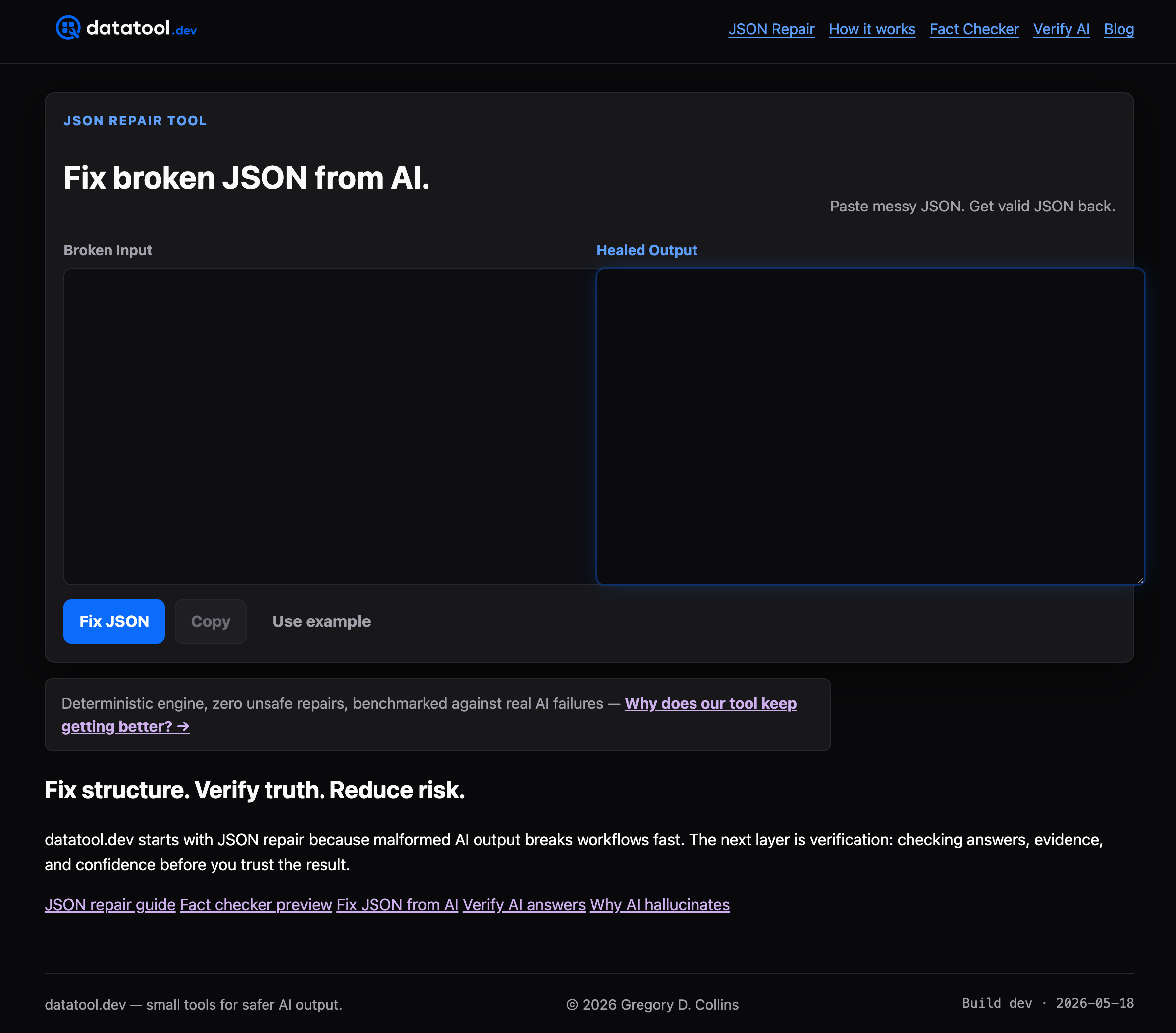
Structured Outputs solves schema compliance at the model level, but it can't fix a response that gets truncated mid-stream, wrapped in markdown by a misconfigured tool, or corrupted by a flaky network hop before it ever reaches your parser. That's the gap Datatool closes: a deterministic repair engine built specifically for the malformed JSON patterns that slip past even strict: true, plus validation and testing tools to catch drift before it hits production.
If you're already running Structured Outputs and still seeing occasional parse failures in your logs, that's not a schema problem, it's a transport and edge-case problem, and it's exactly what Datatool is built to handle. Paste a broken response into Datatool and see it repaired and re-validated against your schema in seconds, free to start.